



Your car coughs on the Kwinana Freeway at quarter to five. You roll onto the shoulder, hazards on, and call the RAC. “A patrol is on its way”, the operator says, and you’re still on the shoulder with traffic shaking your car.
An IT support SLA, or service level agreement, can leave your team in the same spot. Your accounts team logs a ticket when the practice management software won’t open, gets an automatic reply in seconds, and an hour later they’re still staring at a login screen.
Your provider hit its response target, and your team still can’t work.
With this guide in your back pocket, the next time a provider slides an agreement across the table promising fast support, you’ll know which clause to ask about, and whose clock your support runs on.
SUMMARY
An IT support SLA sets out what your provider commits to and how each commitment is measured. A fast response means your ticket was picked up. Getting your team working again is a separate measure. Before you sign, check priority levels, support hours, exclusions and escalation, then test the lot against how your business runs.
IN THIS ARTICLE
WHAT DOES MY IT SUPPORT SLA COVER?
Your IT support SLA is the part of the deal that puts numbers on the service, from how fast a request gets picked up to what happens when it doesn’t.
It often sits inside a broader IT support contract or IT service agreement. A useful one says what’s covered and which jobs belong to you, then puts hours and targets in writing, along with who to call when a ticket stalls. Uptime, response and resolution targets follow a fairly common pattern across service level agreements.
The fine print is where they part ways, so don’t assume yours includes protections you’ve seen in another provider’s agreement. I’d rather see a handful of measurable commitments than a page of warm adjectives, because a number is something you can wave at your provider when the third “still investigating” email lands. The first thing to pin down is what the clock is timing.
HOW IS RESPONSE TIME DIFFERENT FROM RESOLUTION TIME IN MY SLA?
Response time is how fast your provider picks up the ticket, and resolution time is how long until it’s fixed. The stage in between is the one your team feels.
Back on the freeway, the response is the operator taking your call. Restoration is the patrol getting your car running on a temporary fix, and resolution is the mechanic sorting the cause later that week.
3 stages of a support ticket
| Stage | What your SLA measures | What your team sees |
| Response | How fast your ticket is picked up | Confirmation that the problem is logged |
| Restoration | How fast work resumes, even on a workaround | Staff back on client work |
| Resolution | How fast the cause is fixed | The fault shouldn’t return |
Check whether your agreement counts an automated email as the response. Resolution is harder to promise, because a tricky diagnosis, a laptop stuck in freight or a fault with your software vendor can drag it out. The wording might set a firm commitment, a target or no figure at all.
If I could ask a provider for one figure, it would be restoration, because that’s the number your staff feel. How fast a ticket gets there depends on its place in the queue.

HOW DO PRIORITY LEVELS AND SUPPORT HOURS AFFECT MY SLA?
SLA priority levels decide how fast a ticket is handled, and support hours decide when the clock runs.
An outage that stops your whole office billing is high impact and urgent, so it sits at the top. One printer playing up, with another down the hall, sits lower. If you think a ticket has landed too low, ask who sets priority and how to get it bumped up.
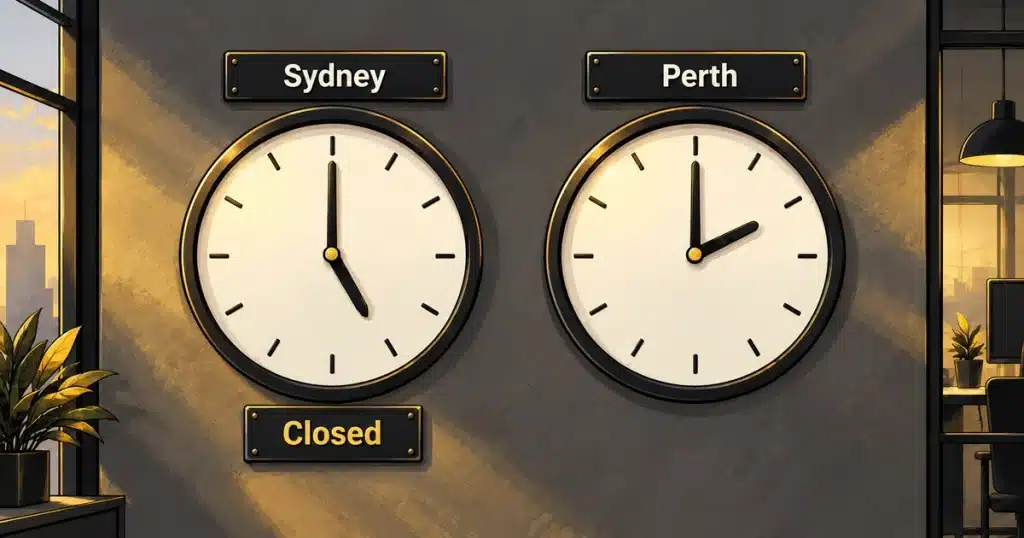
Priority only counts while the clock is running. An east coast provider can close up at 2pm Perth time, so check whose clock your support day runs on. Weekends and public holidays matter too, as does whether 24/7 means software watching overnight or a technician you can phone at 9pm.
Say your receptionist logs a ticket at quarter to five on a Friday, with a four-hour response target. Fifteen minutes count before close, so your front desk sits offline until late Monday morning, and your provider still hits its target.
WHAT SHOULD I CHECK BEFORE SIGNING MY IT SUPPORT AGREEMENT?
Before you sign an IT support agreement, check every promise from the sales meeting is in writing, including when each clock starts and stops.
Take these nine questions into the meeting and ask the provider to point to the clause for each.
9 questions to ask before you sign
- Which of my staff, devices, apps and sites are in scope?
- Which support channel do I use for an urgent request?
- When does the timer start and stop on my tickets, and what pauses it?
- Who sets the priority on my tickets, and how do I challenge it?
- What are your support hours in Perth time?
- Who chases third parties like my software vendor or telco when they’re the cause?
- What are my responsibilities, like giving you admin access or approving changes?
- What costs extra on top of the monthly fee?
- Who’s accountable when you miss a target, and what’s my remedy
Watch question seven. When your provider is waiting on your team, the SLA clock can stop. That’s fair, as long as each pause shows up on the ticket so the clock isn’t stopped just to protect a target. Price, security and local presence matter just as much when you’re choosing an IT support provider. I’d expect the same nine put to me by any business comparing IT support services for Perth businesses. The last question gets tested the first time a target slips.
WHAT HAPPENS WHEN MY PROVIDER MISSES AN SLA TARGET?
When your provider misses an SLA target, your escalation path should kick in, with a named contact and regular updates until it’s back on track.
If the patrol car runs an hour late, a call explaining why does more for you than money off next year’s RAC membership. A missed SLA target works the same way. Ask how misses are logged and who owns the fix when a problem keeps returning. Service credits only apply when the agreement spells them out.
What regular reporting looks like
FSC Civils, a West Perth civil construction firm with 150 staff, wanted more transparency around how its IT was performing. When an issue needs chasing, there’s a single point of contact, so staff aren’t left hunting for who to call. Every quarter, a performance review puts the numbers on the table, including a 14-minute average response time, with a technician usually logged in and working on the issue within minutes, and flags risks before they turn into issues.
Reviews like these turn a missed target into a fix, because both sides read the same numbers. An average like that is reported performance, and it’s worth asking every provider for alongside the targets in the contract.
WHERE TO START
On the freeway shoulder, the answered call didn’t stop the car shaking every time a truck went past. What mattered was how long until the patrol had the car going, and whether it got you all the way home. Read your IT service level agreement the same way, asking what each clock measures on Perth time and what happens when it slips.
If you’d like a second set of eyes on yours, look at my IT support services for Perth businesses and get in touch.
FREQUENTLY ASKED QUESTIONS ABOUT IT SUPPORT SLAs
DOES AN AUTOMATED TICKET REPLY COUNT AS MY SLA RESPONSE?
An automated ticket reply only counts as your SLA response if your agreement says it does. I’d push for the response clock to stop when a technician starts work on the issue.
There’s an easy way to see how a provider reads its own SLA. Log a low-priority ticket in your first week and watch what follows the automatic email. A technician asking a useful question about the problem tells you the response target measures the right moment. A second template email, or silence until the target is nearly up, tells you the clock is timing paperwork.
CAN MY SLA TIMER PAUSE WHILE MY PROVIDER WAITS ON ME?
Yes, an SLA timer can pause while your provider waits on you, as long as your agreement allows it. The usual triggers are waiting on your reply or your sign-off on a change.
Pauses are fair. A technician can’t reset a director’s account if the director won’t pick up the phone. The risk sits in loose wording. “Awaiting customer” can cover one unanswered email sent at 4:50 pm, which then holds the clock overnight. I’d ask how quickly the timer restarts once your team replies and name a backup approver so tickets keep moving while your office manager is on leave.
DOES MY IT SUPPORT SLA INCLUDE AN ONSITE ARRIVAL TIME?
An IT support SLA only includes an onsite arrival time if the agreement states one. Response, remote investigation and onsite attendance can each carry a separate commitment.
Think back to the freeway. The operator answering is one promise, and the patrol reaching the shoulder is another. If your team depends on hardware in the room, like a server cupboard or a plotter, ask for the onsite figure in hours and where it applies. A provider may quote one time for the CBD and another for Joondalup or Mandurah. Construction and engineering firms with site offices should check whether those sites are covered, or billed as separate call-outs.
HOW OFTEN SHOULD I REVIEW MY IT SUPPORT SLA?
Review your IT support SLA at every renewal, and again whenever your business changes shape, such as new operating hours, a second office or a system your team can’t work without.
Between renewals, your regular service reviews are the place to test the SLA against real tickets. Two signs it has drifted are a fault that stops a whole team still sitting at low priority, and staff now starting at 7 am for East Coast clients while support begins at 8 am. A new client contract with tighter turnaround expectations is another. I’d raise any of these before renewal, while there’s still time to change the terms.