

Cyber security solutions for Perth law and accounting firms

SUMMARY

Your firm holds what attackers hunt for, confidential client files and client money on the move. This article covers why that raises your risk, which cyber security solutions answer both the attack and the audit, how to tell a specialist provider from a generalist, and where to start.

I’ve never met a practice manager who’d let a $12 variance slide. You reconcile your trust account to the cent, month after month, because that’s what your clients trust you to do. Now picture an email arriving from a client you’ve looked after for six years. It quotes the right matter or client reference number, signs off the way they always do, and asks you to send tomorrow’s transfer to a new BSB. Everything about it feels familiar.

Only the BSB is new.

Whether your office looks down on St Georges Terrace or sits off Colin Street, that email lands the same way. The ASD Annual Cyber Threat Report 2024-25 found cybercriminals now use generative AI to write more than convincing phishing emails. Meanwhile, clients, insurers and regulators are asking harder questions about how you protect their data.

Phishing emails are now so convincing that spotting them is a skill you’re taught, not something that comes naturally. Even a trained eye needs controls working behind it. The cyber security solutions worth paying for balance both sides of that ledger.

WHY WOULD HACKERS TARGET MY ACCOUNTING OR LAW FIRM?

Hackers target your firm because it holds tax file numbers, identity documents and case files, and moves client money weekly. That puts you higher on their list than a retailer twice your size.

In my experience, attackers choose by payoff rather than size, and one tax return hands them a TFN, bank details and a home address. ASD found business email compromise fraud made up 15% of cybercrime reported by Australian businesses, with medium businesses losing $97,200 per report on average. I’ve covered the wider case in why cyber security is critical for growing businesses.

Now think about that AI-written email, which only has to fool one person. At a retailer, that person might approve a stock order, but at your firm they could release settlement funds, and it takes no malware, just the trust your clients spent years building.

Here’s the first test to give your MSP. The right provider will ask how money leaves your trust account before they ask how many laptops you run. \

Hacker targeting Perth law and accounting firms, aiming darts at tax file numbers, identity documents and case files

WHAT CYBER SECURITY SOLUTIONS DOES MY ACCOUNTING OR LAW FIRM NEED?

Your firm needs cyber security solutions that decrease the risk of an attack and leave a record. General protection isn’t enough when you answer to clients, a professional body and an insurer.

You already know this from your own books. It’s the difference between money in the bank and a reconciled ledger. Only one survives an audit. Antivirus and a spam filter are the money in the bank, while access logs, training records and a response plan are the ledger.

That’s the second provider test, and I’d put it to every IT quote on your desk. A generalist sells you the protection, but a provider worth hiring also shows you the record.

WHAT CYBER SECURITY OBLIGATIONS DOES MY FIRM HAVE?

Your firm’s cyber security obligations come from your confidentiality duties, professional body and insurer, and each expects proof that client data is protected.

If you practise law, the Legal Practice Board of WA already keeps an eye on your trust account, and if you run a tax practice, the Tax Practitioners Board expects confidentiality. The Essential 8 isn’t new, but insurers increasingly use its language at renewal. None of it is designed to trip you up. It all comes back to one question, can you prove it?

WHAT SHOULD MY FIRM’S CYBER SECURITY COVER?

Your firm’s cyber security should cover role-based access, login monitoring, awareness training and incident response planning, each helping to decrease attacks and proving it.

Antivirus and a spam filter are the money in the bank. These four are the ledger, and if one is missing, that’s the gap your insurer will ask about.

4 controls that keep your security reconciled

  1. Limit trust and case files to staff who need them, and log who opens them.
  2. Monitor logins and mailboxes to catch attackers early and keep an audit trail.
  3. Train staff to question payment change requests, and record the training.
  4. Plan your first 24 hours after an incident, including who you notify.

WHAT SHOULD I EXPECT FROM CYBER SECURITY SERVICES IN PERTH?

Cyber security solutions protect your firm by assessing where your security falls short and planning how to close the gaps, from email and identity to devices and incident response. For accounting and law firms, that includes cyber security consulting aligned to the Essential 8.

Here’s how Inspired IT’s cyber security services in Perth then balance each line in your ledger. Email protection lowers the chances of that fake BSB request reaching your team, and credential monitoring flags the login from a city your staff have never visited. A 24/7 Security Operations Centre isolates threats,Microsoft 365 backup keeps client files recoverable, and the client portal holds your insurer’s paperwork.

For the third provider test, ask what the provider holds itself. My team holds ISO 27001 and SMB1001 Gold (Level 3) certification, and I’m happy to be held to it.

Inspired IT cyber security consultant in Perth asking can you prove your cyber security solutions work

WHAT DOES THIS LOOK LIKE FOR A FIRM LIKE MINE?

For a Perth accounting or law firm, good cyber security means an experienced team handling day-to-day IT, a secure home for client data and a clear compliance roadmap.

A Perth financial planning firm of about 50 staff can show how that plays out.

From IT firefighting to a compliance roadmap

HPH Solutions came to Inspired IT with a key staff member stuck troubleshooting everyday IT instead of strategic projects. My team took over day-to-day support, replaced the on-premises server with a secure setup and advised on security and compliance. Risk dropped significantly, and HPH Solutions now has a clear roadmap. Financial planning isn’t accounting or law, but the risk is just as high.

Read the case study

Your firm won’t look exactly like HPH Solutions. But if your best people are spending their afternoon’s fixing IT instead of billing clients, that’s the first variance worth closing.

WHERE TO START

Start with a reconciliation.

I’d begin by asking where you sit against the Essential 8 and your insurer’s questions, line by line, which is the last provider test. If a provider can’t show you the variance, they can’t close it. Once every line balances, that Thursday email stops tightening your chest. If you’d like a hand, book a conversation through the cyber security page, or see how IT consulting services keep it balanced.


Cyber Security Services in Perth, Choosing the Local Over the Blow In

SUMMARY

Choosing a cyber security provider in Perth is not about finding the one with the slickest website. This walks through the operational, compliance and day to day questions that separate a genuine local partner from a provider treating WA as an afterthought.

A mate of mine runs a construction firm in Osborne Park. His IT provider went quiet for six hours during an active breach last year, their support desk running out of another timezone entirely.

No technician answered until his own team found the ransom note themselves.

Every cyber security services provider in Perth says they have got your back. The real test is what happens when ransomware locks your files.

This is the checklist I would hand any business owner before they sign, so you can spot the fierce local magpie from the flock that only flew in for the season.

WA magpie guarding a Perth business, local cyber security services

WHAT SHOULD I LOOK FOR IN CYBER SECURITY SERVICES IN PERTH?

Look for a provider whose monitoring sits locally, whose response times are contracted in writing, and who can prove both rather than just claim them.

Before anything else, this is where the real risk usually hides, not in the sales pitch.

IS MY PROVIDER WATCHING MY SYSTEMS AROUND THE CLOCK, AND FROM WHERE?

A provider whose monitoring sits offshore or interstate is watching your business on someone else’s clock, not yours.

Perth runs on AWST, and a ransomware attack does not wait for the eastern states to log on. Ask your provider directly where their security operations centre physically sits, and whether it is staffed round the clock, weekends and public holidays included. A provider who swoops the moment something drops is a very different proposition to one that circles back once a technician in another timezone gets to it.

WHAT RESPONSE TIME SHOULD I EXPECT DURING A RANSOMWARE ATTACK?

Ask for a defined Response Time Objective in writing, not a verbal promise.

During an active ransomware attack, the first hour decides how much you lose. Ask what your provider’s guaranteed response time is during a declared incident, and what happens contractually if they miss it. If the answer is vague, that vagueness is the answer.

WA magpie vs eastern Australian cockatoo flock on a Perth power line, the magpie a local, the cockatoos blown in from the east.

HOW DO I PICK A CYBER SECURITY CONSULTING PARTNER?

Pick a partner who can show you a documented compliance roadmap, not just a mention of the right frameworks on their homepage.

Once you know a provider can respond, the next question is whether they keep you defensible if a regulator or an auditor comes asking.

CAN MY PROVIDER HELP ME ALIGN WITH THE ACSC ESSENTIAL EIGHT?

The ACSC Essential Eight is the baseline framework Australian businesses are assessed against.

Alignment should look like a documented roadmap, not a checkbox. Ask where you currently sit against the framework and what the plan looks like to move up a maturity level. The Essential Eight is published directly by the ACSC.

WILL MY PROVIDER KEEP ME COMPLIANT WITH THE PRIVACY ACT AND CYBER SECURITY ACT?

Compliance is a shared responsibility, but a genuine provider actively supports it rather than assuming you already have it covered.

Cyber Security Act changes have raised the bar on breach notification and data handling, particularly for finance and wealth management firms. Ask what documentation your provider maintains and who is contractually accountable if a breach happens. The Australian Privacy Principles set the baseline, your provider should already know them cold.

SHOULD I EXPECT MY PROVIDER TO HOLD THEIR OWN ISO 27001 CERTIFICATION?

A provider’s own ISO 27001 certification is a fair, useful proxy for how seriously they treat security internally.

It is a reasonable question to ask any provider, not a distrustful one. If they take their own house seriously enough to be independently certified, that tells you something about how they will treat yours.

3 Things to Ask on Your First Discovery Call

  1. Where does monitoring sit, and is it 24/7?
  2. What is your contracted response time?
  3. Can I see your Essential Eight roadmap?

WHAT SHOULD I EXPECT FROM GOOD CYBER SECURITY SOLUTIONS DAY TO DAY?

Expect real penetration testing and staff training built into the package as standard, not upsold to you later.

Beyond the checklist, day to day service quality is where the real answer shows up.

DOES MY PROVIDER RUN REAL PENETRATION TESTING, OR JUST AUTOMATED SCANS?

An automated scan flags known issues. A real penetration test finds what a skilled attacker would exploit.

Scans alone miss what a determined human tester catches. Ask whether external testing happens on a regular schedule, or whether it is an automated report with a logo on it.

SHOULD I EXPECT STAFF SECURITY AWARENESS TRAINING IN MY PACKAGE?

Training should be built into a proper package as standard, not sold back to you later as an extra.

One convincing email is often all it takes for an untrained inbox to open the door.

The Network That Made Training Non-Negotiable

When the Wheatbelt Business Network wanted to build awareness across their member businesses, they brought me in to run a practical session rather than leave it to chance. As Gemma B, Member Relations Manager at WBN, put it, “do not underestimate the cyber threat, invest in education for your staff and your members.”

Read the full case study here.

If your provider is not already building this in as standard, ask them why not.

WHERE TO START

So when you are comparing cyber security consulting partners, do not judge them by the size of their marketing budget. Judge them by whether they show up.

The eastern states flock will always be louder. The one worth choosing already knows this backyard, and is circling when you need them.

GET IN TOUCH

Cyber Security Awareness Training Starts With Your Weakest Link

I was watching the footy on Saturday when a key defender misjudged where his opponent was running, half a second too slow to react, and the ball sailed through for a goal. Eighteen players on the field, and one wrong read undid the lot. 

Monday morning, something almost identical happened in an office here in Perth. One of the staff opened an email that looked close enough to real, a supplier’s logo, an overdue invoice, and clicked.  

One wrong read. That’s all it took to undo the rest of the team’s work. 

Your team is your biggest security risk, and your strongest defence. Cyber security awareness training is the difference. 

What is cyber security awareness training? 

Here’s my take. Cyber security awareness training teaches your staff how to spot and respond to the threats that get through, phishing emails, social engineering, the fake invoice that looks a little too convincing. Get it right, and your team catches the mistake before it costs you anything. 

I’ve sat across the table from enough Perth business owners to know where the gap sits. It’s rarely the firewall.  

It’s the moment an office manager’s flat out, three tabs side-by-side on the screen, and an email lands that reads close enough to real to open without a second look. Your business doesn’t need enterprise scale to be a target, it needs one wrong read on a busy Tuesday. 

Is my business too small for this to matter? 

No. If anything, smaller businesses get targeted harder, because attackers know the defensive structure usually isn’t built yet. 

I hear this one a lot, usually from a business owner who assumes size buys safety. It doesn’t.  

A construction firm with thirty staff or a professional services practice with fifteen is often an easier mark than a listed company, not because the people are careless, but because the controls that would normally catch a mistake haven’t been drilled in.  

Being smaller doesn’t take you off the field, it just means fewer players are covering the same ground. 

What should a cyber security awareness programme cover? 

A practical programme covers phishing recognition, password hygiene, safe use of business devices, and a clear process for reporting something that feels off, delivered in a way your team will remember, not just recall in the annual quiz. 

Good training doesn’t look like a once-a-year video that gets played in the lunchroom and never mentioned again. It looks like short, regular sessions your team can absorb without losing half a day.  

Think of these as the training track work, not matchday itself, the reps that make the read possible later. The thing I see missed isn’t the phishing test, it’s the follow-up.  

You run one session, tick the box, and it’s forgotten by the time it matters. Training that sticks needs repetition, the same way a defensive read-only becomes instinct after enough practice, not after one walkthrough. 

What should I include in my team’s cyber security training? 

Cover phishing recognition, password and MFA basics, safe use of devices and email, a clear reporting process, and how to handle unusual requests like invoice or transfer changes. Between them, they cover what gets exploited. 

The Starting Line-Up 

  1. Spot phishing by the mismatched sender, urgent tone, or almost-right logo. 
  2. Never share passwords and turn on MFA to catch what passwords miss. 
  3. Only click, download, or forward what you know is safe. 
  4. Report anything that looks wrong straight away. 
  5. Double-check unusual requests, like a sudden invoice change or urgent transfer. 

Explore our cyber security services for how this fits into a broader security approach.

How do I get my team started with cyber security training? 

A practical starting point is a baseline assessment of where your team’s gaps sit, followed by training that fits how your business already runs, not a generic programme that gets ignored after week one. 

You don’t need a full pre-season to start. You need one training session, this week. I ran something similar for the Wheatbelt Business Network a while back. 

Pick Two, Not Twenty 

The Wheatbelt Business Network wanted their members trained on cyber security, but with no in-house IT expertise to draw on, a full curriculum would have lost them by the second slide. The fix was to pick two things likely to catch a member out, phishing and invoice fraud, and build a session entirely around real examples of each rather than a general overview. 

The model’s worth copying. Pick what’s most likely to hit your business specifically, not what looks good on a checklist, and start there.

How often should I be running this for my team? 

At minimum, annually. But teams that run shorter sessions quarterly, or even monthly, hold their structure far better than teams that train once and stop. 

Treat it like fitness, not a certificate. A defensive line that skips its training track between games loses its read by round three, and your team is no different.  

October is Cyber Security Awareness Month in Australia, a natural annual anchor point, but the teams I see holding their line are the ones training more often than that. Read more in our case studies to see how this has played out for other Perth businesses, including in professional services. 

Where to start 

That defender on Saturday got it wrong, and it cost his team the game. Training is what closes that gap, for him and for your team. One wrong read doesn’t have to be the difference between a close call and a costly problem, provided the training’s there before it’s needed. 

If you’re not sure where your team’s gaps sit, a conversation with the cyber security team costs nothing and gives you a clear picture of where to start. 


Inspired IT Announces New Company Changes

The Next Chapter for Inspired IT 

If you’ve worked with us for a while, you’ve probably noticed things shifting at Inspired IT. The way we communicate, the standards we hold ourselves to, the services we lead with. That’s been deliberate. 

What you’re about to read is the next part of that story. New leadership, a restructured team, and a service offering built around what Perth businesses actually need right now. These are the biggest changes we’ve made in years, and I want you to hear about them directly from me. 

Emma Richards Steps Up to General Manager 

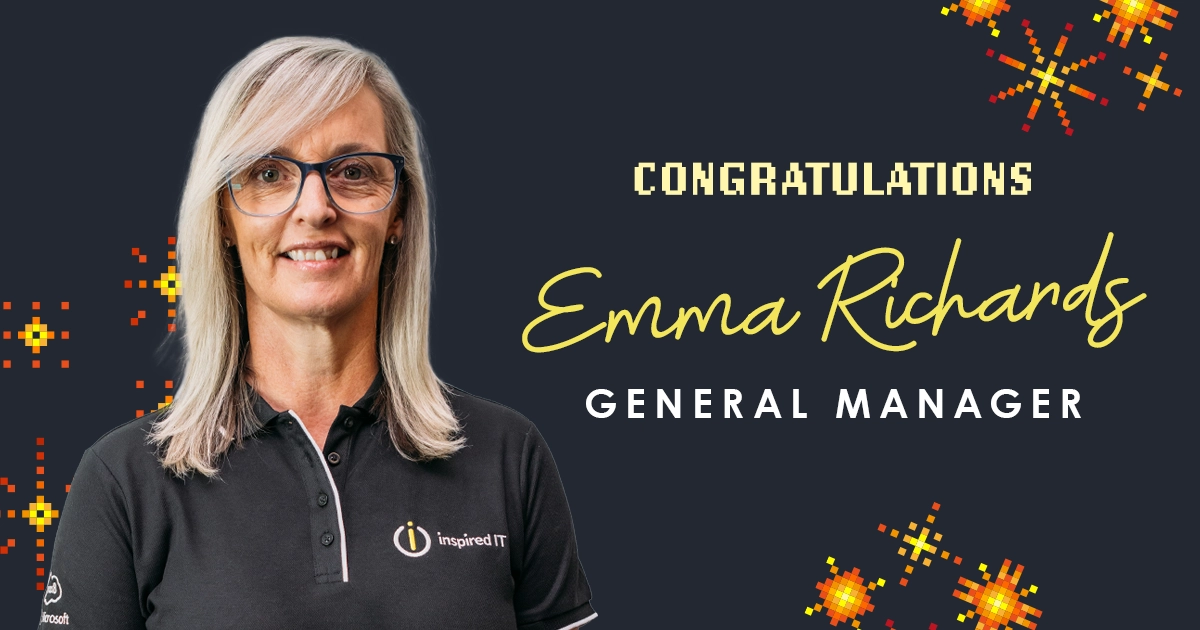
From 1 July, Emma Richards steps into the role of General Manager at Inspired IT. 

If you’ve worked with Emma, you won’t be surprised. She has a way of making complex things feel calm and clear, and that’s exactly what good operational leadership looks like. When Emma and I first started talking about this path, it felt right. Watching it become real is one of those moments I’ll remember. 

Emma will lead the day-to-day running of the business, giving our team the structure and accountability to keep delivering at the standard our clients expect. 

That standard has been rising. This is how we make sure it keeps rising.

Company-Changes-Inner-Image-1

Welcoming Pree Shivanna as Customer Success Manager 

For Emma to do the GM role properly, she needs to be fully in it. That meant the Customer Success Manager role needed someone exceptional. 

We found her. 

Pree Shivanna joined the team on 8 June and has hit the ground running. Her background is in account management, but what stood out during our conversations was her instinct for strategy and advisory. She doesn’t just manage relationships. She helps shape what’s next for the businesses she works with. That’s exactly the kind of thinking our clients benefit from. 

Compliance And Security Are Now Built In 

From 1 July, our Managed Services look different. Compliance and security are no longer optional layers you add later. They’re part of the baseline. 

This didn’t come from nowhere. Over the past two years, we’ve invested seriously in our own standards, achieving ISO 27001, Essential Eight, and SMB1001. I’ve always believed you can’t ask clients to hold a standard you won’t hold yourself. Now that thinking is baked into how we operate, not just what we say. 

The bar is higher. That’s a good thing for your business. 

A Structure Built for The Next Ten Years 

Alongside the people changes, we’ve redesigned how our teams are structured. The accountability chart has been rebuilt from scratch around where the business is going, not where it has been. 

The honest reason? What got us here wasn’t going to get us where we’re heading. That’s not a criticism of the past. It’s just the reality of growing a business in a market that’s moving faster than most people are ready for. 

These changes also free me up to focus on what I do best: bringing on new clients and setting the vision for where Inspired IT goes from here. With this much changing across every industry right now, having someone genuinely locked in on that matters. 

What This Means For You 

Stronger leadership. Deeper capability. Higher standards built into the foundations rather than bolted on top. 

I’m proud of the team we’re building and where we’re heading. If you want to talk through what any of this means for your business specifically, reach out. I’m always up for that conversation. 

The Cyber Security Solutions Perth Businesses Need to Grow in 2026

I had a conversation last year with a Managing Director who runs a wealth management firm in Perth. Their compliance adviser had just asked whether the business could demonstrate its cyber security posture in writing. They didn’t hesitate. They already knew the answer, had the documentation, and the meeting moved on in under two minutes. 

Two minutes. 

They told me afterwards that six months earlier, the same question would have made their stomach drop. 

The difference wasn’t circumstance. It was their choice. 

The cyber security conversation in 2026 has shifted. It’s no longer about whether your business could survive an attack. It’s about whether your cyber security is strong enough to let your business grow. To win contracts, pass audits, retain clients, and take on new ones. Without IT becoming the thing that holds you back. 

Here’s what the right setup actually looks like for a Perth business this year. 

What Are the Most Important Cyber Security Solutions for Perth Businesses Right Now? 

In 2026, the foundations that matter most are the Essential 8 framework, defences built for AI-powered threats, and passwordless access. Get these right, and you’ve covered the ground that most Perth businesses are still leaving exposed. 

The cyber security landscape has moved quickly in the last two years. The tools attackers are using have changed. The regulatory expectations have moved. And the gap between businesses that have kept up and those that haven’t is wider than it’s ever been. 

That’s not a reason to panic.  

It’s a reason to be specific about what to prioritise. 

What Is the Essential 8 and Do I Actually Need to Follow It? 

The Essential 8 is the Australian Government’s recommended framework for cyber security. It’s not just for large organisations or government agencies. For any Perth business handling sensitive client data, it’s the clearest benchmark available for knowing whether your foundations are solid. 

Most business owners I speak to have heard of the Essential 8, but picture it as a compliance exercise for someone else.  

But that is changing.  

Clients are asking about it. Insurers are referencing it. Tender requirements include it. 

It’s becoming the baseline expectation, not the advanced option. 

What following the Essential 8 actually involves for a Perth SME isn’t a complete infrastructure overhaul. It’s a structured assessment of where you currently stand across eight specific areas, including patching, multi-factor authentication, and application controls, and a clear plan for closing the gaps. 

The businesses that have done it walk into compliance conversations, insurance renewals, and new client pitches with something their competitors often can’t produce. 

Evidence. 

If you haven’t formally assessed your business against the Essential 8, that’s the place to start. 

How Is AI Being Used Against My Business and What Can Actually Stop It? 

Attackers are using AI to make phishing emails, fake invoices, and impersonation attempts more convincing than anything your staff were trained to spot. The defences that worked two years ago were built for a different version of the threat. 

The phishing email your staff learned to identify in 2022 had signs. Odd phrasing. A slightly wrong email address. Something that didn’t quite read like a real person wrote it. 

That’s not reliably true anymore. 

AI-generated attacks in 2026 can reference a real supplier, use the right tone for your industry, time the message to a moment when a payment or login request would seem normal, and pass every visual check your staff have been trained to run. 

Staff vigilance alone is no longer a cyber security strategy. 

What’s changed on the defence side is that the same technology is being used to detect threats that human monitoring would miss. Automated systems that watch for unusual behaviour. A login from an unexpected location, a file accessed at an unusual time, a pattern that doesn’t match how that user normally works. It flags issues before it becomes an incident. 

For Perth businesses that rely on cyber security awareness training as a primary defence, this is worth a direct conversation with your provider. Training remains important. But in 2026, it needs to sit alongside detection capability, not replace it. 

What Is Passwordless Access And Should My Business Be Moving Towards It? 

Passwordless access replaces traditional passwords with biometrics, hardware keys, or app-based authentication. It removes one of the most common entry points for attackers and makes your staff’s day noticeably easier at the same time. 

Passwords are a part of cyber security everyone finds most frustrating. Reset requests, forgotten credentials, staff writing them on sticky notes because the complexity requirements have become impossible to manage mentally. 

They’re also one of the most reliable ways attackers get in. Stolen credentials account for a significant proportion of breaches. Not because your staff are careless. Passwords are a fundamentally fragile system. 

Passwordless authentication, whether that’s a fingerprint, a face scan, or a hardware key, removes that exposure almost entirely. It’s also faster for your staff. No reset requests. No locked accounts on Monday morning.  

Cyber secure procurement for small businesses increasingly includes passwordless access as a standard recommendation rather than an advanced option. 

It’s less friction for your people. Less exposure for your business and more room to grow. 

The transition doesn’t happen overnight, but it’s more straightforward than most businesses expect. If your current IT setup still runs primarily on password-based access, it’s worth asking when that changes. 

How Do I Know If My Cyber Security Is Actually Helping My Business Grow? 

If your cyber security hasn’t been reviewed since you last changed your business. New staff, new tools, new client types, remote work. There’s a reasonable chance it’s protecting a version of your business that no longer exists. 

Most Perth business owners I speak to aren’t complacent about cyber security. They’ve made decisions, spent money, and put things in place. The question isn’t whether they have cyber security. It’s whether what they have has kept up with how the business has changed. 

Nothing bad has happened yet is the easiest measure of adequacy. It’s also the least reliable. 

In 2026, with AI-powered attacks and a regulatory environment that’s moving quickly, IT consulting for enhanced cyber security starts with an honest look at what you actually have. Not what you remember putting in place. 

What Are the Signs My Perth Business Is Carrying Cyber Security Risk It Can’t See? 

The clearest signals are a cyber security setup that hasn’t been reviewed in over a year, staff awareness training that predates the AI-powered phishing era, and no clear documented process for what happens if something is detected. 

Here’s what I see regularly when I sit down with a Perth business owner to look at what they have in place. 

  • Security tools installed two or three years ago that nobody has reviewed since.
  • Multi-factor authentication turned on for some systems but not others.
  • A staff training program that covered theold version of phishing but hasn’t been updated. 
  • No documented incident response. If something happened tomorrow, the business would be working it out in real time.

None of this means the business is negligent. 

It means the business has grown. The cyber security hasn’t. 

If any of those descriptions fit your current setup, the gap between where you are and where you need to be is probably smaller than you think. But it needs to be closed deliberately, not by hoping nothing goes wrong before you get to it. 

When Does My Business Need a Dedicated Cyber Security Partner Rather Than General IT Support? 

When your business handles sensitive client data, operates in a regulated industry, or has reached a size where a breach would have material consequences for client trust or business continuity. That’s when general IT support stops being adequate. 

General IT support is built around keeping your systems running. That’s valuable and it’s a baseline every business needs. But keeping systems running and actively managing your cyber security risk are different jobs. 

A security-first provider isn’t reacting to problems. They’re monitoring for the signals that precede problems. They’re reviewing your environment against current threats, not last year’s. They’re the people who notice that a user account hasn’t been reviewed since someone left eighteen months ago, or that a system is running software that stopped receiving security updates. 

For businesses in professional services, finance, law, or any industry where client trust is the product, the question isn’t whether you can afford a dedicated cyber security partner. It’s whether you can afford what happens when general IT support wasn’t enough. 

The distinction between the two is covered in more detail on Inspired IT’s cyber security services page if you want to understand what a security-first approach actually involves in practice. 

Where to Start 

The businesses walking tallest in Perth right now aren’t the ones with the most cyber security tools. They’re the ones with the right ones, properly implemented, kept current, and backed by a provider who already knows what’s coming. 

That starts with knowing where you actually stand. Not where you were two years ago. Not where you think you are. Where you are now, against the threats that are actually targeting Perth businesses in 2026. 

That conversation is more straightforward than most people expect. 

If you want to know where your business sits, Inspired IT’s cyber security services start with exactly that. An honest look at your current environment before anything is recommended. If that sounds like the right next step, it usually is. 

Your Cyber Security Strategy Can’t See the Biggest Risk of 2026

It doesn’t make a sound. It has no face, name, or manager. And it has lived inside your business since the day you connected that software integration, with access to your systems ever since.  

You didn’t hire it. You can’t find it on your org chart. And your cyber security strategy has never once accounted for it. 

In 2026, that is not a ghost story. It is a liability. And it is sitting inside most Perth businesses right now. 

What Has Actually Changed About Cyber Security in 2026 That I Need to Know About? 

Three things have changed. There is an entire category of risk already operating inside your business that most strategies have never accounted for. The boundary you built your security around no longer exists. And the rules now require you to prove you are managing both. Here is the one that matters most. 

Cyber-Security-Strategy-Inner Image 1

What Are Non-Human Identities and Do I Need to Worry About Them? 

A non-human identity is any account, key, or automated process that accesses your systems without a person behind it. Most businesses have dozens of them. Almost none have them properly managed. 

Let me introduce you to your silent partners. The API key your accounting software uses to talk to your bank feed. The service account your backup tool runs under. The automated process your HR platform uses to update payroll.  

None of them clocked in at the door. And in most businesses I’ve walked into, nobody has looked at them since the day they were connected. 

In 2026, non-human identities are one of the most actively exploited entry points in cyber attacks. An attacker who gets hold of a poorly secured API key doesn’t need to crack a password. They just walk in through the door you left open. 

The ghost has a name. Now let me show you how it got in. 

Signs your cyber security strategy has a silent partner problem 

  • You can’t list all the API keys and service accounts currently active in your systems 
  • Your integrations and automated processes have never been reviewed for access permissions 
  • When a staff member who managed a software integration leaves, nobody knows what to do with their access 
  • Your cyber security strategy mentions user accounts but makes no reference to non-human identities 

Why Is My Firewall and Antivirus Not Enough Anymore? 

The perimeter your strategy was built to defend no longer looks anything like your actual business. That’s exactly how the silent partners got in. 

Think about how your business ran in 2019. Mostly office-based. Files on a server in a back room. A defined network that started at your router and ended at your walls. Security meant keeping things out of that boundary. 

Now think about how your business actually runs today. Staff working from home. Cloud tools like Microsoft 365, accounting software, and project management platforms that live entirely outside your walls. Third-party integrations connecting your systems to your suppliers, your clients, your bank. Devices you don’t manage sitting on networks you don’t control, accessing data that matters. 

The perimeter has not just moved, it has dissolved. Every integration you added, every cloud tool you connected, every third-party access you enabled brought a silent partner with it. A cyber security strategy built around defending a wall that no longer exists is not really a strategy, is it? It is optimism. 

I see this constantly when I talk to Perth business owners about the types of cyber threats they are actually exposed to. Everyone is focused on keeping things out. The silent partners are already in. 

Have the Cyber Security Rules Changed and Does That Affect My Business? 

Yes. And now that you know what a silent partner is and how they got in, the regulatory shift lands differently. The question has moved from saying you are secure to being able to prove it. And I bet you can’t. 

The Privacy Act amendments have raised the bar on what businesses are expected to have in place and what they are required to disclose when something goes wrong. The definition of critical infrastructure has expanded. And the expectation from clients, insurers, and regulators is shifting from “we trust you” to “where’s the proof”. 

I see this play out for Perth businesses in very practical ways. Enterprise clients asking about your security posture before they sign contracts. Cyber insurers wanting documented controls before they quote. If you are in a regulated sector, the question isn’t whether scrutiny is coming. It is whether you will be ready when it does. 

A strategy that can’t produce documentation, demonstrate controls, or account for every identity operating in your environment isn’t just a security risk. It is a compliance risk, and the silent partners you just met are exactly the kind of thing an auditor will ask about. 

What Should My Cyber Security Strategy Actually Be Trying to Achieve? 

Visibility across every identity in your environment, not just your staff. The ability to detect and respond quickly when something gets through. Compliance you can actually demonstrate when someone asks. And resilience that lets you keep operating rather than shutting down. 

Most strategies I review are built around controls. Tools put in place to stop things from happening. That isn’t wrong. But controls without clear objectives are just a shopping list. The question worth asking isn’t “what have we got?” It is “what are we actually trying to achieve, and how would we know if it was working?” 

These are the four things your cyber security strategy needs to include in 2026. 

Visibility means every account, every integration, every API key. Not just your staff. 

Detection and response means having a plan for when something gets through. Because something will. 

Demonstrable compliance means documentation that holds up when a client, insurer, or regulator asks. 

Resilience means tested backups and an incident response plan that lives somewhere other than one person’s head. 

How Do I Know If My Cyber Security Strategy Has a Gap? 

If you can’t immediately say who owns it, when it was last reviewed, and whether it accounts for non-human identities and cloud access, it almost certainly has gaps. 

The most common thing I hear is some version of “we have things in place, but I am not sure anyone has looked at it properly in a while.” That isn’t a criticism, it’s just incredibly common. Cyber security strategy gets set up and then quietly forgotten until something forces it back into view. 

The signals are operational, not technical. No clear ownership. Controls that have never actually been tested. A strategy built around a perimeter that no longer exists. The standard most businesses are measuring against is the absence of incidents. That is the wrong standard. The right question is, if something happened tomorrow, are we genuinely prepared? 

When Do I Actually Need to Hire a Cyber Security Company? 

When the complexity of the 2026 threat environment has grown beyond what a general IT provider is built to handle. 

Your IT provider is good at keeping things running. That is genuinely valuable. But it is a different skill set to building and maintaining a cyber security strategy that accounts for what is actually happening right now. Think of it like the difference between the builder and the structural engineer. You need both. Neither replaces the other. 

In my experience, the threshold is usually one of three things. 

A compliance obligation you can’t document, a security event that has made the gap visible, or a quiet sense that your setup hasn’t kept pace with how the business has grown. If any of those apply, the question isn’t whether you need a cyber security services provider. It is how much longer you can go without one. 

Where to Start 

There was something nameless in your business. Something with access, no oversight, and no place on your org chart. And now you’ve met your silent partners. Probably dozens of them. 

The three gaps that let them operate undetected are fixable. The dissolved perimeter, the unmanaged identities, the compliance documentation that does not exist yet. None of it requires a complete rebuild. It requires knowing where you actually stand. 

If you’re searching for cyber security companies Perth businesses actually trust, the conversation always starts the same way. Inspired IT’s cyber security services begin with exactly that. An honest look at your environment before anything is recommended.  

The ghost is a lot less scary once you can see it. 

When Does a Business Actually Need an IT Consultant?

Nobody lies awake at night thinking “I should probably get an IT consultant.” 

You’re thinking about the new hire that can’t get into the system. The software decision you’ve been putting off for months. The security scare that turned out to be nothing, probably. 

The question isn’t whether IT is on your mind. 

It’s whether what’s in your mind actually warrants outside help, or whether you’re overthinking it. 

Knowing which of those moments actually warrants bringing in an IT consultant, versus which ones you can work through yourself, is the difference between spending budget well or spending budget reactively. 

Not to mention the difference between a good or a bad night’s sleep. 

That’s what this is really about. 

In this article

What Business Situations Actually Call for an IT Consultant? 

An IT consultant adds the most value when your business is at a turning point. Growth, a significant technology decision, or a security event that’s exposed a gap in your IT solutions you didn’t know was there. 

General content about IT consulting rarely maps cleanly to a specific business situation. The three below come up the most consistently in real conversations. We’re not talking in theory. But real conversations with other business owners in Perth. 

We’re Growing Fast. When Does That Become an IT Problem? 

If your headcount or operations are growing faster than your IT was built to handle, an IT consultant helps you get ahead of the cracks before they become expensive. 

Growth is such a good problem to have. But it does something very specific to IT environments that weren’t designed with scale in mind.  

It exposes every shortcut, workaround and “that’ll do” decision that made sense when the business was smaller. 

Think of it like the Mitchell Freeway. It worked perfectly fine at 2 lanes for the traffic ten years ago. Now there are 300,000 extra people in Perth and 2 lanes just doesn’t cut it anymore. 

Your IT environment didn’t get the upgrade either. 

More staff means more devices, more systems, more “who set this up and why?” Nobody notices until onboarding a new person takes a week longer than it should. 

This is the moment where IT consulting input pays for itself. Not to fix a crisis, but to build the right foundation before the business gets any bigger. 

Getting it right now is significantly cheaper than untangling it later. 

We’re About to Make a Big Technology Decision. Do We Need an IT Consultant? 

If you’re about to commit to new software, a cloud migration, or a major infrastructure change, getting independent IT consulting input before you sign anything is almost always worth it. 

The decisions that benefit most from IT consulting are the ones that are hard to reverse. 

A new business management system.  

Moving to the cloud. 

Replacing a platform you’ve been running for years. 

These are calls where getting it wrong is expensive, and where most businesses realise afterwards that they didn’t have the full picture before they committed. 

A vendor will tell you their solution is the right fit because they can. 

Your internal team will work with what they know best. 

Neither gives you the independent perspective on whether you’re solving the right problem. 

It’s a bit like letting the real estate agent do your building inspection. They’re not wrong about the property, they just have a reason to keep things optimistic. 

That’s what an IT consultant is for. To make sure you’re working from the right information. It’s one of the main reasons more Perth businesses are relying on IT consulting to make better technology decisions before they commit, not after. 

We Just Had a Cyber Security Scare. What Should We Do Now? 

A security incident is rarely a one-off. It usually signals something structural in your IT solutions environment, and an IT consultant helps you understand what actually happened and what genuinely needs to change. 

Most businesses find out how exposed they are the hard way. 

The honest reality for most Perth businesses is that a security event is the first time they get real visibility into how exposed they actually are. Not because anyone was negligent. But because IT security is invisible when it’s working and very visible when it isn’t. 

Don’t just assume your setup is solid. 

An IT consultant’s job after a security event isn’t to scare you about what else might be causing problems. It’s to move you from “what happened?” to “what does our environment actually look like, and what do we need to fix it?” That shift is where the value sits. 

The call Inspired IT gets the most isn’t “we’ve been hacked”. It’s “something felt off.” When they looked at Greenbuilt WA’s setup, nothing had gone wrong yet, but the gaps were there. No security baseline, inconsistent permissions, no visibility over who had access to what. They didn’t know because nobody had ever looked. 

How Do You Know If the Timing Is Right to Bring in an IT Consultant? 

The right time is almost always earlier than it feels. If you’re already wondering whether you need one, that’s usually a signal worth paying attention to. 

Timing is the question most businesses get slightly wrong when it comes to IT consulting services. Not because they ignore the signals, but because the cost of acting feels more concrete than the cost of waiting. 

You can see a consulting invoice. 

It’s much harder to calculate what a wrong technology decision, a delayed fix, or a missed compliance obligation is actually going to cost you. 

It’s like the power bill you never check. The usage has been climbing for months. You just haven’t looked. 

As we covered in our piece on why Perth businesses need IT consultants in 2026, the businesses that get ahead of these situations consistently spend less over time than the ones managing them after the fact. 

The quieter costs accumulate before anyone notices. 

One practical question to ask yourself. 

If your IT environment were reviewed by someone independent tomorrow, would you be confident in what they found? If the honest answer is “probably not,” that’s your answer. 

Straight Talk from Someone Who’s Seen It 

Author: Matt Seeds, Inspired IT  

The businesses that wait longest to call an IT consultant are the ones that need it most. 

The reason is almost always the same. Things are mostly working, they’re busy. And the cost of consulting feels real in a way that the cost of their current situation doesn’t.  

What I see consistently is businesses running on decisions that made sense at the time. A system chosen when there were only eight people or a cloud migration completed with a tight deadline. Neither of those were the wrong calls. They just haven’t been looked at since. 

For the record, almost every business I’ve walked into has described their IT setup as “pretty good, I think.” I’d say the same thing in their position.

The moment I see most in my work isn’t a crisis. It’s a quiet awareness that something isn’t quite right and not knowing where to look.  

That’s the conversation worth having. Not because Inspired IT has all the answers before we start. But because an independent view of your environment is clarifying in a way that’s hard to get from inside it. 

Sometimes the answer is “you’re actually in pretty good shape.” That happens too. 

The businesses that come out ahead are the ones who treat that quiet uncertainty as a signal. Not something to shelve until it gets louder. 

What Should You Actually Do First If You Think You Might Need an IT Consultant? 

Start with what’s actually happening, not with what you think the solution is.  

That’s enough. 

You don’t need a brief. You don’t need to have done research. You just need to be able to say “here’s what’s changed, this is what’s not working and we’re not sure if we’re doing it right.” 

That conversation is where clarity comes from. 

If you’re still working out whether IT consulting is even the right fit, this article on what an IT consultant actually does is a good place to start before you go any further. 

The Bottom Line 

If you’ve read this far, something in here probably landed. 

The businesses that get the most out of an IT consulting conversation are rarely the ones with a fully formed problem.  

They’re the ones who noticed something was off and thought “hey, we should probably look at this properly.” 

That’s enough. Inspired IT works with Perth businesses across professional services, construction, engineering, and mining.  

It starts with a conversation, not a commitment. 


IT Support vs IT Services: What’s the Difference and Why It Matters

Your internet drops out mid-meeting. You call someone, they fix it, life moves on. That’s IT support, right? 

What most businesses don’t realise is that’s the floor, not the ceiling. 

IT support and IT services get thrown around like they mean the same thing. They don’t. And once you know the difference, it changes how you think about what your business is actually getting. 

What is the difference between IT support and services? 

IT support is reactive help when something breaks or stops working. IT services are the broader umbrella. Everything from day-to-day support through to security, infrastructure, consulting and long-term planning. 

Think of it like this. 

IT support is calling a mechanic because something’s making a noise. IT services is having someone who services it regularly, catches your worn brake pads before they become a problem, and tells you the tyres need replacing before your next big trip. 

The reason this gets confusing is that most providers offer both. When a company says, “We do IT support”, they can mean anything from emergency callouts to a fully managed technology environment. Knowing which one you’re actually signing up for is worth clarifying before something goes wrong. 

For Perth businesses specifically, the lines blur further because many smaller providers lead with support as an entry point and layer services on top over time. That’s not a bad thing, but it helps to know where you sit. 

Is IT support just for when things break? 

Not anymore. Good IT support should have a proactive side, catching problems before they become outages. But a lot of businesses are still operating on a break-fix model without realising there is a better option. 

The break-fix model is understandable. Something stops working, you call someone, they fix it, you get a bill.  

It feels efficient because you’re only paying when you need help. The problem is that by the time you’re calling, the damage has already happened.  

Staff can’t work, deadlines are slipping, and the fix is always more urgent and more expensive than it needed to be. 

Proactive IT services flip that around. Instead of waiting for the call, someone is monitoring your systems in the background, applying patches, catching warning signs, and dealing with issues before your team even notices them.  

For most businesses, the shift from reactive to proactive is where IT stops feeling like a recurring headache. 

If that feels like where your business needs to get to, IT support services is a good place to start. 

Do IT services include more than just technical help? 

Yes. IT services can include strategic consulting, technology planning, and aligning your systems to your business goals. Not just keeping the lights on. 

This is the part that surprises most business owners. IT services at the fuller end of the spectrum isn’t just a faster version of calling the helpdesk 

It’s having someone who understands your business well enough to tell you that the way you’re currently set up is going to create problems when you hit 50 staff, or that there’s a tool already inside your Microsoft 365 licence that could save your team four hours work a week. 

That’s not just good IT. That’s money back in the business. 

It’s less about technical help and more about having someone in your corner who thinks about your technology the way you think about your business. 

For owners who don’t have a dedicated IT manager or a technically savvy co-founder, that kind of thinking partner is often the piece that’s been missing. 

How do you know which one your business actually needs? 

If you’re mostly calling IT when something breaks, you need better support. If your technology decisions are being made on the fly with no real plan behind them, you probably need IT services. 

The honest answer is that most growing businesses need both, just in different proportions. A ten-person firm that’s been running the same setup for three years has different needs from a fifty-person operation that’s about to take on a major project or move to a new office. 

A rough way to self-assess: 

  1. If most of your IT conversations start with something not working, you’re in reactive territory, and better support is the first move. 
  2. If you’re asking questions like “should we be in the cloud,” “are we actually secure,” or “why does nothing talk to anything else?” That’s when broader IT services and consulting start to earn their keep. 

You can get a feel for what that looks like at the IT consulting services level. 

Is your business mostly putting out fires or planning ahead? 

If it’s mostly fires, that’s normal, but it doesn’t have to stay that way. 

Most business owners describe their relationship with IT the same way.  

It works until it doesn’t. 

That’s not a technology problem, that’s a model problem. The technology is usually fine. It’s that no one is looking after it until something breaks, that’s the issue. 

Moving from reactive to planned doesn’t require a massive overhaul. It usually starts with getting visibility of what you have and what’s likely to cause problems next. 

From there, a decent managed IT arrangement handles the maintenance, so the fires stop starting in the first place. Most businesses that make that shift say the same thing. 

They wish they’d done it earlier. 

Proactive IT support tends to cost less than reactive support over time, too. The maths usually makes the decision easier. 

What does this look like for a real business? 

It usually starts with a single problem and ends with a completely different relationship with technology. 

Davey Real Estate know this better than most. 

They had IT support, and on paper, everything worked fine. Someone always showed up when things broke. 

The problem was that things kept breaking. 

Unreliable Wi-Fi, and an ageing server, two offices that couldn’t stay connected. And nobody was looking ahead far enough to stop any of it before it happened. 

Basically, their IT had been running on duct tape and good intentions. 

The original frustration turned into a conversation about what was actually going on under the hood. And that conversation is usually where the mind shift happens. 

“It truly feels like an extension of our team.”
Simon Spencer, Davey Real Estate

What followed was a full network and server upgrade, monthly reporting, and a system uptime above 99% for the first time. 

It’s not a dramatic change from the outside, but the experience on the inside is completely different. 

Key takeaways for you 

Most businesses start with IT support, and that’s fine. But if IT still feels like something you only think about when something breaks, you’re probably leaving a lot on the table. 

The shift from reactive support to proactive IT services isn’t a big leap. 

It usually starts with one honest conversation about what’s actually going on under the hood. 

From there, the right setup almost always costs less, causes fewer headaches, and frees up your time to focus on the parts of your business that actually need your attention. 

If you’re not sure where to start, the IT support service page is a practical first step. 

If your questions are bigger, that’s exactly what IT consulting is for. 


How Do You Choose the Right IT Support Provider?

Choosing the right IT support provider means selecting a partner who keeps your systems secure, reliable, and ready to scale. With so many IT support companies in Perth offering different pricing and service models, it can be hard to compare options. This guide breaks down exactly what to evaluate so you can make a confident, informed decision. 

What Should You Look for in an IT Support Provider? 

The right IT support provider should actively support your business performance, security, and growth. When comparing IT support services in Perth, focus on how providers operate, not just what they offer. Look closely at their service scope, response times, security capabilities, and ability to scale with your business. 

Core Services Every IT Support Provider Should Offer 

A reliable IT support provider should cover all essential areas of business technology—not just fix problems as they arise. 

  1. Helpdesk Support (Remote + Onsite)

Fast, accessible support for day-to-day issues, with onsite capability when needed.  

  1. Network Monitoring and Maintenance

24/7 monitoring to detect issues early and maintain system performance. 

  1. Cyber Security Protection

Endpoint, email, and firewall security to reduce exposure to cyber threats. 

  1. Backup and Disaster Recovery

Secure data backups and clear recovery processes to minimise downtime. 

  1. Microsoft 365 and Cloud Support

Ongoing management of cloud platforms to support collaboration and scalability. 

Key Factors That Differentiate Providers 

Not all IT support companies operate the same way, and these differences directly impact your business. 

Key factors to assess include: 

  • Response times and SLAs: How quickly are issues resolved? 
  • Proactive vs reactive support: Do they prevent problems or just fix them? 
  • Local Perth presence: Can they provide onsite support when needed? 
  • Industry experience: Do they understand your sector’s requirements? 

Why Cyber Security Should Be a Priority 

IT support today goes far beyond troubleshooting; it also plays a critical role in protecting your business from cyber threats. 

A strong provider should include: 

  • Threat detection and monitoring to identify risks early 
  • Employee training to reduce human error 
  • Compliance awareness aligned with Australian standards 

Cyber attacks are increasing in both frequency and sophistication, especially for small to mid-sized businesses. Without integrated security in your IT support services, you’re exposed to unnecessary risk. 

Trending Questions 

What should I look for in an IT support company? 

Focus on responsiveness, proactive support, security capabilities, and proven experience with businesses similar to yours. 

How do I choose an IT service provider in Australia? 

Compare providers based on SLAs, local presence, scalability, and how well they align with your business goals. 

What is included in IT support services? 

Typically includes helpdesk support, system monitoring, cyber security, backups, and cloud management. 

Is managed IT support better than break-fix IT? 

Yes! Managed IT support is proactive, helping prevent issues, reduce downtime, and improve long-term cost efficiency. 

How Much Does IT Support Cost in Perth? 

IT support costs in Perth vary depending on your business size, IT complexity, and the level of service you need. Most providers offer flexible pricing models, but the real cost goes beyond monthly fees. 

To make the right decision, you need to understand how pricing works, what drives costs, and where cheaper options can create hidden risks. Here’s how to evaluate IT support pricing properly. 

Common IT Support Pricing Models 

  1. Per User Pricing

A fixed monthly fee per employee, covering all devices and support needs—simple and predictable for growing teams. 

  1. Per Device Pricing

Charges based on the number of devices managed (desktops, laptops, servers), often suited for hardware-heavy environments. 

  1. Break-Fix Hourly Support

Pay-as-you-go support when issues arise, typically lower upfront but less predictable and often reactive. 

What Affects IT Support Costs? 

Several factors influence how much your IT support services will cost and why quotes can vary significantly between providers. 

  1. Business Size (Users and Devices)

More users and devices increase support volume, monitoring requirements, and licensing costs. 

  1. Complexity of IT Environment

Hybrid setups, multiple locations, or legacy systems require more time and expertise to manage effectively. 

  1. Security and Compliance Requirements

Industries like finance, construction, and mining often need stronger security controls and compliance measures. 

  1. Level of Support Required

Basic support costs less upfront, while fully managed IT support includes proactive monitoring, strategy, and security. 

Hidden Costs Businesses Often Miss 

The cheapest IT support option can become the most expensive when hidden costs are factored in. 

  1. Lack of Monitoring, Maintenance and Reporting

Basic support models often exclude proactive monitoring, regular maintenance and clear reporting, so issues build up unnoticed until they cause disruption. The hidden cost appears later through avoidable outages, emergency fixes and poor visibility over IT performance. 

  1. Reactive vs Proactive IT Management

Reactive, break-fix support may seem cost-effective, but it leads to recurring issues, unplanned downtime and higher long-term spend. Without prevention, businesses pay repeatedly for problems that could have been avoided. 

  1. No Clear IT Strategy and Planning

When IT strategy and planning aren’t in place, technology decisions become reactive and misaligned with business goals. This can result in wasted spend, security gaps and systems that fail to support growth – a cost that compounds over time. 

Is Cheaper IT Support Always Better? 

No – cheaper IT support often comes at the cost of reduced coverage, slower response times, and a more reactive service model. 

To keep prices low, providers may rely on cheaper, less secure software, minimal security controls, or overseas support teams that lack local business context and availability. They may also operate with an incomplete security baseline, leaving gaps in protection, monitoring, and compliance.  

In contrast, the best IT support companies in Perth balance cost with reliability, security, and strategic guidance. By using enterprise-grade tools, maintaining strong security standards, and providing proactive, locally accountable support, they help businesses run smoothly without hidden risks or surprise expenses. 

How to Compare IT Support Providers in Perth  

Choosing the right IT support provider requires a structured approach—not just comparing prices or service lists. 

The goal is to find a provider that aligns with your business needs, risk profile, and growth plans. 

By following a clear evaluation process, you can confidently compare IT support companies in Perth and avoid costly mistakes. Below is how to assess providers. 

Step-by-Step Evaluation Process 

  1. Define Your Business Needs

Clarify what you need from IT support. Is it day-to-day support, cyber security, or long-term growth planning. 

  1. Review Service Inclusions and Exclusions

Understand exactly what’s covered (and what isn’t) to avoid gaps in support. 

  1. Compare SLAs and Response Times

Check how quickly providers respond and resolve issues, not just their promises. 

  1. Assess Cyber Security Capabilities

Ensure they offer proactive protection, monitoring, and user awareness training. 

  1. Check Local Presence and Availability

Confirm they can provide onsite support in Perth when required. 

  1. Request Case Studies or References

Look for proven results with businesses similar to yours. 

Red Flags to Avoid 

Here are some warning signs that your IT support provider may not be suitable for your business: 

  1. Unclear Pricing

Vague or inconsistent pricing structures often lead to unexpected costs later. 

  1. No Proactive Monitoring

Providers that only fix issues after they occur increase downtime and risk. 

  1. No Cyber Security Strategy

Lack of structured security measures leaves your business exposed to threats. 

  1. Poor Communication or Slow Response

Delayed responses and unclear communication can quickly impact operations. 

Why Local IT Support in Perth Matters 

There are practical benefits to working with a local IT support company in Perth that go beyond just convenience. 

Faster response times on site mean that important problems can be fixed quickly, which cuts down on downtime. 

Local providers also know what Perth’s construction, professional services, and mining industries need to run smoothly. 

This makes the advice more useful and the partnerships last longer. 

If you’re thinking about getting strategic IT advice, knowing what an IT consultant does can help you understand what to expect.  

When Should You Switch IT Support Providers? 

If your current IT support provider isn’t meeting your business needs anymore, you should think about switching to a new one. 

Common triggers include: 

  • Frequent downtime or recurring technical issues 
  • Lack of communication or slow response times 
  • Growing security concerns or gaps in protection 
  • Business growth outpacing your current IT capabilities 

If your IT provider can’t grow with you or help you plan for the future, they’re more of a problem than a help. 

The Right IT Partner Makes All the Difference 

Choosing the right IT support provider directly affects your security, productivity, and ability to grow. 

The best IT support companies in Perth go beyond fixing issues. They provide proactive support, strengthen cyber security, and align technology with your business goals. 

Inspired IT positions itself as a local Perth provider focused on reliability, responsiveness, and long-term partnerships. 

What Does Managed IT Services Cost in Perth? (2026 Guide)

Managed IT services is a monthly outsourced IT support model where a provider can proactively manage your systems, users, security, and day-to-day technology needs for a predictable fee. For Perth businesses, pricing can vary significantly because no two environments are the same. A 15-user professional services firm has very different needs from a 100-seat engineering or mining operation with remote sites and compliance pressures. Because of this, costs can vary significantly. 

Costs for Managed IT services are typically shaped by user numbers, device count, cyber security requirements, cloud platforms, support hours, and whether onsite support is included. This guide explains what is usually included, what optional services increase cost, and how to compare providers with confidence before making a decision. 

What Is Included in Managed IT Services Pricing? 

Most managed IT services pricing in Perth includes a core support bundle with optional security or strategic layers. The monthly fee usually covers user support, device monitoring, patching, essential cyber security support, cloud administration, and backups. Pricing then changes based on service depth, response times, and system complexity. 

Core Services Most Perth Businesses Receive 

Most Perth businesses receive a predictable stack of services designed to reduce downtime and keep systems secure. 

  • Helpdesk support (remote + onsite): day-to-day user support for login issues, device troubleshooting, software problems, and urgent onsite incidents. 
  • Network monitoring and maintenance: proactive monitoring of servers, switches, firewalls, internet links, and device health to detect issues early. 
  • Cyber security protection: baseline endpoint protection, email filtering, firewall management, patching, and threat prevention across all users. 
  • Backup and disaster recovery: automated backups, recovery testing, and business continuity planning to minimise operational disruption. 
  • Microsoft 365 and cloud management: user administration, licence management, SharePoint, Teams, Exchange, and cloud security configuration. 

Optional Add-Ons That Affect Cost 

Optional services can increase managed IT services costs by adding specialist expertise and deeper protection. 

  • Advanced cyber security: SOC monitoring, penetration testing, and vulnerability management 
  • Compliance support: Essential 8 and International Organization for Standardization 27001 documentation and governance 
  • vCIO services: budgeting advice, IT roadmap planning, and executive strategy 
  • Hardware lifecycle management: procurement, warranty coordination, and refresh planning 

Why Pricing Varies Between Providers 

Managed IT pricing varies because providers deliver very different levels of service quality. Lower-cost providers may focus on reactive break-fix support, while premium managed IT solutions invest in proactive monitoring, automation, and strategic planning.  

Businesses should also compare local support teams against offshore service desks, where response speed and onsite availability can differ. A higher-quality managed IT services provider often costs more upfront but reduces downtime, strengthens cyber security, improves documentation, and lowers the long-term operational risk that hidden IT issues create. 

How Much Do Managed IT Services Cost in Perth? 

Managed IT services pricing in Perth is usually based on users, devices, service tiers, and cyber security requirements. Some providers offer flexible pricing models rather than one fixed rate, allowing businesses to align support with operational complexity and risk.  

A small professional services firm may only need baseline helpdesk and Microsoft 365 management, while construction, engineering, or mining businesses often require stronger security, remote connectivity, and onsite support. Understanding the pricing model behind the proposal makes it easier to compare providers fairly. 

Average Pricing Models in Perth (2026) 

Perth providers typically use several common pricing models: 

  • Per-user pricing: generally $100–$250 per user/month, depending on support scope, security, and response times 
  • Per-device pricing: based on desktops, laptops, servers, network equipment, and mobile endpoints 
  • Tiered packages: entry-level support through to advanced security, compliance, and strategic advisory layers 
  • Hybrid pricing: combines user support with separate infrastructure or project-based costs 

The right model depends on workforce size, device mix, and how much strategic support your business requires. 

Key Factors That Influence Cost 

Several business variables directly affect managed IT services pricing: 

  • Number of users and devices: more endpoints, locations, and systems increase support complexity 
  • Industry requirements: finance, mining, healthcare, and engineering often need stronger cyber controls 
  • Compliance obligations: Essential 8, ISO, governance, and audit requirements raise service scope 
  • Existing IT maturity: outdated systems, poor documentation, or legacy infrastructure increase onboarding and support effort 
  • Support expectations: faster SLAs, onsite response, and after-hours coverage typically cost more 

What Perth Businesses Often Overlook 

Many Perth businesses focus only on the monthly service fee and overlook the larger operational cost of poor IT support. Low-cost providers may exclude project work, after-hours incidents, strategic advice, or proactive maintenance, leading to expensive surprises later.  

Downtime, staff disruption, and delayed project delivery often cost far more than the support contract itself. Many Perth SMEs choose low-cost IT support, only to face outages that cost more than proactive management, especially when field teams or client deadlines rely on always-available systems. 

Trending Questions  

How much should managed IT services cost per user in Australia? 

Most Australian businesses pay $100–$250 per user per month, depending on support scope, cyber security, compliance, and response times. Businesses in mining, engineering, or regulated sectors often sit toward the higher end due to stronger security and onsite support requirements. 

Are managed IT services worth it for small businesses? 

Yes, especially for businesses that need predictable costs, stronger cyber security, and fast support without hiring a full internal IT team. For Perth SMEs, outsourced support often reduces downtime and improves long-term technology planning. 

What is included in a managed IT services agreement? 

Most agreements include helpdesk support, proactive monitoring, cyber security, backups, Microsoft 365 management, patching, and vendor coordination. Higher tiers may also include compliance, strategy, and after-hours support.

Is outsourced IT cheaper than in-house IT? 

For many 10–200 seat Perth businesses, yes. A managed IT services provider usually delivers broader skills, tools, and coverage at a lower cost than recruiting, training, and retaining internal IT staff.

How to Choose the Right Managed IT Services Provider in Perth 

Choosing the right Managed IT Services provider in Perth means looking beyond price to compare service depth, SLAs, cyber security capability, and local support. The right provider should reduce downtime, support business growth, and combine proactive management with strategic IT guidance. 

5 Questions Every Business Should Ask 

Before choosing a provider, Perth businesses should ask: 

  1. What is included in your monthly fee? Clarify support scope, after-hours work, projects, and exclusions. 
  2. Do you provide proactive monitoring or reactive support? Preventive service reduces downtime and hidden issues. 
  3. How do you handle cyber security and compliance? Confirm endpoint protection, email security, backups, and governance support. 
  4. What response times and SLAs do you guarantee? Fast response matters for operational continuity. 
  5. Do you offer strategic IT planning (vCIO)? Long-term budgeting and roadmap advice supports growth. 

For a more comprehensive checklist, this related guide expands on other questions businesses should ask when choosing a managed IT services provider. 

Red Flags to Watch Out For 

Watch for warning signs that often lead to long-term cost and service issues: 

  • Unclear pricing structure: hidden exclusions, unclear project fees, or vague support boundaries 
  • No cyber security focus: weak endpoint, email, backup, or compliance controls 
  • Lack of local Perth support: slower onsite response and weaker business understanding 
  • No strategic guidance: no budgeting advice, roadmap planning, or lifecycle management 
  • Purely reactive support: issues are fixed only after downtime occurs 

These red flags usually signal short-term savings but higher long-term operational risk. 

Why Local Perth IT Support Matters 

Local Perth IT support often delivers faster onsite response, stronger accountability, and a better understanding of how professional services, construction, engineering, and mining businesses operate. Providers with a genuine local presence can build stronger working relationships, align technology decisions with business priorities, and respond quickly when site-critical issues arise. 

When Is the Right Time to Switch Providers? 

Common signs it may be time to change Managed IT providers include: 

  • Frequent downtime: recurring outages affecting staff productivity or client delivery 
  • Poor communication: slow updates, unclear ownership, or unresolved tickets 
  • Security incidents: repeated phishing, malware, or backup failures 
  • Business growth outpacing IT: your provider can no longer support new users, sites, or compliance needs 
  • No strategic direction: technology decisions remain reactive instead of planned 

These issues are usually signs that your provider is no longer aligned with your business growth. 

Why the Cheapest IT Option Often Costs More 

The difference between upfront price and long-term business cost becomes clearer when comparing reactive break-fix support with proactive managed IT. 

  • Break-fix IT: lower upfront costs, but outages and delayed responses create expensive downtime 
  • Downtime costs: even short disruptions can delay projects, client work, and internal operations 
  • Security risks: reactive support often misses patching, backups, and cyber security gaps 
  • Productivity impact: staff lose time waiting for issues instead of staying focused on work 
  • Managed IT Services: proactive monitoring and prevention reduce long-term operational costs

This reinforces why value matters more than the lowest monthly price. 

Choose Managed IT Based on Business Value, Not Just Price 

Managed IT Services pricing should be measured against downtime risk, cyber security, and long-term business growth, not just the monthly fee. Inspired IT helps Perth businesses reduce hidden costs through proactive, security-first support and scalable local expertise. 

What Makes IT Support Essential for Construction Companies in Perth?

Construction companies all over Perth are quickly going digital, and project management, design collaboration, and compliance workflows are becoming more and more reliant on technology that is connected. Construction companies work on multiple sites, with mobile teams, and infrastructure that changes all the time. This is different from a regular office setting.   

Real-time coordination of drawings, schedules, and communications puts a lot of stress on operations, and even small IT problems can quickly push back deadlines. When there is downtime on a construction site, it doesn’t just slow down work, but it can also cause missed deadlines and fines. 

Reliable IT support for businesses keeps systems stable in both the office and the field, which helps teams stay connected and projects move forward. Find out more about Inspired IT’s dedicated services. 

What Are the Biggest IT Challenges Facing Construction Businesses Now? 

Cloud platforms, mobile devices, and digital collaboration tools are now essential for construction companies to run their projects smoothly. But a lot of companies still use broken systems that can’t keep up with the needs of modern projects. It gets more complicated when you have to manage secure access across temporary job sites, keep connections going in remote areas, and support hybrid office–field workflows. Without specialised IT support for construction, even small technical problems can turn into big problems that cost a lot of money and slow down work. This is why proactive IT management is so important for keeping productivity high and meeting deadlines. 

Fragmented Communication Between Office and Job Sites 

Construction teams rarely operate from a single location, which makes consistent communication more complex. Common challenges include: 

  • Project managers, engineers, subcontractors, and office staff needing to share updates across multiple active sites 
  • Poor system integration causing communication gaps and workflow delays 
  • Mobile workers experiencing unreliable connectivity on job sites 
  • Large design and project files struggling to sync in real time through cloud platforms 
  • Cloud latency leading teams to work from outdated drawings or schedules, increasing rework risk 

Effective IT services for construction focus on optimising connectivity, improving cloud performance, and enabling seamless collaboration between office and field teams. 

How do construction companies manage IT across multiple project sites? 

Managing IT across several active projects requires centralised visibility and consistent security controls. Modern construction businesses rely on remote device management to monitor laptops, tablets, and site equipment without needing onsite technicians. Secure site networks protect sensitive project data while allowing authorised access for contractors and consultants. Cloud collaboration environments enable teams to share updates instantly, ensuring everyone works from the same information. With structured custom IT solutions, organisations can standardise systems across locations while maintaining flexibility for changing project requirements.  

5 Common IT Risks in Construction Firms 

Construction environments introduce unique operational risks that general IT setups often overlook. Common issues include: 

  • Project file version conflicts caused by inconsistent syncing 
  • Site connectivity loss disrupting communication and reporting 
  • Cyberattacks targeting tender documents and financial data 
  • Equipment downtime due to outdated or poorly maintained systems 
  • Unsecured subcontractor access creating security vulnerabilities 

Addressing these risks requires proactive monitoring and structured governance. Learn how managed services reduce exposure in large projects.  

How Can Custom IT Solutions Help Streamline Construction Operations? 

Construction companies work in fast-paced environments where information needs to flow correctly between teams, sites, and stakeholders. Custom IT solutions help make processes more consistent, cut down on the need for manual coordination, and make it easier to see what’s going on with all of your projects. Businesses can cut down on delays, improve teamwork, and keep consistent operational control by making sure that technology works with construction workflows instead of making teams use generic systems. Well-planned IT support for construction makes sure that technology helps with project delivery instead of getting in the way of operations. 

Centralised Project Management Systems 

Centralised platforms allow construction businesses to manage projects from a single, connected environment. Key capabilities include: 

  • Cloud-based documentation that keeps drawings, permits, and contracts accessible to authorised users 
  • Shared BIM environments enabling engineers, architects, and contractors to collaborate using the same datasets 
  • Field-to-office reporting that allows site teams to submit updates, inspections, and progress reports in real time 

When systems are unified, teams reduce duplication, improve accountability, and maintain clearer oversight across multiple active projects. 

What IT solutions improve productivity in engineering projects? 

Engineering and construction firms improve productivity when technology reduces manual coordination and supports real-time decision-making. Common solutions include: 

  • Workflow automation that streamlines approvals, reporting, and document handling 
  • Asset tracking systems that monitor equipment usage and availability across sites 
  • Mobile workforce support that enables secure access to project platforms from any location 

These solutions allow teams to spend less time managing systems and more time focusing on project execution and delivery outcomes. 

Custom IT Solutions That Support Construction Workflows 

Construction-focused IT environments typically include: 

  • Cloud-based drawing storage to maintain version control and accessibility 
  • Secure VPN access for safe connections between site offices and headquarters 
  • Device lifecycle management to keep field hardware reliable and supported 
  • Remote backup systems protecting project data from loss or disruption 
  • Network failover solutions that maintain connectivity if site internet fails 
  • Collaboration through Microsoft 365 tools supporting real-time communication and document sharing 

Learn more about specialised engineering support services here. 

What Does a Reliable IT Support Partner Offer to Construction Companies? 

IT support for construction companies needs to be more than just fixing problems. A trustworthy partner knows how hard it is to meet project deadlines, work with mobile workers, and deal with complicated software environments.  

Good IT support for construction is all about stopping problems before they happen and making sure that things can get back to normal quickly when they do. Reliable business IT support helps Perth-based companies keep their offices, job sites, and remote teams stable, which helps keep productivity up and project deadlines on track, even when things get tough. 

Do construction companies need managed IT services?  

Managed IT services help construction businesses move from reactive problem-solving to proactive system management. Key benefits include: 

  • Proactive monitoring that detects issues before they impact projects 
  • On-site and remote support to assist both office staff and field teams 
  • Regular security patching to reduce cyber risk exposure 
  • Disaster recovery planning that protects project data and ensures rapid restoration after incidents 

For organisations managing multiple projects simultaneously, managed services provide consistent performance, predictable support, and reduced operational risk. 

How Responsive IT Support Protects Your Bottom Line

Picture an engineering company getting ready to submit a bid when their important software crashes just hours before the deadline. Deadlines and possible contracts are at risk without immediate help. An IT support provider that is responsive can quickly figure out what’s wrong, restore files from secure backups, and make the system stable before submission. The project stays on schedule instead of getting delayed, which shows how reliable IT support directly protects business results. 

Key Features of Business IT Support Perth Providers 

Strong business IT support Perth providers typically deliver: 

  • 24/7 helpdesk support for urgent operational issues 
  • Continuous network monitoring to maintain performance and uptime 
  • Cybersecurity risk management tailored to business environments 
  • Automated data backup systems protecting critical project files 
  • Remote troubleshooting for faster issue resolution 
  • Software integration support to ensure construction platforms work together effectively 

You can also read our blog post on how strategic IT consulting supports better technology decisions. 

Signs Your Construction Business Has Outgrown Basic IT Support 

When construction companies’ operations get more complicated, they often outgrow basic IT. Some signs that things are getting worse are more remote workers, more reliance on cloud platforms, more subcontractors having access, stricter rules about how project data must be handled, and having to manage more than one active job site.  

In real-life situations, a network failure caused a site to lose access to shared project files, which stopped work for half a day while teams waited for the files to be restored. This led to inspections being delayed and project costs going up. Proactive IT support for construction helps stop these problems before they affect delivery

Reliable IT Disaster Recovery Services in Perth

Businesses in Perth are dealing with more and more ransomware attacks, cloud platform outages, and infrastructure problems all over Western Australia. Operational downtime isn’t just a hassle anymore. It costs money, puts contracts at risk, and hurts your reputation. Availability of systems has a direct effect on client delivery and compliance for professional services, construction, engineering, and mining companies.  

IT disaster recovery services offer structured response and restoration plans that help keep operations going. When disaster recovery is part of a larger plan for keeping the business going, it becomes more than just an IT repair job. It becomes a way to keep the business alive. To find out more about planning for continuity, visit our page here. 

Why Disaster Recovery Has Become Essential for Perth Businesses 

Business environments are now more connected and more exposed. Cloud platforms, hybrid work models, and tools for remote access make things more flexible, but they also make things riskier. For businesses in Perth that work at more than one location or serve clients in regional WA, system availability has a direct effect on productivity and client outcomes. IT disaster recovery services make sure that businesses can quickly fix important systems, limit their financial risk, and keep their operations running even when there are cyber attacks or infrastructure failures. 

Local Risks Driving DR Adoption 

Several local risk factors are accelerating the need for structured disaster recovery planning: 

  • Cybersecurity incidents increasingly targeting small and mid-sized enterprises 
  • Cloud misconfigurations leading to accidental data exposure or loss 
  • Hardware failure in hybrid workplaces with ageing infrastructure 
  • Extreme weather events and infrastructure disruptions affecting connectivity across WA 

Without structured disaster recovery consulting, these risks can escalate from isolated incidents into prolonged operational shutdowns. 

What is the fastest way to recover business IT systems after a cyberattack? 

The fastest recovery begins with a predefined disaster recovery plan built around clear Recovery Time Objectives (RTO) and Recovery Point Objectives (RPO).  

RTO defines how quickly systems must be restored, while RPO determines how much data loss is acceptable. For example, if an accounting firm loses access to client records during tax season, even a few hours of downtime can cause significant disruption. Structured IT disaster recovery services ensure systems are restored within agreed timeframes, minimising business impact.  

5 Real-World Consequences of Not Having Disaster Recovery 

Businesses without disaster recovery planning often face serious long-term consequences: 

  • Loss of client trust following extended outages 
  • Permanent data corruption or unrecoverable files 
  • Regulatory penalties for failing to protect sensitive information 
  • Revenue interruption during system downtime 
  • Prolonged operational disruption affecting staff productivity 

 Strategic IT planning helps prevent these outcomes. Read our blog on how consulting supports smarter technology decisions. 

What Are IT Disaster Recovery Services? 

IT disaster recovery services are planned ways to get business systems, data, and operations back up and running after an unexpected event. These services do more than just make backups, they also set rules for how quickly systems must be restored and how data integrity must be kept. For Perth businesses that work in hybrid and multi-site settings, disaster recovery makes sure that important platforms, like finance systems and project management tools, can be restored without a long period of downtime. When combined with other business continuity consulting, disaster recovery becomes a planned operational safeguard instead of a reactive technical response. 

Core Components of Disaster Recovery Consulting 

Effective disaster recovery consulting typically includes: 

  • Infrastructure replication to mirror critical systems in secure environments 
  • Defined data restoration protocols that prioritise essential platforms 
  • Incident response workflows outlining roles, responsibilities, and escalation paths 
  • Cloud failover environments that activate if primary systems become unavailable 

Together, these components create a structured recovery framework designed to minimise operational interruption. 

Do small businesses really need disaster recovery plans? 

A lot of small and medium-sized businesses think that only big companies need disaster recovery. In fact, cybercriminals often go after small and medium-sized businesses because they don’t have structured protection. One ransomware attack can stop business for days or even weeks. Even a short amount of time without work can cost a Perth accounting firm, engineering consultancy, or medical clinic money and damage their clients’ trust. IT disaster recovery services offer scalable protection based on the size of the business, so smaller businesses can stay strong and keep running even when things go wrong. 

Role of Managed IT Support in Recovery Planning 

Structured recovery planning is most effective when supported by ongoing managed IT support Perth providers.  

Key contributions include: 

  • Continuous system monitoring to detect issues early 
  • Automated backup testing to confirm data can be restored when required 
  • Disaster simulation exercises to validate response times and team readiness 

Proactive oversight ensures disaster recovery plans are not just documented, but operationally effective. Learn more about the role of IT consultants in recovery planning in our blog.  

Disaster Recovery vs Backup: Why They’re Not the Same 

A lot of businesses in Perth think that regular backups are enough to keep things running smoothly. But backup and disaster recovery have different goals. Backup is all about keeping data safe, while disaster recovery makes sure that whole systems can be restored and run again in a set amount of time.  

For businesses that use cloud platforms, remote access, and industry software, operational restoration is very important. IT disaster recovery services help businesses plan for recovery in a structured way that includes not only files but also systems, infrastructure, and workflows. This lowers the risk of business interruption. 

What is the difference between disaster recovery and backup? 

Backup refers to creating copies of data so it can be restored if lost or corrupted. Disaster recovery, on the other hand, is the bigger process of getting all of IT back up and running after a problem. Not just files, but also servers, applications, networks, and user access. A helpful comparison table could show the differences in scope, recovery speed, system coverage, and business impact. In short, backup keeps data safe, and disaster recovery keeps the business safe. 

When Backup Alone Isn’t Enough 

Backup alone may not prevent operational shutdown. For example: 

  • Ransomware may encrypt both live systems and accessible backups 
  • A server outage can halt operations even if data copies exist 
  • SaaS platform downtime can disrupt access to critical tools 

Without a defined recovery framework, restoring systems can take days. IT disaster recovery services ensure infrastructure, applications, and access environments can be reinstated quickly and securely. 

Checklist: 6 Things Every Perth Business Needs in a DR Plan 

A practical disaster recovery plan should include: 

  • Documented recovery procedures with assigned responsibilities 
  • Cloud-based system replication for rapid failover 
  • Clearly defined Recovery Time Objectives (RTO) and Recovery Point Objectives (RPO) 
  • Secure offsite backup storage 
  • Regular testing and validation schedules 
  • An incident response contact chain for coordinated action

For a step-by-step breakdown of essential safeguards, read this disaster preparedness checklist. 

How to Know If Your Current Disaster Recovery Plan Is Outdated  

A disaster recovery strategy should adapt as your company expands and technology advances. Relying on old technology, manual backup methods, and little or no disaster recovery testing are all red flags that your plan may be outdated. Compliance gaps, particularly in data protection, indicate risk vulnerability.  

If your company has grown in size, locations, or cloud platforms without updating IT scalability, your current plan may no longer match operational requirements. Regular assessments ensure that your IT disaster recovery services strategy remains relevant to business risk.