

The Queen’s Two Birthdays, British Weather, and Why This Actually Matters to When Updating Data Security

Here’s why you should never wait for security updates – oh and a bit about the Queen’s birthday!

Queen's Birthday

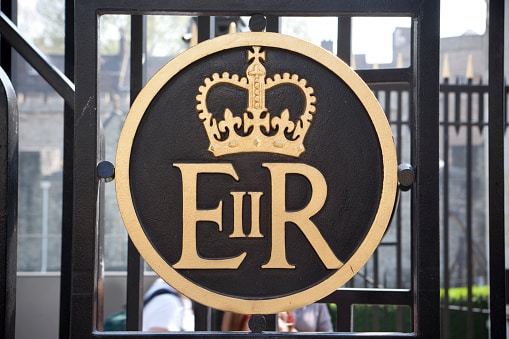
As followers of British royalty doubtless already know, Queen Elizabeth II recently celebrated her 91st birthday – sort of. You see, because of the way these celebrations work, the “birthday” that the Queen has celebrated for so many years isn’t actually her birthday. Instead, it’s simply a week in early June that is roughly designated as the time to celebrate the birthday of the current British monarch. The real birthday could be – and has been – anytime throughout the year, but this small window is typically when the country actually celebrates it, and so when many people think of the Queen’s birthday, they think, “Oh, of course, it’s sometime in early June, I remember it being on the news.” Queen Elizabeth II’s real birthday is in April, actually, and you may (or may not) be surprised how many of her own people don’t realize that.

So, why the two different birthdays, and what in the world does this have to do with data security? Well, the reason for the birthday celebration is easy: It’s all about British weather. You see, the weather in England is notoriously difficult to predict, with a tendency toward rain (again, not a surprise), but of course, the country doesn’t want it to literally rain on the parade when celebrating a royal birthday. So they carefully ignore the real birthday date and plan the celebration for some time in May or June, even going so far as to put this “party” birthday down in official records. They just want a little bit of sunshine.

The data security connection is all about this curious behavior, and what it means for updating security processes. Because, you see, like Britain, many organizations find it easy to put a plan into action “when the sun is shining” instead of on the real date when action needs to be taken. Let’s take a look at why that’s such a serious problem.

The Problem of Patches vs. Apps

The Queen may celebrate her birthday in warm months because it is convenient, but businesses do not have this luxury when it comes to updating their security. It’s not a matter of picking the most convenient date: It’s a matter of recognizing that organizations don’t have a choice to delay or avoid patching their systems. There is no such thing as waiting for fairer weather. There is no gaming the system. Unfortunately, businesses have a difficult time recognizing this when conflicts arise between a noted security update and normal business operations.

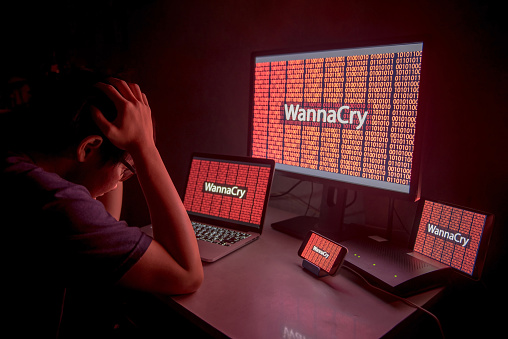
This problem is exemplified perfectly when it comes to app updates and compatibility. Let’s take a look at a WannaCry ransomware example to underline the point. Say that your company depends on a particular app for operations – an inventory management tool, for example. That tool is compatible with an older version of Windows 10, which your company uses. Now, Microsoft released a security patch for WannaCry and related attacks back in March 2017. Your IT expert knew about this patch and recommended that it be applied to all Windows 10 systems in the business for protection. Unfortunately, the patch is designed for a newer version of Windows 10: It looks like you need a larger update to include the patch.

That’s a problem because the all-important inventory management app just won’t work with a newer version of Windows. You have contacted the vendor but haven’t received any news about whether an updated version of the app will be provided. So your organization sits tight on the older Windows 10 so it can maintain traditional business operations, at least for a few months…which is right around the time that WannaCry infects your network and starts hitting computers around the office that have no protection.

This happens a lot! It happened to many of the organizations hit by WannaCry, some of which were still using Windows 8 because of the aforementioned compatibility issues. So this isn’t just a theoretical issue, it’s a real problem – and one that your company must learn how to deal with.

The Importance of Immediacy

We’re going to make this really easy for you: If a decision comes to a choice between updating your operations for security and using an important app, choose the update. Every time. You can always find a vendor who is actually on top of their security maintenance or another app that accomplishes similar goals. You can’t find another way to patch vulnerabilities. Take the costs associated with the decision as part of security expenses, and move on.

We would love it if every organization could understand this. But we also know that the logistics behind this decision can be tricky. If your {city} business is struggling with older apps and security updates, {company} can help! Call us at {phone} or send us an email at {email} to learn more about our services!


The Hard Facts About Cyber Insurance

Cyber insurance helps ensure business profits in case of data attacks: Here’s what you need to know.


Cyber insurance is business insurance that covers costs associated with data attacks, offered by insurers and via plans with certain vendors. When many companies hear about that, the automatic thought is, “Yes, that is exactly what I need!”

That may be true – but it’s important to note that cyber insurance is not cyber security. It will not actually protect you, and there are strict limits to what it can do. So let’s go over some facts about this type of data insurance that you need to know about.

Coverage Does Vary Based on the Policy

Cyber insurance isn’t as strictly codified as some types of insurance, and its coverage can vary greatly between policies. What one standard policy covers may be very different from what another insurer or vendor offers (we’ll talk more about this later). In other words, you can’t really count on any particular coverage without reading the fine print, so get ready to put on your glasses. Fortunately, like other types of insurance, you can usually attach various riders and clauses to create coverage for the specific events or costs that you are worried about. This will, however, raise the price of the coverage.

Human Error Is Not Covered

Basically, cyber insurance doesn’t really cover people being dumb, and this can cause a whole lot of problems with making claims. For example, let’s say that one of your employees opens a phishing email and downloads some really nasty malware. Will cyber insurance cover that? Quite possibly your claim would be declined because the problem has its roots in a human mistake instead of an attack that your company couldn’t avoid. It’s even more unlikely to find coverage for poor password management or leaving a computer unattended and logged in. Take this as an important reminder that employee education should be a best practice no matter what type of insurance you have or what you want to protect again.

Known Vulnerabilities are Rarely Covered

Here is where matters of liability become tricky. You see, few cyber insurance policies will cover problems that result from known vulnerabilities. That means that if a security policy is known, and the provider or manufacturer announces a patch to fix it, it is on you to download the patch and fix your security. If you do that, coverage shouldn’t be a problem. But of course, a vast number of data attacks happen because businesses have not patched known vulnerabilities (just look at WannaCry) even though patches have been made available.

There may be additional, customizable add-ons for protection even from known vulnerabilities, but it’s going to be a lot more expensive. So, once again, even with cyber insurance, you still need smart security practices and a strict update policy to protect your company. Are you getting the theme here?

Data Restoration May Not Be Covered, Either

Yeah, this one throws a lot of companies off balance: Isn’t cyber insurance supposed to recover data restoration? Isn’t that the point? Well no, it isn’t. “Data restoration” is a complex process that may or may not work, no matter how much money you throw at it. It usually relies on things like proper data backup, which is a company responsibility, not an insurer’s responsibility. It’s not really an area that an insurance policy is well-equipped to deal with. So cyber insurance focuses primarily on interruption costs – on “refunding” you the profit that your company lost while dealing with the data attack. Don’t make the mistake of thinking that all associated costs will be covered.

Third-Party Insurance is Different From First Party

Typical cyber insurance covers the first party – that is, your company. And that’s it. If data is lost, mishandled or attacked while with a partner or third party, your insurance coverage won’t touch it. However, there is a second type of cyber insurance that is specifically designed to protect your data when it is in the hands of third parties. This is particularly useful in sectors like the healthcare industry, which finds itself transferring sensitive data to other organizations regularly.

Cyber insurance or not, it’s pretty obvious you will need a robust data security plan in addition to any coverage you may choose (or be required to have).

From Telegraphs to USENET and How to Protect Yourself from Spam

When someone thinks of spam they typically think of unsolicited bulk commercial email they receive in their inbox. However, the concept of spam started a little earlier than you might think. How far back? How does 1864 sound? Spam in 1864 you say? Yes, in the form of a telegraph, advertising a local dentistry actually. The Telegraph was so much news that the local paper even reprinted the telegraph that was sent to many households, further propagating the message.

Spam Messages

More recently, people consider the first spam email coming out of Digital Equipment in 1978 which went to a total of 393 people promoting their latest computer model. You can thank a Monty Python sketch based on a cafe that only served the canned spiced ham SPAM for the origin of the name. Another early spammer was the lawyers Canter and Siegel posting their “Green Card Lottery” message to USENET, a shared messaging system.

What does all this have to do with today? You don’t want to be known as a spammer. There are three ways to attack the spam problem. First off, you don’t want your marketing emails to be classified as spam. Secondly, you don’t want your mail server to be abused where someone sends spam through your hardware. While this wasn’t sent to you directly, your hardware could be blacklisted, thus affecting your own emails. Lastly, you don’t want your employees to respond to spam. There are ways to filter this at the mail server to prevent them from seeing the messages, or at least classify messages as fishy before their opened. Our company {company} can help you to protect your business from being labeled a bad apple in the email business.

Starting with the most important avenue, ensuring your marketing messages get through, there are some best practices to know about. For starters, don’t just send emails directly to your clients. Putting everyone’s email in the “To:” field of a message is bound to cause problems when someone does a reply-all. If you absolutely have to send a message to LOTS of people, it is better to use the BCC (for blind carbon copy) field of a message. Better yet, rely on a mailing list management package like that offered by Constant Contact. Typically, you don’t want to add people to the mailing list yourself. Instead, people should opt-in. More importantly, with each message you send, there should be unsubscribed instructions.

Protecting your mail server is not an easy task. There are some simple steps you can do like requiring that users are authenticated before sending a message, but someone can just spoof the email headers to make it appear messages came through your server. To best protect your server, in 2012 DMARC, or Domain-based Message Authentication, Reporting, and Conformance was introduced. Combined with the earlier introduced SPF, Sender Policy Framework, this makes sure that any messages appearing to come from your mail server actually came from your mail server. {company} can help you keep up with the latest ways to protect your email servers and thus getting your marketing messages through.

Lastly, it is important to look at the inbound side of spam. With all the talk of Russians hacking servers and the release of inappropriate celebrity photos, most of these attempts are triggered by phishing attacks of targets. You still need to worry about viruses being sent through email, but phishing involves fraudsters sending what look like real emails in the attempt to reveal personal information like passwords and bank account info. You don’t want your employees giving away the farm so that others can then get into your company network or your employees worried about identity theft. {company} can help protect your mail servers from letting these unsolicited emails through.

Contact us at {email} or {phone} to learn more about how we can help you.

Wisdom Wednesday: Taking and Printing Screenshots on Windows 10

Need a fast Windows screenshot? We’ll show you how to do it!

Do you need to take a quick Windows screenshot for work or fun, but can’t figure out how to do it? Don’t worry: Our guide will show you just how it’s done.

Windows 10 Screen Shots

Copy the Screen for Posts

Traditionally, the “Print Screen” option is the quickest way to take an easy screenshot that you can use later on as desired. The only problem here is that these days Print Screen looks a little different based on what type of keyboard you may have. These steps may not all be available on some keyboards, especially more compact keyboards or non-Windows keyboards.

First, look at the top rows of buttons on your keyboard. Look for a button that says “PrtScn” or “Print Scr” or any other abbreviation (it may also be lurking around the Ctrl key, there are several places that they appear. If there’s a dedicated key, all you have to press it. This will instantly copy a snapshot of the screen. You can then go into any document and paste the screenshot wherever space is available.

Note that sometimes this feature is on a dual-purpose key, and you may have to access it by pressing the Ctrl or Fn key at the same time.

Automatically Save Screenshot as File

Let’s say that you don’t want to just copy a screenshot for pasting, but that you actually want to save a screenshot as its own photo file. In that case, you may need a combination of buttons. If your keyboard has both a Print Screen button and a Windows logo key, you can press them both at the same time: This will usually take a screenshot and then automatically save it as a separate file, typically in the desktop or its own screenshots folder.

Of course, it’s not always that simple. If you have a Windows key, an Fn key, and a Ctrl key, you may need to push some combination of these keys along with the Print Screen key to create an automatic save. A little bit of experimentation may be in order, but if you’re using a built-in keyboard (like on a laptop) then you can probably look up the best method.

Choose a Single Window as a Screenshot

This is a common case in many of today’s larger screens, where you have several windows open at the same time but only want to take a screenshot of one window, not the whole screen. There’s a way to do this, too: Click on the window you want to copy so that it’s highlight. Then press the Print Screen key and the Alt key at the same time. If your keyboard has an Fn key, you have to press Print Screen, Alt, and Fn at the same time to get this to work.

“Snipping” Screenshots

Windows also lets you select a particular area of the screen through a dedicated screenshot tool called the Snipping Tool. It’s not as fast as other methods, but it is very effective. Just type in “snipping tool” into your Windows search box and it will bring up the right link to select. This opens up a small bar that allows you to create a “New” screenshot and change the shape of the shot. You can then drag your mouse to create whatever size you need.

Looking for more information on how to use Windows 10? Remember to take a look at {company}’s Wisdom Wednesday series for continued advice. If our {city} readers have any further questions or need help figuring out a problem, contact {company} at {phone} and {email}.

The Latest Ransomware Attack Has Immobilized Major Companies Across the Globe

While it remains unclear exactly how many have been affected by the latest ransomware, aptly called “WannaCry,’ the estimate has already reached more than 75,000 computers in over 150 counties worldwide.

WannaCry

Hospitals, government offices, and high profile organizations are still reeling today after what cyber experts are calling one of the largest cyber attacks ever. This virus, identified as ransomware, seizes control of the user’s computer until a ransom has been paid. The user is given six hours to pay the $300 ransom, with the price increasing every three hours after that.

While it remains unclear exactly how many have been affected, the estimate has already reached more than 75,000 computers in over 150 countries worldwide. A vast majority of these ransomware attacks targeted Russia, but the effects were felt as far as the United States, Taiwan, and Ukraine. A major telecommunications enterprise in Spain reported a freeze on their entire network, as their ransom climbed to almost $550,000.

Who’s at Risk?

The latest in a recent string of cyber attacks was first discovered May 12 and has been linked to vulnerabilities in Windows. Aptly named ‘WannaCry,’ the ransomware targeted Windows XP, Windows 8, and Windows Server 2003 customers who had not yet installed the security update released by Microsoft in March. The National Security Agency (NSA) has received much criticism over the last week, with many blaming their handling of the ‘cyber weapon’ theft last month for the attack. In April, the group called ‘Shadow Brokers’ claimed responsibility for the piracy, but many feel the threat wasn’t taken seriously by the NSA.

While the attack was initially revealed on the 12th, analysts indicate the ransomware software was likely spreading for several weeks, laying dormant, waiting for the kill switch to be pulled. This exceptionally well-written code makes it virtually impossible to unlock encrypted files once they’ve been infected.

In the United Kingdom, outpatient appointments for sixteen National Health Service facilities were canceled and patients were advised to steer clear of emergency rooms if at all possible. China reported PetroChina gas stations were also experiencing difficulties, forcing consumers to pay cash for goods and services. Both countries have reported no evidence of personal information being compromised.

With Russia at the center of a large portion of the attacks, cyber experts indicate that the attack may have originated in Russia. Evidence points to the hacking of an extensive Russian email database as the likely source.

What’s Next?

The ransomware was discovered by a British security researcher, who goes by the name MalwareTech. It was configured to continually contact an unregistered domain that was built into its coding. During his analysis of the attack, MalwareTech registered the domain, which, unbeknownst to him, was what was necessary to halt the ransomware attack from spreading any further.

While Microsoft customers were the target of this attack, all software users are urged to update their operating systems immediately. Windows users who haven’t installed the update Microsoft released in March can prevent an attack on their system by doing so now. Unfortunately, the update won’t help those who have already been targeted in this recent attack. Laptop users should use extreme caution when utilizing public WiFi connections, as the ransomware is equipped with a ‘hunter module,’ which helps spread the virus to anyone on the shared network.

Recent studies reveal that cyber attacks are on the rise, showing no signs of slowing down in the near future. A published FBI report indicates an average of 4,000 ransomware attacks occurred each day in 2016, with an attack on U.S. enterprises occurring once every forty seconds. Businesses and individual users are urged to keep their firewalls up-to-date and configure them to block any malicious IP addresses. Anti-virus and anti-malware programs should also be configured to automatically perform regular scans.

Is Your IT Support Team Up to the WannaCry Challenge?

Unless you have been totally disconnected from the world the last few days, you have heard about the WannaCry ransomware attack that has been spreading around the world. This attack is being dubbed by some as the precursor to a larger, more focused attack once the extent of the vulnerability is revealed.

WannaCry Virus

Those primarily affected are running unsupported systems like Windows XP, pirated or illegal copies of Windows, and those not staying current on operating system patches.

What is the right response to WannaCry? What should your IT team be doing?

In the wake of the news of the WannaCry ransomware attack, the cyber-security professionals of {company} went immediately to work.

While we believed that the workstations and servers we support had been patched appropriately to protect against the WannaCry attack, we still took the time to review all of the workstations and servers we support to determine if there are any that may have been missing the patches needed.

Beyond this immediate response, we also proactively surveyed the security of our internal network to protect the resources we depend on in delivering IT services to you.

Here’s a checklist that your IT support provider SHOULD be doing. 

  • Actively monitoring all security fixes and patches for Microsoft, Adobe, and other major software packages commonly used and applying them as soon as possible.

This can be frustrating to end users when their workstations interrupt their work by restarting or operating slowly, but it is a critical part of staying safe in today’s technology-infused world.

  • Eliminating unsupported operating systems and software wherever possible.

The cost of continually upgrading and replacing workstations and servers can feel like an unnecessary drain on company resources. WannaCry – and similar attacks – are the reason why {company} IT consultants talk regularly with our clients about replacing unsupported hardware.

The Windows 10 operating system was not affected at all by this attack. Staying current on operating systems and other software is a critical part of staying safe in today’s world.

  • Segregating your private network from your guest network.

Over the last year, the {company} team has been more forcefully recommending the creation of separate networks for guest workstations and employee-owned equipment. This has felt inconvenient to many, and in some ways, it is. Again, attacks like WannaCry are the reason why we recommend this change.

{company} works actively to keep our client’s equipment patched and up-to-date. But we cannot do the same for equipment we do not support. By providing a separate network for non-company owned equipment, we can provide the Internet connection needed without endangering the company’s valuable assets.

These are just some of the proactive steps we take to help secure the networks we support. But cyber security is a team effort. We cannot do this on our own.

What can you do to help in the process of securing your company against cyber crime?

{company} IT consultants recommend that the primary contact for your company meet regularly with your IT support team to discuss and plan the technology for the company. This will give you the clearest picture of what is being done with the company’s technology.

Armed with a high-level picture of your company’s IT strategy, you will be able to:

  1. Be an advocate for proactive technology practices in your company.
  2. Ask questions. Of your IT support team – so you feel comfortable with the direction of your business technology. Of your coworkers, so you know what’s happening with the technology in the rest of your company.
  3. Share information from the Strategic Business Reviews with others, and encouraging them to be involved in the process.
  4. Encourage technology training and awareness for all members of your staff. WannaCry and similar attacks begin by someone clicking on something they should not. Education and awareness can often be just as important as up-to-date systems.

Whether you like it or not, technology has become an integral part of our daily lives. Properly cared for, it can be a valuable asset. But when ignored, it can be an ugly beast that can lay waste to the business.

{company} is proactively working to secure and maintain the networks of our clients, and we encourage our clients to take an active role in their own IT and to implement common sense cyber-security policies.

How has YOUR current IT support team responded to the WannaCry threat? Have they been efficient, informative, and communicative? Maybe it’s time for a change.

We’re here to help! Contact us now at {phone} or {email}

Bonus Info! – Here are some articles that we looked at as we researched this latest WannaCry threat. Take a look!

Don’t Be A Hostage!

Maybe you have a great relationship with your current IT support provider – they’re responsive, effective, and not too expensive. On the other hand, maybe you’re less than satisfied with how long they take to respond to support requests, and how problems never seem to get fixed for good.
Whether you’re in the market for a new IT support provider or not, there’s one thing you can’t overlook – could your IT support provider use your passwords to hold you hostage?

It may sound dramatic, but this is more common than you may think. A client will attempt to change providers, but the old one hangs on to their passwords and admin rights for their software, server access, cloud platforms, etc. They do this for any number of reasons whether it’s while they wait for final fees to be paid, hardware to be returned, or even just out of spite, to disrupt the transition process.

Regardless of the motive, it’s important for you to make sure the same can’t happen to you. Be sure you have these passwords stored in a safe place:

• Your cloud platform (Microsoft Office 365, WaaS solutions, etc.)

• Server and Domain Admin access

• ISP Admin access

• Wireless Device Portal

• Firewall Login

• Web Hosting Account

That said, with the right partner you don’t have to handle this on your own. Inspired IT is proud to offer a robust documentation service that allows you store and access vital information (such as your many passwords) both securely and conveniently.

Don’t wait until you’re switching IT support providers to see if yours will cooperate. Do your due diligence today to ensure your peace of mind for tomorrow.

For more information, get in touch with the Inspired IT team right away at {phone} or {email}.

It’s Not Even Close to Over… Wanna Cry?

In case you have been living in a cave the past three days…

Wanna Cry is a ransomware that spreads like wildfire by leveraging a Windows SMB exploit to remotely access and infect computers running on unpatched or unsupported versions of Windows. It infects the targeted computer then moves on to others on the network and those it can find on the open internet.

Wanna Cry Ransomware

237,000 computers across 99 countries have been infected thus far.

The news has reported that a 22-year-old security researcher has stopped the Wanna Cry ransomware plague.

That’s only partially true.

He found a “kill switch” in the code of Wanna Cry that will keep one strain of Wanna Cry from infecting computers.

Here’s the problem…

Now there are multiple strains of Wanna Cry cropping up across the globe.

Some with a different URL “kill switch,” and if reports can be believed, at least one strain with no “kill switch” at all. This “no kill switch” variant is believed to have been created by parties not related to the criminals who developed the first Wanna Cry code.

Whatever the final number of Wanna Cry strains ends up being, the truth is that we aren’t even close to being done with Wanna Cry. And the criminals in control of this cyber-WMD aren’t done with causing us pain.

Yes, the infection rate has slowed, but that lull is likely only the calm before the second wave of the storm – according to industry experts.

Where did Wanna Cry come from?

There is no public information on the criminals behind Wanna Cry, but the SMB exploit they are utilizing is believed to be part of a hacking toolset that the NSA allegedly created and lost control of when a group of hackers called “The Shadow Brokers” stole it and dumped it onto the dark web.

Currently, the predominant strains of Wanna Cry are being thwarted before they infect computers by utilizing the method discovered by 22-year-old MalwareTech.

He discovered that by registering a domain name that was buried in the ransomware’s code, he was able to create a “sinkhole” that didn’t allow the virus to infect the computer.

The problem is that if the connection to this “sinkhole” domain is lost, Wanna Cry will move into “infect” mode.

As we have stated above, there are now several strains of Wanna Cry out there with a “kill switch” domain name in their code. Each unique domain name must be registered so that a “sinkhole” is created for that strain.

Even with these domain name “sinkholes,” we aren’t out of the woods.

Malware Tech, the security researcher who found the first “kill switch” buried in Wanna Cry code, has stated that “WannaCrypt (or Wanna Cry) ransomware was spread normally long before this and will be long after, what we stopped was the SMB worm variant.”

There are some scenarios that will allow your unpatched computer to be infected – even with the kill switch in place. Here they are

  • If Wanna Cry comes to you via an email, a malicious torrent, or other vectors (instead of SMB protocol).
  • If your ISP or antivirus or firewall revokes access to the “sinkhole.”
  • If your system requires a proxy to access the internet – common in corporate networks.
  • If someone utilizes a DDoS attack to makes the sinkhole domain inaccessible.

What to do…

The cyber-security experts of {company} advise you to:

  • Patch your computers
  • Run a decent anti-virus
  • Make sure your backups are current and secure

Because of the high-profile nature of this ransomware attack, there will be copycats that make Wanna Cry even more virulent and destructive.

Wanna Cry 2.0 is inevitable.

It’s important that you act proactively for your company now and get the {company} cyber-security team on your side.

We have the resources to help you stay running and safe.

Contact us now at {phone} or {email}

Ransomware Takes Down Hospitals in the UK. – Are your systems safe?

 Ransomware Strikes UK Hospitals

It’s called the Wanna Decryptor, and it’s one of the most feared ransomware strains today.

Why?

Because once your systems are infected with this ransomware variant, there is nothing that can be done for you. There is no known software that can decrypt a computer or network once it has been infected and encrypted by this particular weapon of global cyber-criminal syndicates.

Wanna Decryptor has hit the National Health Service of England and Scotland hard.

UK’s National Health Service announced on Friday, May 12, 2017, that Wanna Decryptor had been used by criminals to take 16 hospitals and administration facilities hostage in the UK.

The ransomware has brought the computer and telecom systems in those institutions to a standstill.

What do the criminals want?

They are demanding 415,000 pounds by May 19th.

If that amount is not delivered to them, they have threatened to delete all of the encrypted files – leaving those NHS hospitals and administrative centers crippled.

The BBC has reported that the pain caused by this ransomware attack is already being felt and that patient treatment – and lives – are being put in jeopardy. Why? Doctors cannot readily access health records, patient histories, or even records of medications. The situation at the hospitals under attack is so critical that ambulances are being redirected away from these hospitals to other facilities that are not affected.

At this point, the official line from NHS is, “We do not have any evidence that patient data has been accessed.” But the fact that NHS cannot say definitively that the criminals have looked at the private patient records they have encrypted is little comfort to the doctors, nurses, and patients who are valiantly trying to make do without access to those same records.

At this time, the UK’s National Cyber Security center is working together with NHS to try to mitigate the situation, but that does not mean that a quick resolution to the situation is on the immediate horizon.

It has also been reported that the US, China, Russia, Spain, Italy, Vietnam, Taiwan and others are also experiencing difficulties with this strain of ransomware.

The hospitals under attack are not expected to be open to full-service again until next week. At the moment, they are limping along trying to care for their patients as best they can and transferring patients with higher needs to facilities not affected.

So what happened?

The NHS spends millions on computer security each year.

And they’ve been hit with ransomware.

If the NHS isn’t safe – no one is.

What’s worse…there is NO DEFENSE against ransomware.

You either PAY UP, recover your systems from a previously backed up copy, or LOSE IT ALL.

It’s time for your business to prepare.

They’ll hit anyone they can make a buck off of.

No business is immune from a ransomware attack.

{company} of {city} has a solution which can have you back up and running cleanly in less than 1 hour after a reported ransomware attack.

But our solution has to be in place before the attack occurs.

Are we trying to scare you into purchasing our services?

No. The criminals are the ones doing the scaring.

We’re offering hope and a solution – but you have to act BEFORE your systems are compromised by ransomware.

Let’s get your business fortified against the menace of ransomware NOW.

Contact {company} of {city} now at {phone} or {email} for a no-obligation conversation to assess your ransomware vulnerability level.

I Want Highly Informative Excel Spreadsheets

If you are giving a presentation and part of it involves a shared display or handouts of a spreadsheet what can you do to keep the group awake? Let’s face it, Microsoft Excel is an excellent tool for organizing and manipulating statistical data, but when sharing your spreadsheet with others, your spreadsheet has to be interesting and informative.

Microsoft Excel Experts

How Do I Get More Information into an Excel Spreadsheet?

Before you get more information into your spreadsheet, make sure that a spreadsheet is a right tool for the job. More often than you might think, we use spreadsheets inappropriately. Would an Access database work better? Should you use PowerPoint for your presentation.

If you have decided that Excel is the right vehicle for your presentation, include a text document that is a “welcome” or “about” for the Excel document. This keeps you on track and reminds others what the purpose and mechanics of the spreadsheet are.

While it’s true that most of the spreadsheets we use in our careers are for our own consumption, it is a good practice to talk about your spreadsheet with others. Find out what features they like and which they don’t favor. If you work collaboratively with others in your organization be generous with credit and be sure to mention their names in the about or welcome document.

PivotTables Help (A lot)

PivotTables are important as they take tables of data, often with hundreds if not thousands of rows and help you and others understand the data by summarizing them by the column fields.

For a PivotTable to operate correctly it has to be set up in a certain way; each column needs to contain the same kind of data that is in a “raw” state – that is the data has not been processed yet. The following are some advantages associated with using PivotTables in Excel:

  • Simplicity
  • Speedily produced
  • Multiple dimensions – you can sort data by row or by column
  • Allows for interactive analysis

Appearances Do Matter

Your Excel Presentation can be exciting and visually stimulating. Following are some tips that help you accomplish this.

  • Consistency: Your spreadsheets will be easier for others to understand if you use only one font, bold headings for data groupings and formulae, distinct shade categories of data (for example shade raw data gray and results in green) and analytical comments should be in italics.
  • Create a Logical and Natural Flow: This is done by using the order of Worksheets and the layout of calculations and data to read left to right and top to bottom. An excellent Excel presentation takes the reader through a story – from inputs and assumptions to calculations and finally the results.
  • I Want Highly Informative Excel SpreadsheetsMake Data Relevant: To be more informative, an Excel spreadsheet presentation needs to have relevant data and analysis stand out. To do this, try to downplay the non-data elements of your tables and graphs. While you might create axes and gridlines the same color, make them paler than the data points.

{company} in {city} is your best source for tips, tricks, and hacks as well as news relating to the latest advances in technology. [Phone} or {email} us today.

Microsoft Unveils Task Management App: To-Do

Microsoft wants to help their users stay organized and get even more out of their day – and with their newest app, they plan to do just that.

Meet To-Do, an intelligent task management app that’s currently available in Preview. Fully integrated with Microsoft Office 365, To-Do lets you create a list for anything, from work, to chores to groceries and more.

Microsoft TODO

Features include the capability to add reminders, due dates, notes, and personalization. Thanks to cloud integration, you can access your To-Do lists from mobile platforms, through web browsers, and of course, on your home computer.

Even better, To-Do offers an “Intelligent Suggestions” feature, which uses To-Do’s smart algorithm to highlight overdue and upcoming tasks ahead of others on your list. From there, you add the tasks you want to My Day, keeping them all in one high priority place.

Robust integration with Microsoft Office 365 currently allows users to automatically sync Tasks in Outlook with To-Do. Future updates will offer further features that come with integrating To-Do with other popular apps in the Office 365 suite.

Thanks to its foundation in the cloud, To-Do also comes with the enterprise-grade security you’ve come to expect from Microsoft products, such as data encryption during transit and at rest, and data storage in hyper-scale, globally networked data centers.

So be sure to give To-Do a try and see how it can change the way you tackle the day, both at home and at the office.

For more information about getting the most out of Microsoft products, reach out to us at {phone} or {email} right away.

May The Fourth Be With You! Happy Password Day Everyone

Become a force to be reckoned with this May the Fourth with a strong password that works behind the scenes of your accounts.

Password Day 2017

May the fourth is quickly approaching. This exciting day marks a time when the world’s attention turns to celebrating an iconic movie series that has generated a following spanning more than 30 years. On May 4th, the world will celebrate Star Wars Day in a variety of ways. These include dressing up as their favorite character, creating tasty treats that depict iconic scenes, binge watching the series and numerous other creative ways of paying homage to the Star Wars movie franchise. People of all ages, and who live all over the world, will do their best to live up to the Star Wars Day slogan of “May the Fourth Be With You!”

There’s Another Reason to Celebrate That Day, Too

Star Wars Day is not the only important event that is happening on May 4th, though. That day has been designated as World Password Day 2017. It marks the day that you can join thousands of people and organizations across the globe as they take a pledge on social media to make improvements to their password habits. Industry giants like Intel, Dell, Lenovo, TeleSign, BBB and more, are supporting World Password Day and propelling people to embrace its initiatives.

Active Internet Security Involves More Than Just Passwords

These days, maintaining your security online is vital to protecting everything that is important to you. Whether it’s your social media accounts, email or bank account, ensuring that your information is secure and private is vital to protecting everything from your job and your money to your reputation and your relationships. Unlike in the past, though, a strong password is only the starting point in staying secure online.

Step One: Create a Strong Password

After you create a strong password — or even a passphrase as suggested by the Password Day website — you’ll need to move on to the other three steps to fully secure your online existence.

Step Two: Create Different Passwords

It’s important that you create a different password for every site you visit. A useful analogy to help you realize the dangers that exist if you use the same password everywhere you visit online is the damage that can be done to your life if it took only one key to open your front door, your safe, your bank and your car. The criminals who steal passwords use them to get into websites of all types — often with a large success because people use the same password in multiple places.

Step Three: Find a Password Manager

To facilitate quick access to your sites, you need a good password manager that stores all your passwords safely and securely. A master password is required for you to access your password manager. Because the master password is only recognized from a registered device, it’s hard for for someone to log on from an unknown device.

Step Four: Add Multi-Factor Authentication

Chances are, you’ve already been using — or at least been exposed to — multi-factor authentication without knowing its fancy name. Using a fingerprint reader to unlock your phone and having a secret code texted to you before you could access account information for an account whose password you’d forgotten are just a couple of ways that your true identity is verified to protect your information.

When combined, these four steps help you build a more secure online presence. This World Password Day, adopt measures to put the force of a strong password behind you so you can surf the web knowing that your accounts and their information won’t be compromised.

At {company}, we provide our readers with the latest tech information they need to stay secure. For more tips on security, call us at {phone} or {email} us today.