Report reveals that Australians are the biggest target for ransomware in Asia Pacific

Did you know that you and other Australians are the more likely to be targeted by hackers using ransomware than anyone else in the Asia Pacific region?

Cyber Security Asia Pacific

The fact is that reports of ransomware attacks have more than doubled in the past year, making it one of the most popular cybercrime tactics among criminals, and one of the most serious threats to Australians.

The Australian Government recently published their first Cyber Security Strategy update, which showed how prevalent ransomware incidents have become, as according to the Australian Cybercrime Online Reporting Network.

Ransomware encrypts a victim’s files (making them unreadable) and only offers the key to recover them after a ransom has been paid. The unfortunate reality is that when it comes to your business’ vulnerability to ransomware and other types of malware, it’s not a matter of IF, it’s a matter of WHEN, especially given the facts released in the Cyber Security Strategy Update.

So what happens when you get hit? According to a recent Telstra survey, Australians like you are more like to pay the ransom than not, which can be immediately expensive, and can also motivate the cyber criminal to try to hit you again later.

That’s why a trusted partner in IT support can be so helpful. By having an expert team of IT security professionals assess your network and manage its many aspects, you can ensure that your technology is secure, without having to see to it yourself.

The {company} team of IT security experts understands that many businesses like yours are often unknowingly operating on outdated security models. Our team will assess your entire environment to identify any opportunities for improvement so that you can enjoy a genuine peace of mind when it comes to protecting your business.

For more information about protecting your business from ransomware, get in touch with us right away at {phone} or {email}.

Wisdom Wednesday: The Hidden Costs Of Malware

Ransomware is malware that either freezes your computer or locks it so you cannot access data and programs that your company normally uses. The criminal that is holding your system hostage, demands a ransom that is usually paid in Bitcoin.

Hidden Costs of Malware

Imagine opening your business one morning, turning your computer on and reading a message that says something like: Attention – Your System is Locked. If you want your data and programs unlocked, you must pay a fee of $800. If you are a new business or a small one, $800 can be a lot of money. It is in effect a ransom payment and is the harbinger that your computer is a victim of ransomware.

What is Ransomware/Malware?

Ransomware is malware that either freezes your computer or locks it so you cannot access data and programs that your company typically uses. The criminal that is holding your system hostage, demands a ransom that is usually paid in Bitcoin. One thing about this kind of criminal is they believe in excellent customer service. Instructions are sent you about how to pay in Bitcoin. Also, the thief or gang of thieves usually do return your computer back over to you – otherwise, most people would not bother to pay the ransom.

However, the ransom is only the beginning of your expenses relating to a ransomware incident involving your business.

What Are the Other Costs of Ransomware?

In 2016, the average cost of paying a ransom demand involving accessing a business’ computer programs and data was $679. It is expected to rise in 2017 to nearly $800. But, that is not the only, nor necessarily, the greatest expense. The other costs attendant to ransomware include:

Regulatory Fines

It is the duty of every business to safeguard the Personal Financial Information (PFI) and Personal Identifying Information (PII) of clients and customers. Regulatory authorities such as the US Department of Health and Human Services (HIPAA compliance) or the Federal Trade Commission for letting PII fall victim to a ransomware attack. Fines can be high (millions of dollars) but are usually not levied if there had been no other prior issues regarding confidentiality. For those firms who had previous breaches, fines can quickly add up to millions of dollars.

A Lack of Productivity

When a computer system is unreachable, your employees are undergoing downtime. Without your business data and programs, they are unable to work and are simply nothing more than another expense due to ransomware. Depending on the size of your workforce is how much this costs. A research study by the firm Vanson Bourne for SentinelOne reveals that it takes 38 man hours to recover from a ransomware attack.

Loss of Customers/Lack of New Customers

When a company is victimized by a ransomware attack, most states require that anyone whose data may have been breached must be advised of the possible breach. Doing so may lead to customers leaving you for another company. Likewise, it is harder to find new clients or customers.

Loss of Employees/Inability to Hire Top Applicants

The situation is similar when it comes to employee retention and new hires – employees want to know their employer has an excellent reputation that is unsullied by a successful ransomware attack.

{company} in {city} is the trusted choice when it comes to staying ahead of the latest information technology tips, tricks, and news. Contact us at {phone} or send us an email at {email} for more details.

Toshiba Telecommunications is Shutting Down: Here’s What That Means for Business Phone Services

When a major business phone system provider shuts down, it’s important to check your own system to make sure there’s no problem!

Toshiba Shutting Down Phones

Big news from Toshiba is sending waves through the business community: The company is closing up its telecom branch permanently within the next few months. Specifically, Toshiba is going to be shutting down “TSD” or its Telecommunication Systems Division within the next two months. This division specialized in selling business phone systems and related services throughout North America and even recently announced new VoIP offerings for the United States. Obviously, a lot has now changed, so here’s what you need to know.

Your Phone Services May Be At Risk

Toshiba’s telecommunication products and services will not suddenly shut down, and people won’t immediately come for your business phones, so this limits the damage that this news can do up front. However, problems are developing for businesses that depend on Toshiba systems, so it’s important to find out if you use Toshiba VoIP services, or related solutions. The clock is now ticking on how long those services will be available.

The problem is that your company probably hasn’t bought these services from Toshiba directly. Instead, the more common arrangement is that Toshiba uses more local resellers to package up and sell their services, which often appear under a different brand name. Toshiba’s name may not appear on any of your bills or software information (or at least, only in the fine print). That means it is time to contact your IT department or service provider and ask if any of your services will be affected by the TSD shutdown.

Remember, this is even worse for the resellers than it is for their customers, because they are put in a very difficult position regarding service cancellation. Many resellers are responding by looking for other providers to sell services alongside: Some companies, like Zultys, have even stepped up and offer programs to resellers to help transition their current Toshiba packages to Zultys packages. If one of these deals works out with your provider, you may not need to lose services at all (although your bill may change). That’s why it is important to stay on top of the issue and find out what is going on.

However, there is some good news too! If you want to switch to a new service ASAP to avoid any of these problems, Toshiba will be dropping early termination fees, so it won’t cost you any extra to switch.

Hardware Support Will Probably Be Dropped

Toshiba’s business phone systems were targeted at small to medium businesses, and included some hardware. Hardware is trickier to deal with than software, because it cannot easily be updated – especially if production has stopped. Typically, in these situations, companies like Toshiba offer limited support and replacement services for a year or two (or less), but then even this option dries up. If no one takes over production – and that doesn’t seem likely at this point – then any Toshiba TSD devices have a very limited shelf life.

Find out if you depend on any TSD devices in your company, and start making plans to replace them with an alternative brand. It’s better to do this now than waiting until the last minute…or ignoring the problem and hoping that nothing ever goes wrong with your equipment.

This is a Sign of Bigger Problems at Toshiba

Toshiba is currently going through restructuring, which is one reason that TSD is shutting down. The source of the problem in this case appears to be one of Toshiba’s core divisions, Westinghouse Electric, which appears to be on its way to bankruptcy. Toshiba is under pressure to shut down or at least massively change WE, and this could be one of the first steps to doing just that. It may be worthwhile to see if you have any Westinghouse Electric devices or services as well, and note that its days are numbered.

It’s Time to Rethink VoIP

Toshiba was one of the last big digital business phone system providers in North America…and that’s not necessarily a bad thing. Everyone else is busy switching to a primarily VoIP-focused model (Voice over Internet Protocol, a.k.a. routing phone services through internet connections and using computers to answer phones), for obvious reasons. Even compared to digital, VoIP services are more scalable, flexible, and cost-effective: There is less and less reason to avoid switching to VoIP, and Toshiba’s TSD shutdown is even more proof that the flexibility of VoIP is an ideal option.

The Importance of Picking Providers Carefully

Finally, this is an excellent example of why you should pick providers carefully. Even large corporations are not immune to change, so it’s important to look for providers and vendors that are in it for the long haul – and have the customer support to back that claim up. If a provider is going through restructuring or transition, it’s best to avoid them for now.

For more answers about business communication and information management in {city}, {company} can help! Contact us at {phone} or send a message to {email} and let us know how we can help!

Remember Those Who Served Australia With Pride

Today Australians everywhere are taking the time to honour Anzac Day. This national day of remembrance commemorates all Australians who served and sacrificed their lives in past conflicts and peacekeeping operations.

Anzac Day
Observed each year on 25 April since 1916, Anzac Day was originally intended to pay tribute to the soldiers who fought as part of the Australian and New Zealand Army Corps – referred to as Anzacs – during the first world war. The date of 25 April was chosen as it marks the day in 1915 when the Anzac forces set out to capture the Gallipoli Peninsula to further the Allied forces goal of capturing Constantinople, the capital of the Ottoman Empire.

Unfortunately, the campaign was not a success, and both sides sustained heavy casualties. The campaign did, however, make a large and lasting impression on the people of both Australia and New Zealand and became an important part of both countries’ national identity moving forward. The first official Anzac Day was marked by a variety of ceremonies and services and even included a commemorative march through London by Australian and New Zealand troops stationed there.

The goal here in Australia was to create a non-denominational day of remembrance that could be attended by each and every Australian, which was achieved with great success through the inclusion of a moment of silence in lieu of prayers. Anzac Day was officially established as a National Day of Commemoration in the 1920s, and by the 1930s the rituals we now associate with this day became part of Australian Anzac Day culture. These rituals include dawn vigils, marches, memorial services, reunions, and sly two-up games.

World War II broadened the scope of those honoured on this day to include those lost in that conflict and every conflict that came after. World War II had a specific impact on national commemorations – the first ceremony held at the Australian War Memorial took place in 1942, but subsequent ceremonies were held elsewhere for the duration of the war for fear of Japanese air attacks on the gathered masses.

In the years since the day has seen its fair share of controversy. From indifference due to the disruption a total lack of commerce and services on Anzac Day caused for the public to mixed feelings about subsequent armed conflicts such as Vietnam, the day wasn’t necessarily held in high regard. Public attitude shifted back to something more favourable in the late 1980s, mostly due to the interest of younger generations wanting to honour the sacrifices of older generations.

Whether you mark this solemn occasion by attending a Dawn Service or Dawn March, watching the televised Anzac Day March at home with loved ones, or by attending one of the numerous gatherings taking place across the country, don’t let the day come to an end without taking a moment to remember and honour those who made the ultimate sacrifice for our country.

Is Your Email Making Your Company Vulnerable?

You have several options to protect your organization from malicious email attacks. Keep data secured through alternatives like cloud-based client portals.

Email Security Vulnerablity

As more and more businesses are using email as their primary form of communication, it is of utmost important to keep networks safe. You may be relying on email to share confidential information with clients such as necessary documents they need to download and sign. Email security involves a range of issues, and there are different strategies employed to keep communications secure as well as private.

Viruses and Email

One of the most common issues regarding email security is the possibility of exposing your network to dangerous viruses. A virus can act as a small annoyance or can bring down an entire mail server. In many cases, the viruses are downloaded onto a network via email attachments. Besides viruses, other dangers lurk when users download attachments. For instance, ransomware often makes its way onto computer systems through attachment downloads. Ransomware has seen a rise in popularity because the attack has a proven successful track record. Hackers ask for a nominal fee and businesses often pay the price because getting their data back is crucial to resuming operations.

One wrong assumption business owners often have is the idea email viruses are only delivered to inboxes via spam. Many viruses pop up in seemingly innocuous communications. The more significant issue with spam is the way these emails overload servers. Spam decreases workplace productivity while clogging up servers.

Phishing

Phishing is the cyber form of identity theft. Through email communications, criminals pose as legitimate institutions and ask recipients to share private financial information. Phishing scams look to lure individuals to websites where they are tricked into providing credit card details, passwords, social security numbers, bank routing details, and more. Phishing scams can also entice recipients to download infected attachments to their computers.

Email Spoofing

Email spoofing is a common scam among hackers. The hacker poses as another sender, sometimes using a legitimate sounding return address, to convince the recipient to send sensitive data. You may be asked to click on a link bringing you to an URL with a cloned website.

What Can You Do?

Email security doesn’t have to be a headache any longer for your company. Client portals are becoming an increasingly popular way to avoid the many problems associated with email exchanges. Within a customer portal, vital documents can be uploaded and shared with clients and colleagues. You can still use email to communicate, but instead of uploading documents or images, a link to the portal can be sent instead of an attachment. Client portals allow all communications to exist securely in the cloud and be accessible anywhere an online connection is available. Client portals are also time savers since you won’t have to encrypt attachments or set up individual passwords. Authentication through client portals are generated automatically and can be shared confidentially.

A Full System Security Plan

All areas of an email system need to have some form of security in place. Mail servers must have security patches updated and upgrades applied on a regular basis. An email security system can be implemented to scan incoming correspondence and flag any emails that could have malware attached. If your business consistently sends confidential information via email, an encryption program may need to be implemented. Firewalls may also help protect your mail servers from malware attacks.

At the very least, you’ll want to perform regular testing on your email system to check for vulnerabilities. In the meantime, you should also back up any data found within your email servers to a cloud-based program.

Email is an important communication tool but can expose a company to significant IT risks. Mitigate many of these risks by relying on a client portal to share and view relevant attachments. Client portals are cost-effective and are managed through cloud-based servers.

Flashback Friday: Still Using 1995 Internet Technologies

The internet has changed over the years, but people remain the same. See what’s different, what’s similar and how the past can define the future.

AOL

There’s a famous clip from The Today Show in 1994 where the hosts try to figure out what the internet is. Millennials watch it and giggle as the stars puzzle over seemingly simple concepts like email and web pages. The hosts weren’t silly or stupid, they were only trying to come to terms with a disruptive technology that has since taken over practically everything we do. There are articles from experts in subsequent years that promise the internet would die off soon, much like Hula Hoops or flagpole sitting. We’ll look back at the results of a survey from the early days, and what the average person was doing when they used their precious phone line to connect.

Email

The Pew Research Center took a survey in late 1995 about how Americans were making use of the internet. People check their email on average 15 times a day in 2017, and some are always getting alerts as to every new piece of mail that pops into their inbox. But back in 1995, 29% of more than 4,000 people testified that they only checked their email once a day. On average, they sent three emails a day and received only about five.

CD-Roms Vs. Internet

If Americans had to choose between CD-ROMs at the time and the internet, it seems that people would choose CD-ROMs. Around half the people surveyed had CD-ROMs, and attitudes and usage patterns suggest that the web just wasn’t cutting it for them yet.

Adult Entertainment

Most people wanted to eliminate any type of adult entertainment from the internet entirely, though the margins were somewhat slim with a 52 to 41% vote for banning it. At the time, censorship seemed perfectly reasonable, much like the movies or television.

Websites

Only 1 in every 5 users had ever signed onto the web, even though the first website was already 5 years old. Survey participants appreciated connecting with strangers via chat and skipping postage costs via email, but the days of idle surfing weren’t quite here yet.

Privacy Concerns

The concerns over privacy have waned and waxed over the years, but it’s not a new concept. Half of the users admitted to worrying about someone invading their privacy in 1995. While that concern would filter out some in 2008 and 2009, it was revived again after Edward Snowden laid out the brutal truths he’d encountered in national security. Americans are more concerned about their privacy regarding businesses and government than they ever were before.

Understanding the past is a good way to keep us moving forward — until the time another generation can ask questions that will seem obvious to the generation that follows.

{company} is the trusted choice when it comes to staying ahead of the latest developments and can provide you with tips, tricks and news. Contact us at {phone} or send us an email at {email} for more information.

Wisdom Wednesday: 4 Features to Send Your Business Website to the Top of Google’s Rankings

Because Google always changes the algorithm that it uses to determine search engine rankings, your business’ website needs to stay on top of the current key features that can help move it to the top of Google’s search results.

Google Search Rankings

Many companies approach search engine optimization as a one-time challenge; once you have set up your company’s website with an eye to maximizing your Google search ranking, they think, you’re all set. In actuality, Google regularly makes changes to its algorithm that determines its search engine rankings. Keeping your business’ website at the top of Google’s search results requires constant attention to the changes in Google’s ranking factors and continuous tweaking of your site’s content. With that in mind, here are the four key features to utilize right now to improve your business’ Google search ranking.

HTTPS

Google first announced that HTTPS would be used as a factor in its ranking system back in 2014. MozCast, an online platform dedicated to tracking the changes in Google’s algorithm, has found that Google is keeping that promise; almost 46 percent of all of Google’s top ranking websites are HTTPS sites. Google has made this push based on their belief in the need for strong Internet security. Especially if your business offers any form of online shopping or information gathering features, moving to HTTPS is critical.

Google AdWords

While pay-per-click services like Google AdWords have not traditionally been a part of search engine optimization, MozCast has found a direct relationship between the two. Almost 53 percent of websites that appear on the first page of Google’s search results feature Google AdWords on the top of their pages. In short, paying for Google AdWords yourself won’t raise your search ranking, but becoming a part of Google’s advertising network and having ads embedded on your web page might.

Reviews

Google is upfront about the fact that it utilizes customer reviews in determining website rankings, so it should come as no surprise that almost 37 percent of businesses that reach Google’s first page of search results feature customer reviews. Indeed, Google itself now displays customer ratings right below text ads in order to connect customers with quality businesses.

Knowledge Panels

As MozCast has noted, approximately 38 percent of Google’s highest ranking websites have Knowledge Panels. Knowledge Panels appear as information boxes to the right of Google’s search results and are intended to help potential customers quickly find contact and other information for businesses. Unfortunately, you cannot directly put your business in a Knowledge Panel; Google itself makes the determination based on your company’s relevance to a potential customer’s search. However, you can influence the chance that your business will be included in a Knowledge Panel by increasing your business’ general prominence and local search engine optimization.

Concerned that you’re not doing everything that you need to help get your business to the top of Google’s rankings? Contact us today at {phone} or {email} and we can introduce you to an expert from within our community of specialists.

The Worst Password Mistakes that Compromise Security

Broadcasting your password on national television may be the easiest way to invite hackers, but common password mistakes make it almost as easy for your data security to be compromised.

Password safety may not be one of the most interesting topics in the realm of cybersecurity, but having a strong password is one of the easiest ways to protect your business’ data integrity. The importance of a robust password has been emphasized by many experts, yet often users who think that they are utilizing a secure password are actually opening themselves up to attacks. You may not be broadcasting your password on national television, but if your password falls into one of the following categories, you could be just as vulnerable to hackers.

Passwords

Short and Simple

Short, simple passwords may be easy to remember, but they are also easy to guess. In general, the longer a password is, the harder it is for hackers to break it. Each additional character that you add to your password increases the possible combination of letters, numbers and symbols exponentially. Remember that hackers tend to go after low-hanging fruit, so any steps that you take to make your password harder to crack increases the likelihood that someone trying to break in will move on to the next target instead.

Lacking in Numbers or Symbols

Letters-only passwords may be more intuitive for you–but they are for hackers as well. Just as adding additional characters to your password exponentially increases the number of the possible combinations, so does using numbers and symbols in addition to letters. Just think about it: using letters, symbols and numbers means that each character in your password has almost twice as many options as if you only use letters.

Based on Personal Information

As highlighted in the clip from Jimmy Kimmel Live, using personal information such as a pet’s name or a birthday is incredibly common. Including personal details in your password, however, makes you very vulnerable to hacking. You may think that “Fido111379” is secure and difficult to guess, but blog posts discussing your dog or Facebook comments wishing you a happy birthday can broadcast your personal details to anyone who cares enough to look for them.

Simplistic Patterns

Being able to remember your password is, of course, necessary and utilizing a pattern might seem to be an easy solution to commit it to memory. Complex patterns that use letters, numbers and symbols within a long password are not a security risk. However, most people who use patterns in their password rely on overly simplistic ones, and this makes you vulnerable to hackers, particularly if your password is short. One particular type of pattern that you must avoid is keyboard-based patterns, such as “123qwe” or “1qaz2wsx.”

Worried that your business’ data might be vulnerable to hackers? The experts at {city}’s {company} can help you evaluate your security procedures to see if you have any glaring holes. Contact us today at {phone} or {email} to learn more.

Used by permission

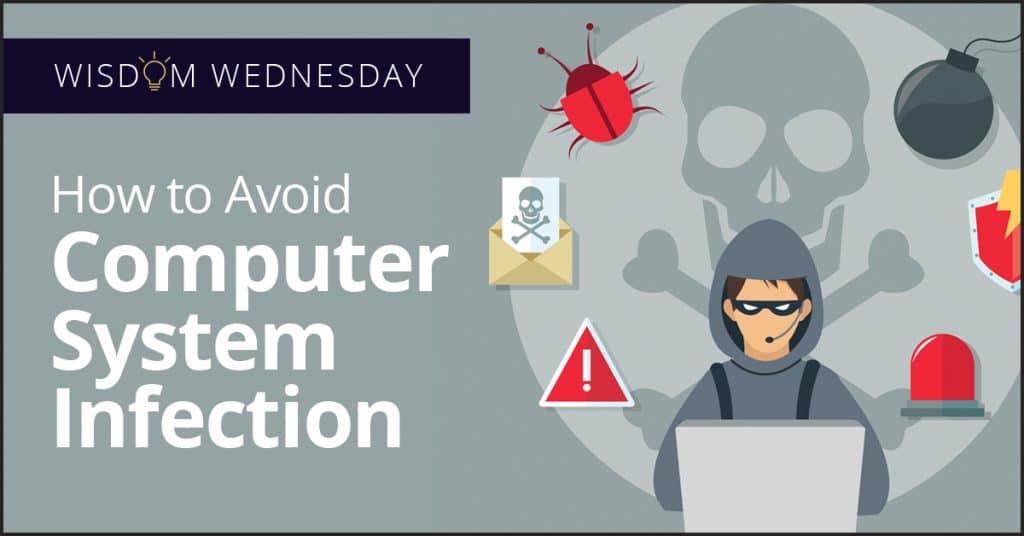
Wisdom Wednesday: How to Avoid Computer System Infection

Criminals want your company’s financial data, customer lists including credit card information, intellectual property, and anything else they can sell.

Computer System Infection

Cyber crime is a huge endeavor with severe consequences for organizations that are victimized. Criminals want your company’s financial data, customer lists including credit card information, intellectual property, and anything else they can sell.

Besides the immediate impact on your business’ ability to operate (for example ransomware can shut you down), there are significant costs associated with a data breach. These costs include:

  • Potential fines from regulatory agencies for failure to protect personal identification data (PI) or personal financial information (for example a credit card number). Some fines have been in million dollar multiples.
  • The cost of notifying all persons and businesses that had their data breached.
  • Costs of providing credit monitoring and identity theft protection for all involved.
  • The potential cost of defending a class action lawsuit against your company for failure to adequately protect sensitive information.
  • Loss of customers
  • Loss of business reputation
  • Inability to attract new customers or clients

Following are Best Practices for securing your computer system and company data.

Best Practices for Computer System Protection

The following list is the Best Practices for keeping your business’ computer system, programs, and data, safe from prying eyes.

  1. Make sure your firewall is on so that intruders cannot access your system from the internet.
  2. Install security software and keep it updated.
  3. Filter all email for computer viruses.
  4. The more popular a program used by your business is, the more appealing it is a target for cyber criminals. Criminals know that many users do not regularly patch their programs against malware infections, so popular programs give them a wider pool for targeting. Make sure that your computer programs are updated as soon as a security patch is released.
  5. Exercise caution when using free 3rd party software claiming they check for software updates. Free software may be bundled with malicious software.
  6. Instruct employees that they should never open emails from unknown senders since they might be a source of infection to your company’s computer system. Attached malware might be anything from a virus to ransomware.
  7. Tell your employees they should check with senders they know if an email has a suspicious attachment. A phone call to the sender can help avoid the consequences of a data breach.
  8. Inform employees they should not open websites they are not familiar with and they should make sure the address bar is the site they want to visit. A random click could take them to a website that is just waiting to download malware onto your company computer system.
  9. Buy your software from a reputable buyer and never use pirated software as it may be infected with malware.
  10. Before using thumb drives and other portable media, scan them with security software to ensure they are virus free.

Computer security may surpass your company’s IT capabilities. Accordingly, consider a computer managed services provider with a strong background in computer security. For more information about managed services and how an MSP can help your company contact {company} in {city}. {phone} or contact us by {email}.

20 Years of Viruses, Bugs and Computer Scams

20 years of viruses

There are viruses that can be implanted on a computer in 2017, and lie in wait until a network becomes vulnerable before attacking. Unfortunately, viruses have come a long way from 20 years ago. The term virus was coined early on in computer history, but it’s every bit as relevant today as it was then. Just like biological viruses adapt to Purell and antibiotics, so too have viruses learned to adapt to new security measures.

Brain in 1986

Brain was the first reported computer virus on DOS, and was announced in January of 1986. It spread via floppy disk, and spawned generations of hackers with its ability to move from computer to computer. Brain appeared to be little more than a prank (courtesy of two developers in Pakistan), a joke in which the hackers actually revealed their real location in the text of the virus. Because the virus did little to harm people’s data or machines, it often went entirely unnoticed by users.

The Evolution

Today we refer to viruses as a specific kind of malware, one that can self-replicate and continue its destructive path indefinitely. While Brain may be one of the famous early viruses because it came about when computers were experiencing more ubiquity, self-replicating programs date back to the 1940s. Programs in the early days might slow down processing time, taunt users with cryptic messages, or severely impact performance. Once Brain was no longer a news items, new forms started to pop up. The ones that followed famously infected files from Yale University, destroyed files in Jerusalem, and exploited computers that were known to have buffering vulnerabilities. Viruses could be the product of hackers, or sometimes of legitimate company’s software.

Viruses Today

Viruses have gotten faster and more efficient to make them a force to be feared. They can delete photos, files and entire storage libraries. They’re developed to target Word, Outlook, Windows OS, Mac OS — nothing is safe. They can be designed to affect Facebook or Twitter users, or programmed to steal credit card information straight for the source. Hackers may be out for pure destruction or chaos, or potentially for ransom. The more the average person understands them, the faster hackers create new tricks to get in. Viruses can come in the form of a pop up, an email from a coworker, or a completely undetectable program that waits until the time is right.

Protection for Everyone

The physical world will never provide total safety, and the same holds true for the virtual world. But there are preventative measures you can take to safeguard your company from viruses that go beyond anti-malware and perimeter protections. Security needs to have layers to fend off the intelligent viruses of 2017.

{company} is the trusted choice when it comes to staying ahead of the latest virus developments and can provide you with tips, tricks and news. Contact us at {phone} or send us an email at {email} for more information.

Used by permission

6 Ways Technology in the Workplace Can Boost Productivity

Companies of all sizes are able to benefit from technology as a data-driven prescription for improvement in productivity.


If you talk to many business professionals, there is a consensus that advancing technology is the future for successful firms and industries alike. Productivity and employee engagement are paramount to a company’s success, and emerging technologies are recognising and capitalising on these industry needs. In fact, the two often go hand in hand, with technology serving as a bridge between, as well as facilitating a more cohesive drive towards unified goals, within the organisation.

With the proper hardware and software tools in place, companies can identify specific organisational challenges and strategically plan for improved results. Businesses of all sizes are able to benefit from technology as a data-driven prescription for improvement. Let’s examine the particular advantages of technology in the workplace.

Transparency

Regardless of industry, company size, or goals for the future, transparency on every level is the most critical component to an organisation’s success. Transparency offers management teams insight into which processes, business tools, and assets are working, and which aren’t, and provides the data to back it up. It ensures every member of the workforce understands the company’s goals and their role in ensuring those goals are met.

Through technology such as software, hardware, and mobile devices, our business tools are now able to better communicate both with each other, and our workforce, ensuring our workers are supported both now and into the future.

Collaboration

Organisations striving for long-term success realise the value of teamwork and collaboration. “Teams are made up of individuals, but the synergy that a team can generate to become far greater than the sum of its parts is what makes great teams” ~John Bowen, Chair of BIFM’s Procurement Sig.

For optimal fluidity in collaboration, there must be a consistent flow of information at all times. Fortunately, today’s management teams have access to a bevy of technological tools that not only enhance but inspire teamwork and collaboration. Successful business leaders must leverage such technology to empower their workforce and colleagues.

Flexibility

Your workforce should strive to be able to perform under adverse and changing conditions. Often the best preparation for such tasks is to have your team regularly work outside of the parameters of normal company office settings. With the addition of technology in the workplace, employee flexibility is at an all-time high, allowing workers to range outside of the office, while still sending and receiving vital information.

With mobile employees, problems can be met literally face-to-face. Plus, the tenants of transparency and collaboration are greatly strengthened through increased, regular contact between team members, even when miles apart. This continual flow of ideas and solutions strengthens your team, the decision-making process, and the overall effectiveness of your business.

Enhanced Employee Engagement

A 2014 Global Workforce Study, “more than 60% of employees are unsupported, detached or disengaged”. With over half the workforce disengaged, management teams recognised the need to implement tools that achieved transparency, collaboration, and flexibility. Tech tools supply a much-needed switch to the typical office routines. With regards to the immediacy in which social media gives feedback, a similar workflow model is currently developing and growing amongst the professional business community. The end result – a more engaged and productive workforce.

Improved Efficiency

Equally as critical to an organisation’s success is its access to relevant, real-time information. Recent advances in technology allow disparate software systems to communicate with each other. Management teams have a clearer understanding of how the facility’s space and assets are being utilised and maintained. Realistic goals are defined and tracked.

Employee success is monitored, allowing employees to be redirected to different roles should their talents be better used elsewhere. With this kind of precise monitoring, employees also avoid needlessly repeating tasks while finding more time to complete specific tasks, adding to the overall enjoyment of the workplace environment.

Tracking and Analysing Performance

One of the hidden gems of progressive management is to empower employees to progress through their own system of goals. Technology allows employees and management alike to follow productivity trends for individuals, teams, and organisations. In turn, individual goals can be tracked and, despite the staunchest opponent’s objections, we all want to compete on some level.

With the ability to assist, monitor, and streamline workflow for maximised production, technological solutions have signalled the epoch of a new era in business. There is truly a new method of communicating, conducting business and interacting with customers, which is blossoming before our eyes. This tool must be used with planning and purpose, though, to avoid wasting such a valuable resource. Conduct thorough research, design the proper system for your specific needs and set your wheel in motion.

Embracing the Digital Transformation for Enhanced Productivity

Embracing technology in the workplace is no longer a luxury but a necessity. As we’ve explored in this article, technology can significantly enhance productivity, streamline operations, and foster innovation. However, leveraging technology effectively requires a strategic approach and an understanding of the tools that best align with your business goals.

At Inspired IT, we’re committed to helping businesses navigate the digital landscape and harness the power of technology to drive growth and success. Whether you’re looking to improve communication, automate tasks, or enhance collaboration, our team of experts is here to provide personalised solutions that meet your unique needs.

Don’t let technology challenges hold your business back. Reach out to us today to learn more about how we can help you unlock the full potential of technology in the workplace. Let’s work together to create a more productive and efficient future for your business.


Why Choose Inspired IT For Your Perth IT Services?

Get Peace Of Mind From Your IT Support By Making Sure Your IT Assets And Procedures Are Always Available Through Our Documentation Service.

When important aspects of your business’ operations are handled exclusively by a single employee, there is always a risk that if that person were to leave, they’d be taking vital information with them when they go. Not for malicious reasons, but rather because they have mission-critical information that they never thought to share with anyone else. This scenario is especially worrisome where technology is concerned. If your tech were to leave tomorrow, could your IT keep running as-is without them?

This isn’t just a problem for businesses with internal IT staff. The same thing can happen when you outsource your IT. That’s why unlike other IT providers in {city}, Inspired IT takes the time to provide the documentation and standard operating procedures your business needs to stay operational no matter who is involved with your business’ day-to-day.

Using proven, best-practice documentation, we make sure there is never a question about your technology that you can’t find an answer to exactly when you need it.

Your IT Will Always Be There For You To Depend On Because We Will:

  • Provide detailed documentation of your IT environment from top to bottom
  • Store and connect each and every one of your passwords, applications, and devices
  • Create a huge library of templates and best-practice processes
  • Monitor and store any and all passwords, domains, and SSL automatically
  • Provide clear, detailed processes for fixing any issues so that any tech – even the newest member of the team – can jump in and get things handled
  • Provide you with a version history that can be used to retrieve all of your data if needed, and keep track of who is accessing and changing stored information

All of this is done in a secure and confidential environment, which means not only can your team stay productive, you can rest assured that your important business information and processes are in good hands, and will always be there when you need them.

Taking “brain-locked” data out of the equation means no part of your IT infrastructure is ever beyond your control. Standardized and collaborative, our IT Documentation Service is the ultimate solution for managing your IT environment.

Don’t let crucial information walk out the door with your IT personnel. Contact Inspired IT at {email} or {phone} to find out more about our Documentation Service.