


No Opportunity to Relax on Cyber Security

Not so long ago, if your organization had a robust security suite that included a firewall and antivirus, you could feel reasonably secure. The antivirus vendors spent a lot of time and manpower keeping up with the software code, or “signatures,” that identified malicious code trying to enter your network. As long as your IT group kept the signatures updated according to the vendor’s recommendations, and your firewall access parameters were fairly stiff, you were doing just about all you could do–or needed to do.

ThinkstockPhotos 534502646

We are constantly learning new ways to defend against exploits, because the exploiters never stop learning new ways to try and gain access to our resources. With the latest wave of threats, however, it is no longer safe to leave cyber security entirely up to your IT/IS team. Your office staff, and, in fact, everyone who uses a networked computer, needs to be trained on the latest wave of serious threats. Everyone who uses a networked computer will be a weak link in the chain, until they accept and internalize their role in protecting the infrastructure. That’s the bad news. The good news is that the training need not be extensive nor expensive.

One of the most prevalent new exploits is entering networks entirely invited by an email recipient. A user on your network gets an email with an attachment labeled “Order Update List for June 2016” (this is a fictitious example). The user, who normally wouldn’t receive such a document, opens the attachment out of curiosity. The attachment has a malicious payload embedded in it that –BOOM–is now on your network.

What would a criminal hope to achieve on your network? Data–lots of it–is stored on your servers. Names, birth dates, Social Security numbers, business account information, every piece of data you store has a value to you, or you wouldn’t store it. It also has value outside of your perimeters. Stolen data is a lucrative operation, and these programs may provide access to it. Alternatively, these payloads can contain an encryption program that will start encrypting the files on the computer on which it is run. It also moves out to mapped network drives and starts encrypting files on your server shares. It only takes one of these to bring your organization to a grinding halt. If your IT/IS team hasn’t been diligent on backups, and/or doesn’t know how to restore from the backups, your data is held for ransom by this crypto-malware until you pay the ransom.

As unsettling as that is, your users can be quickly trained not to open mail attachments if they don’t understand why they received them. Even expected attachments, if received out of cycle, should be considered suspect. The recipient should call the sender and ask for an explanation. Macros can be helpful in calculating financial transactions, but documents you receive from external sources should not contain macros. Ask senders to send a version of the document with only the data, not the macros. Every business is fighting the same battle against cyber criminals, and we all have to cooperate and work together.

On the sending end, your staff should not be sending documents containing macros outside of the network. If you are sending something out of cycle, be proactive in providing an explanation.

Do you need some more information on this topic? {company} is the trusted choice when it comes to staying ahead of the latest information technology tips, tricks, and news. Contact us at {phone} or send us an email at {email} for more information.

How To: Backing Up Hyper-V to Amazon

How to back up Hyper-V to Amazon.

Public clouds have quickly become an incredibly cost effective option when it comes to backup storage. One of the more widely known public cloud services on the market is Amazon Web Services (AWS), which is commonly used as an alternative data center more than an off-site option. So given the large amounts of Hyper-V and Windows Server operating in Amazon Web Services, many have decided that it may be a good option for backing up data and workloads. This process can be a bit confusing, so we’re going to explain how businesses back up their information through Amazon Web Services and how the process works with Hyper-V. Here’s a look at how to back up Hyper-V to Amazon.

ThinkstockPhotos 528056996

How to Back Up Hyper-V to Amazon

When backing up Hyper-V to Amazon Web Services, you’ll have to log in to AWS and select the Storage Gateway option from the Services menu. This will direct you to the Getting Started section, with the Amazon Web Services Gateway screen. From here, you’ll want to click the “Deploy a New Gateway” link — located in the Navigation pane — and your browser will then open the Activate Gateway wizard and Setup. The wizard will then open its first screen, which will ask you how you want to run your gateway.

A series of options will appear, and you need to select the Gateway Virtual Tape Library option and click on Continue. You’ll receive a warning message that will indicate that you’re configuring your gateway as a VM. It should be mentioned that Amazon Web Services operates with Hyper-V 2008 R2 (and higher) and VMware ESXi 4.1 (and higher). Other qualifications/requirements that AWS needs for maximum performance are:

  • 4 or 8 virtual CPUs.
  • 75 GB worth of storage.
  • 7.5 GB of RAM.

Importing Hyper-V to Amazon

The next step in the process is importing Hyper-V to Amazon Web Services. For starters, you’re going to want to open the Hyper-V Manager and select the Import Virtual Machine command, found in the Actions pane. Windows will then open the Import Virtual Machine Wizard, which is when you’ll need to click Next to bypass the Wizard’s welcome screen.

From here, you’ll be prompted to specify the folder containing the VM you would like to import, and you’ll want to select the VM that has been downloaded. For this process to work, you need to decompress the .ZIP file and copy the contents to another location, which would be \AWS-Storage-Gateway-HyperV-2012\AWS-Storage-Gateway.

After that, click Next, which will then prompt you to select the VM you’d like to import. You’ll want to select your Amazon Web Services link and then select the type of import it falls under. Once you find the option that works best for your environment, you’ll want to click Next and specify the virtual switch that the gateway VM should use. After you’ve accomplished this, click on Next and then click on Finish to complete the process.

Applying Security, Cached Storage, Upload Buffers, and More

Amazon Web Services offers a wide range of capabilities that you can easily customize to suit your needs. Whether you want to apply the security you need to protect your data, create an upload buffer, or create cached storage, Amazon Web Services can handle it all and cater to the needs of your business.

So in consideration of the information above, backing up Hyper-V to Amazon Web Services is possible without too much confusion on your end. But if you’re still having trouble with the process, {company} is the trusted choice when it comes to staying ahead of the latest information technology tips, tricks, and news. Contact us at {phone} or send us an email at {email} for more information.

Microsoft Bookings: How Scheduling Software Can Revolutionize Your Business

Ironically, one of the major factors that takes up a huge amount of time in the day of a business owner involves creating the types of appointments that were supposed to make things easier in the first place. Though manually creating appointments certainly helps you with everything from customer flow to staffing, manually entering this information into a system like Outlook can still take a great deal of time.

ThinkstockPhotos 76762487

Until now. In July of 2016, Microsoft launched a new Microsoft Bookings feature for Office 365 users that not only automates a large degree of the scheduling process, but also helps better position business leaders everywhere for success both now and for all time.

What is Microsoft Bookings?

Microsoft Bookings is an add-in for all Office 365 users that not only effortlessly integrates into your existing Office 365 deployment, but can also be added to your website to give your customers the ability to schedule their own appointments right away. The immediate benefit of this is that you can now take appointments 24 hours a day, seven days a week – even when the business is closed or when nobody is around to pick up the phone.

All a customer has to do is navigate to your business-specific website, choose a day and time (along with other options like staff members or specific services), enter their contact information, and they’re done. The appointment is created and both you and the customer are automatically alerted.

Diving Deeper Through Customization

Perhaps the biggest benefit of Microsoft Bookings is that it is completely customizable for your particular company. You get to decide what services customers can schedule appointments for, how long each one of those services will take, which staff members will be available for them to choose from, and more. By customizing your Microsoft Bookings deployment for your own enterprise, you get to avoid things like not having too many staff members on hand, overbooking, and other things that could lead to dwindling client satisfaction.

With something like Microsoft Bookings, if you know that Staff Member A is the only person who offers Service Z and that employee can only handle five appointments in a day, new customers will be automatically denied new appointments based on that person’s availability. If that employee is away for a week on vacation, you don’t have to worry about notifying anybody – Bookings will reflect all of this information automatically.

Another one of the major benefits of Microsoft Bookings comes by way of how customers are able to interact with it from the comfort of their own homes. In an effort to reduce missed appointments, Bookings automatically sends confirmation and reminder emails to the customer so that you don’t have to do so yourself. If a customer needs to reschedule or cancel an appointment, they don’t even have to think about picking up the phone. They can make all of the adjustments they need right from your Microsoft Bookings website, at which point you will be automatically notified and you can make your own internal adjustments accordingly.

More than anything, the major benefit that you’ll receive from Microsoft Bookings is one of time. Instead of spending time manually creating appointments and keeping them up to date, you and your employees are now free to focus your efforts elsewhere on those activities that will truly help move your organization forward.

{company} is the trusted choice when it comes to staying ahead of the latest information technology tips, tricks, and news. Contact us at {phone} or send us an email at {email} for more information.

Not All Ransomware is Created Equal: What You MUST Know

If you’re currently unfamiliar with the concept of ransomware, consider yourself lucky – it is by far one of the most dangerous threats that Internet users and businesses all over the world face today. Ransomware viruses actually encrypt either certain files on a user’s hard drive or the entire drive, completely blocking access unless the victim pays a “ransom” to their attacker. The amount of the ransom tends to increase as time goes on, giving people an incentive to pay sooner rather than later – especially if they find themselves unable to fix the issue on their own.

ThinkstockPhotos 582260768

Should you become the victim of a ransomware attack, knowing how to identify the particular strain you’ve been hit with is one of the most important parts of being able to fix this problem once and for all.

Cerber

One of the most common types of ransomware that Internet users face today is called Cerber, officially classified as RANSOM_CERBER.A. What makes Cerber unique is that it actually has a voice feature that reads the on-screen ransom note out loud, as opposed to other strains that make the user read it as plain text. Cerber is also unique because it doesn’t encrypt an entire hard drive, just files it believes will be particularly valuable to the victim. These include files with extensions like DOC, DOCX, PDF, MP3, MOV, MP4, JPG, JPEG and more.

CryptXXX

CryptXXX, officially classified as RANSOM_WALTRIX.C, is another common type of ransomware that is regularly updated to make it more difficult for experts to combat. Not only does CryptXXX encrypt a user’s hard drive, but it is unique in that it actually has the ability to lock a user out of their hard drive altogether. When the user boots their affected computer, they are greeted by a screen that prevents their operating system’s desktop from loading at all.

Jigsaw

Jigsaw, officially known as RANSOM_JIGSAW.I, is certainly one of the more colorful types of ransomware in existence. In addition to display a message indicating that all photos, videos, documents and other files on a hard drive have been encrypted, Jigsaw displays a graphic of the main villain from the “Saw” series of movies – also appropriately called Jigsaw. Jigsaw also has a built-in timer that counts down the seconds until the ransom is increased, instilling a sense of urgency in the owners of infected computers.

Mircop

Mircop, also officially classified as RANSOM_MIRCOP.A, uses a particularly unique tactic to scare its victims into paying as much money as possible for the ransom. When the ransom note is displayed on an infected computer, it also displays an image of a hooded figure in a Guy Fawkes mask – similar to the imagery used by the hacker group Anonymous. Even though there is no confirmation that Mircop is affiliated with that group, the implication is there and people tend to react accordingly.

Most interestingly is the fact that in June of 2016, the Mircop strain demanded one of the biggest ransoms for any ransomware attack seen at any point up until now. The ransom note on one victim’s computer demanded 48.48 Bitcoins, which roughly translated to $32,239 at then-current exchange rates.

Can Fitbits Be Compromised?

Sound Hacking: A Potentially Big Problem in The Tech World

ThinkstockPhotos 617609790

The act of hacking something simply implies the object, either a computer or other device, is accessed without the owner’s permission or a program or software therein is altered in some way without consent. Although more and more technological advancements are being made every day to keep our devices and computers save, it seems that hackers are always one step ahead of software developers, consistently figuring out a way around any safety features that might have been implemented. Unfortunately, this seems to be an issue that has no reliable or effective solution.

How Bad is The Problem of Hacking?

If you have ever wondered how bad the problem with hacking really is, take a look at these statistics/facts to get an idea of the scope of the problem at hand:

  • By December of 2016, there had been over two billion records stolen within the year’s time.
  • The career site LinkedIn had 117 million records stolen and accounts affected from a hacker, eventually caught in the Czech Republic.
  • Social media site Tumblr was hacked, which led to 65 million accounts being leaked.
  • Hundreds of point-of-sale terminals (card machines) located in retail outlets were compromised through the installation of malware. This breach allowed hackers access to username and passwords.

Did You Know Hackers Might Not Stop With Security Breaches Affecting Your Personal and Financial Information?

More than likely, you already knew about some of the above hacking incidents. However, you probably didn’t know that even devices like Fitbits have been found susceptible to hacking. That’s right. According to recent research done in collaboration by teams from the University of South Carolina and the University of Michigan, these devices can be hacked. However, the fact that they can be hacked isn’t the most surprising element of the research findings. The fact that the researchers successfully hacked these devices utilizing sound was even more surprising.

More About The Sound Hacking Research Findings:

Researchers were able to manipulate accelerometers in devices like Fitbits through acoustic attacks. They simply added extra step counts and the like. However, getting credit for a step you didn’t take is far from the most worrisome issue with this research. The fact that researchers were able to use sound to do so presents a new potential problem that will need to be dealt with in the future.

The Dangers of Acoustic Hacking:

Hacking via acoustics is obviously not the most commonly employed way of data manipulation. Kevin Fu, who is the associate professor of electrical engineering and computer science at the University of Michigan, explained how it works:

“It’s like the opera singer who hits the note to break a wine glass, only in our case, we can spell out words.”

These words are entered as commands that manipulate the device, altering data. As was stated earlier, although changing a Fitbit to show more steps than were actually taken is trivial, the ability of researchers to do so shows a potential weakness in all such devices. This weakness is one that has not previously been considered that being the danger or acoustic or sound hacking. Thankfully, now that this research has taken place, software and device developers will be aware of the potential issue and will most assuredly create protections against it if it becomes a security issue.

Call {company} in {city} today at {phone} or contact us via email at {email} to learn more about potential new security threats like sound hacking.

Wisdom Wednesday: The Importance of Training Your Employees to Spot Spoofed Emails

The number of security issues and malware risks that your company must contend with continues to grow every year, but one of the most potentially devastating threats that your business faces is surprisingly low-tech in nature. Spoofed emails don’t rely on complex ransomware or sophisticated keystroke loggers. Instead, your company’s bank account and sensitive information are at risk simply by your employees attempting to perform their job duties. Training your team to spot spoofed emails is key to avoiding falling victim to common scams.

CEO Fraud

What types of spoofed e-mail scams are out there?

Examples of two common types of spoofed email scams played out in recent weeks. The first, an instance of the CEO fraud, involved an Internet criminal passing himself off as the head of a small Kansas construction company. The fraudster pretended to be the CEO of Cornejo & Sons and emailed the finance department of Sedgwick County to request $566,000 in payment. Because the county actually owed the construction company money for services rendered, they submitted payment as directed–only to later find out that the payment request hadn’t come from Cornejo & Sons and the construction company never received any funds.

A similar scam aimed at a Wyoming hospital system sought to obtain employees’ W2 forms. In this case, the Internet fraudster posed as an internal executive at Campbell County Health and requested the W2 files for all staff from the hospital group’s finance department. The finance department complied, exposing the hospital’s 1,300 employees to potential tax return fraud.

Can you and your staff spot a spoofed e-mail?

No longer completely confident that your employees won’t fall victim to one of these commonly spoofed e-mail scams? Luckily, there are steps that you can take to train your staff to spot a spoofed e-mail. Conducting training sessions to alert your employees to the existence of such scams is an important first step. Putting in place internal practices to verify the veracity of any request before responding will also help your employees understand how to deal with any potential scam emails that your business receives.

However, some employees don’t understand the real threat that accompanies spoofed emails until they have actually been the recipient of a fake request. For this reason, some businesses choose to initiate a simulated attack to reveal to their employees firsthand how easy it is to become the victim of a spoofed email. Some services exist that make it easy to carry out a pretend to attack. Some of these services such as PhishMe allow you to target the attack to match the real threat each of your employees is likely to face, such as an email sent to marketing asking them to provide their SharePoint credentials. Experts assert that it is fundamental to follow any simulated attack with further training as your employees will be particularly receptive to in-depth lessons on avoiding spoofed emails after falling for your staged attack.

Concerned that your employees might be vulnerable to spoofed emails? The security experts at {company} can help you discover your business’ weak spots. Contact us today at {phone} or {email} to learn more.

Contact us today at {phone} or {email} to learn more.

Wisdom Wednesday: Sifting Through Spam: Understanding The Dangers Of Junk Mail

FB ad wedwisdom5

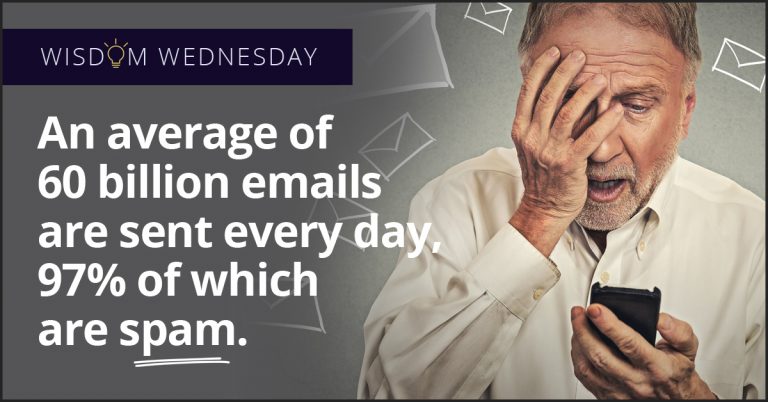
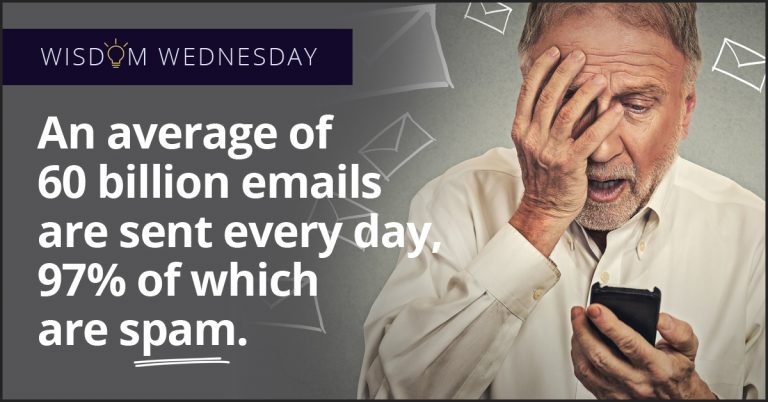
Every day, businesses and individuals send over 205 billion emails all over the world. Though many of these messages contain valuable information, a significant portion of them are spam. Receiving or sending spam exposes your business to a variety of risks, including:

Ruined Reputations

Many firms are unaware that their email accounts have been compromised, sending spam to current and future clients and partners. This can quickly ruin your company’s reputation and make it harder for you to succeed in the long run. If clients and customers think you’re sending them spam intentionally, they will view you as untrustworthy. Even when they realize your accounts were hacked, they may conclude that you do not understand IT issues or take them seriously. Thus if anyone reports that you have been spamming them, you must promptly apologize and put a stop to the problem.

Malefic Malware

Be wary of spam messages that you receive, as they could harbor viruses, trojans, and other harmful programs. Malware can lock you out of vital programs, provide unauthorized access to sensitive information, or even crash your entire computer system. You should thus never open messages you suspect to be spam. If you don’t realize an email is spam until you have already opened it, do not reply to it or click on its links— not even to unsubscribe from the mailing list. The more you engage with spam, the more opportunities it has to transmit critical programs.

Subtle Scams

In addition to infecting your computer systems, spam writers also use more subtle tactics to cheat you. Junk mail may come in the form of a fake business offer, using the name and writing style of a real company that could be a potential supplier or partner. The scammer will try to convince you to pay them, supposedly for a service or venture that will help your business; if you comply, they will take your payment and leave you with nothing. To separate scams from real business propositions, look up the companies that claim to be sending the emails and contact them independently. If a company has no record of sending the message, the offer is not real.

Data Deliverance

Besides stealing money, scammers can also use spam mail to get you to hand over sensitive information. Phishing scams involve sending you mail under the name of a company or individual you trust, such as your bank, your health insurer, or one of your employees. The message will ask you to send over sensitive information that the company or individual would have access to.

In general, you should never send sensitive information over email, to begin with. If you do receive a message from a trusted entity demanding such information, contact them at a different address or meet with them to confirm their request. Never expose your business to phishing scams.

{company} strives to protect businesses throughout {city} from spam and all other risks. To learn more, call us at {phone} or contact {email} today!

5 Tips for Making Your Business a “Best Place to Work” With Cost-Effective IT Upgrades

There’s no question that employees in today’s workforce are more technically literate than the generations before them. They use technology regularly to do their banking, get the news, network with colleagues, search for information, and stay connected to families and friends. Using a mobile phone and texting has become second nature for many individuals, so it is understandable that they expect more out of their technology than their predecessors.

ThinkstockPhotos 178090546

Employers need to supply their employees with the technology to keep them connected at work so they feel productive and efficient. By having the most up-to-date software and IT infrastructure and a reliable, fast network, you can keep employee downtime to a minimum.

Employees want to be challenged at work. They want tasks that make them feel valued and passionate about their job, improve their skill sets, and allow them to reach their full potential. Employees who are held back by unproductive tasks and tedious IT work environments tend to be unhappy at work, but this is an easy fix well within the business owner’s control.

Leverage Technology With IT Stability and Innovation to Improve Your Employees’ Lives

When your employees feel that they are solving problems and providing value, they will naturally be happier at what they do — and more productive. If you want your employees to be driven to a level of productivity that includes a high-quality, inspired work product, it is important to provide them with the tools and technology required for them to get the job done. This is where having a lightning-fast, well-maintained network can make all the difference.

Providing a reliable, stable IT environment that has little downtime means employees aren’t standing around while the network gets worked on for the third time in a month. When employees are faced with repeated interruptions and downtime during the workday, they not only waste valuable paid time — they lose their focus. It can take twice as long to get back into the groove of a project when it’s been interrupted once or twice, so the network guy can crawl under the desk to check connections.

A reliable IT provider will make sure your company is set up with as much connectivity — and limited downtime — as it needs to run daily operations fully and consistently. Your managed IT services provider will offer support 24/7/365 depending on the package you sign up for. When employees need immediate assistance, your IT provider should have them set up with pre-approved helpdesk support options, so they aren’t left without a solution for longer than necessary. When your employees have the resources they need to get back up and running as quickly as possible, they can return to accomplishing great things.

IT Business Continuity Services Provide a Stable Work Environment

Your employees want to feel that their employer takes disaster planning seriously, so they can feel comfortable that their jobs will be there when unexpected incidents arise.

You should expect your IT service partner to include a comprehensive assessment and consultation of your current infrastructure, network and business continuity status. When you sign up for a managed service provider, part of their package should include keeping your business operational during a security incident or data breach.

After all, employees aren’t the only part of your business that you want to keep fully functional during any potential downtime. An effective business continuity strategy will include a targeted assessment of your business’s most sensitive data and critical operations — so that your IT provider can create a customised business continuity plan that meets your business’s specific needs for optimal business success in the years to come.

Mac Management: Protecting Your Apple Product From Ransomware

Mac users are highly vulnerable to ransomware, but with the proper precautions, they can keep the risk to a minimum.

ThinkstockPhotos 478144626

Like many aspects of IT, cyber security is always in motion. No sooner do hackers develop a new method to launch attacks or breaches than security experts find new ways to block them, which hackers then set to work undermining. Few forms of attack have attracted more attention from both attackers and defenders than ransomware, or software that holds your files hostage. By taking proper security measures, you can keep your Mac safe from these and other harmful programs.

Rundown On Ransomware

Ransomware refers to programs that deny users access to their files, usually as leverage to make them pay a fee, or ransom. These programs may enter your system through hyperlinks or email attachments. They then prevent you from using key parts of your computer, either by encrypting individual files or, in rare cases, locking out the entire screen. Often designed by criminal syndicates or other powerful institutions, ransomware can be impossible to remove, forcing you to either pay the ransom or give up your device.

Although Apple advertises its products as being resistant to malware, the recent Transmission scandal demonstrates that ransomware is indeed a threat to Macs. In this instance, Mac users downloaded a ransomware program while attempting to torrent. The program waited a few days before locking them out of their files, letting them back in only in exchange for bitcoins. Given the growing popularity of Apple products, attacks of this kind are likely to become more common.

Defense Details

As serious as ransomware is, you need not be a security genius to avoid it. You can keep your devices safe through a few simple steps, namely:

  • Download Diligence– Be wary about downloading content over the Internet, especially from sites that you are not familiar with. Before obtaining files from a new site, use Norton SafeWeb or other site security tools to make sure it is safe. You can also google the name of the site and see whether other users have reported problems with it.
  • Email Examination– As with new sites, be wary of email attachments. Never open an attachment on an email from an address you are not familiar with. Even messages that seem to come from people you know could have been sent by dummy accounts, so contact friends and family over an independent channel before you open their attachments.
  • Bolstered Browsers– Avoid browsers that have been flagged as vulnerable. Mozilla Firefox and Google Chrome are generally considered the safest tools for web access.
  • Shore Up Your Systems– The more recent your operating system, the stronger its security measures will be. Regularly updating your Mac will thus bolster it against ransomware.

In addition to preventing ransomware attacks, you can limit their impact if they do happen through redundancy. By making copies of key files and programs on separate devices, you let yourself quickly bounce back if an attack does succeed.

For more information on protecting your {city} business from ransomware and other threats, contact {company} at {phone} or {email} today.

Client’s Day: Celebrating Client Importance

A look at how Client’s Day focuses on the importance customers in the professional field.

FB ad clientday

No matter what kind of service you offer to the public, it’s likely that your business wouldn’t be around if it weren’t for your clients. It simply wouldn’t be possible for your business to survive if it wasn’t for the people shopping online or visiting your business every few weeks – regardless if it’s daily or monthly. They not only pay your business for its services but they also (inadvertently) provide advertising for your business as well. So with these situations being some of the many reasons as to why we celebrate Client’s Day, it’s important to understand why this day was created and what you should do to let your customers know how appreciated they are for being a customer.

Client’s Day: How It Began

With origins in Klaipėda, Lithuania, the first Client’s Day was celebrated on March 19th, 2010 to celebrate and acknowledge customers worldwide for their business contributions ranging from small town convenience stores to multinational corporations. The idea for this holiday spread fast, as Client’s Day was soon picked up by newspapers and was quickly added to the calendar in Lithuania. From here, the holiday picked up more steam and went viral in 2012 with companies throughout the world using the holiday as a way to express how thankful they were for their customers. By 2013, Client’s Day was commended by the President of Lithuania, implemented by more Lithuanian corporations, and began spreading in Russia.

Celebrating Client’s Day

Celebrating Client’s Day is easier than one would think. With the holiday being a perfect time for a business to do something nice for their customers, it’s possible to do something for them (regardless the size of your budget), and you may need to get your team together to think of something special. For example: if you happen to have a beauty service, offer a free nail painting deal to frequent customers or give away samples of beauty products after a purchase is made. If that’s too much, offering a small bag of cookies that come with a thank you note is just fine. If your business doesn’t have direct contact with clients on a daily basis, you could call them and let them know that they’re greatly appreciated. Although these ideas may not cost very much, these personal touches can go a long way.

So if you’re looking to give your clients the appreciation they deserve and live in the {city} area, {company} is more than willing to help. Feel free to contact us by email at {email} or by phone at {phone} today so we can get you ready for this upcoming holiday today.

Handle Unexpected Emails With Caution

Spam emails are nothing new. Your junk folder is routinely home to a handful at a time, and at this point, spam is more of an annoyance than anything else. And cyber criminals know it. Which is why today’s scam emails don’t always look like spam on the surface.

ThinkstockPhotos 497416000

More and more, users are receiving emails from what appear to be legitimate senders, but with odd timing or information. These unexpected emails should be raising a red flag when you spot them in your inbox.

The scenario generally looks something like this:

You receive an email from Amazon, letting you know that there has been a delay with your recent order. The email helpfully provides a link you can click for tracking information. The problem is, you don’t remember placing an order with Amazon recently. This email could just as easily be from a financial institution advising you of a problem with your account, or from Facebook asking you to update your information, or even from a business associate asking you to verify or send sensitive information.

The one thing they all have in common? They’re fake.

Clicking on the link embedded in one of these emails will lead to your system being infected with something nasty, your data or identity being stolen, or the account tied to the company or institution the hacker is posing as being compromised.

The best way to protect yourself and your business from potentially dangerous consequences are to only proceed with caution. Instead of clicking the link provided, go the website directly in question to check your recent account activity, or call your bank using a contact number from their website, not the contact information included in the email.

Phishing scams continue to be a favorite method of hackers because they continue to have a high success rate. Taking an extra moment to re-read an email that feels just a little off, and double-checking the message’s legitimacy can save you from one tremendous headache.

Want to learn more about protecting yourself and your business against email scams? Contact us at {email} or {phone}. We’re the IT professionals businesses in {city} trust.