

Wisdom Wednesday: How to Avoid Computer System Infection

Criminals want your company’s financial data, customer lists including credit card information, intellectual property, and anything else they can sell.


Cyber crime is a huge endeavor with severe consequences for organizations that are victimized. Criminals want your company’s financial data, customer lists including credit card information, intellectual property, and anything else they can sell.

Besides the immediate impact on your business’ ability to operate (for example ransomware can shut you down), there are significant costs associated with a data breach. These costs include:

  • Potential fines from regulatory agencies for failure to protect personal identification data (PI) or personal financial information (for example a credit card number). Some fines have been in million dollar multiples.
  • The cost of notifying all persons and businesses that had their data breached.
  • Costs of providing credit monitoring and identity theft protection for all involved.
  • The potential cost of defending a class action lawsuit against your company for failure to adequately protect sensitive information.
  • Loss of customers
  • Loss of business reputation
  • Inability to attract new customers or clients

Following are Best Practices for securing your computer system and company data.

Best Practices for Computer System Protection

The following list is the Best Practices for keeping your business’ computer system, programs, and data, safe from prying eyes.

  1. Make sure your firewall is on so that intruders cannot access your system from the internet.
  2. Install security software and keep it updated.
  3. Filter all email for computer viruses.
  4. The more popular a program used by your business is, the more appealing it is a target for cyber criminals. Criminals know that many users do not regularly patch their programs against malware infections, so popular programs give them a wider pool for targeting. Make sure that your computer programs are updated as soon as a security patch is released.
  5. Exercise caution when using free 3rd party software claiming they check for software updates. Free software may be bundled with malicious software.
  6. Instruct employees that they should never open emails from unknown senders since they might be a source of infection to your company’s computer system. Attached malware might be anything from a virus to ransomware.
  7. Tell your employees they should check with senders they know if an email has a suspicious attachment. A phone call to the sender can help avoid the consequences of a data breach.
  8. Inform employees they should not open websites they are not familiar with and they should make sure the address bar is the site they want to visit. A random click could take them to a website that is just waiting to download malware onto your company computer system.
  9. Buy your software from a reputable buyer and never use pirated software as it may be infected with malware.
  10. Before using thumb drives and other portable media, scan them with security software to ensure they are virus free.

Computer security may surpass your company’s IT capabilities. Accordingly, consider a computer managed services provider with a strong background in computer security. For more information about managed services and how an MSP can help your company contact {company} in {city}. {phone} or contact us by {email}.

20 Years of Viruses, Bugs and Computer Scams


There are viruses that can be implanted on a computer in 2017, and lie in wait until a network becomes vulnerable before attacking. Unfortunately, viruses have come a long way from 20 years ago. The term virus was coined early on in computer history, but it’s every bit as relevant today as it was then. Just like biological viruses adapt to Purell and antibiotics, so too have viruses learned to adapt to new security measures.

Brain in 1986

Brain was the first reported computer virus on DOS, and was announced in January of 1986. It spread via floppy disk, and spawned generations of hackers with its ability to move from computer to computer. Brain appeared to be little more than a prank (courtesy of two developers in Pakistan), a joke in which the hackers actually revealed their real location in the text of the virus. Because the virus did little to harm people’s data or machines, it often went entirely unnoticed by users.

The Evolution

Today we refer to viruses as a specific kind of malware, one that can self-replicate and continue its destructive path indefinitely. While Brain may be one of the famous early viruses because it came about when computers were experiencing more ubiquity, self-replicating programs date back to the 1940s. Programs in the early days might slow down processing time, taunt users with cryptic messages, or severely impact performance. Once Brain was no longer a news items, new forms started to pop up. The ones that followed famously infected files from Yale University, destroyed files in Jerusalem, and exploited computers that were known to have buffering vulnerabilities. Viruses could be the product of hackers, or sometimes of legitimate company’s software.

Viruses Today

Viruses have gotten faster and more efficient to make them a force to be feared. They can delete photos, files and entire storage libraries. They’re developed to target Word, Outlook, Windows OS, Mac OS — nothing is safe. They can be designed to affect Facebook or Twitter users, or programmed to steal credit card information straight for the source. Hackers may be out for pure destruction or chaos, or potentially for ransom. The more the average person understands them, the faster hackers create new tricks to get in. Viruses can come in the form of a pop up, an email from a coworker, or a completely undetectable program that waits until the time is right.

Protection for Everyone

The physical world will never provide total safety, and the same holds true for the virtual world. But there are preventative measures you can take to safeguard your company from viruses that go beyond anti-malware and perimeter protections. Security needs to have layers to fend off the intelligent viruses of 2017.

{company} is the trusted choice when it comes to staying ahead of the latest virus developments and can provide you with tips, tricks and news. Contact us at {phone} or send us an email at {email} for more information.

Top 7 Uses of Cloud Computing for Businesses

In today’s rapidly evolving digital landscape, cloud computing has emerged as more than just a buzzword; it’s a transformative force driving innovation, efficiency, and growth for businesses of all sizes. From streamlining operations to enabling global collaboration, the applications of cloud computing for business are diverse and far-reaching.

In this exploration, we’ll delve into the top 7 uses of cloud computing for businesses, uncovering how this powerful technology can be harnessed to unlock unprecedented potential. Whether you’re a seasoned tech expert or just beginning to explore the cloud, these insights will illuminate the path to a more agile and responsive business environment.

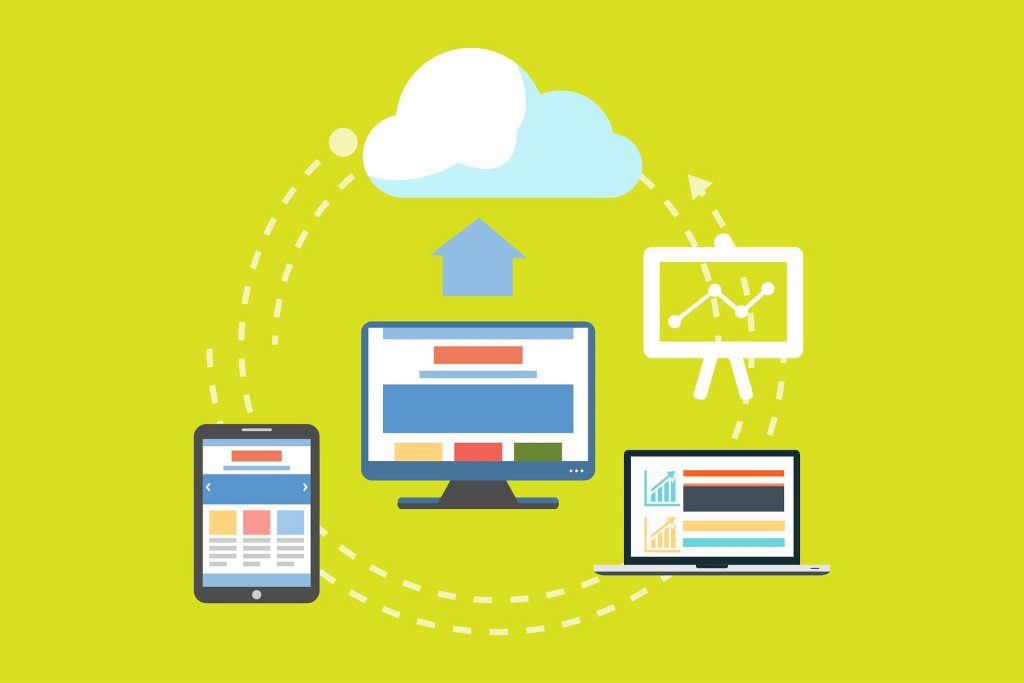
image of a cloud computing environment


1. Infrastructure as a Service

With cloud computing, you can offer your clients the use of your infrastructure to host their cloud services. Another option is to sell third-party infrastructure for creating websites to promote clients’ products and services.

2. Platform as a Service

Alternatively, you can offer your platform to clients through cloud computing. Most online platforms run on cloud computing today, because they are available to anyone with a connection. Companies are rapidly moving to the cloud to eliminate the need for computer hardware in their own offices decreasing their IT cost.

3. File Storage

File storage is a common use for cloud computing. You can store pretty much any type of file on the cloud, and if you need limited access to your files, private cloud services can be made highly secure. Cloud storage is essentially only limited to the maximum storage available from your provider.

4. Data Backup

Data backup is another common use of cloud computing. While you can backup to your computer or a drive, either of these can be physically damaged in a storm, flood or fire. The cloud offers you a place to backup data that is away from your location and will keep data safe in a secure environment. If needed, you can also share these backup files to other members of your team.

5. Disaster Recovery

In the event of a disaster, you can recover your files, programs and data from the cloud as long as you have a computer and an internet connection. Cloud computing is a good way to safeguard your important business information for recovery later on.

6. Increasing Collaboration

Collaboration within your company and with other companies has become a global concern. Cloud computing makes collaboration easy no matter where you and your collaborators are physically located because you can all access the project files on a shared cloud space. This type of collaboration can be made private until you are ready to bring your finished work to public attention. Even if you are working from home with other people from your company, the cloud offers more opportunities to work 24/7 with your partners without any restrictions based on available resources.

7. Testing New Projects

Tech companies often use their company’s private cloud to test new programs or processes before they see the light of day. An engineer can easily set up a test program on the cloud, add data sets and then run the data through the program to find any leftover problems, before pronouncing it ready to send to a client. Once the test is done, the cloud space is relinquished back to the pool.

Transform Your Business with Cloud Computing

The top 7 uses of cloud computing for businesses are more than technological advancements; they are strategic enablers that can redefine the way you operate, innovate, and grow. Embracing cloud computing is not just a trend but a vital step towards a resilient and future-ready business.

At Inspired IT, we’re committed to helping you navigate this transformation with confidence and expertise. Whether you’re looking to enhance collaboration, secure your data, or scale your operations, our tailored cloud solutions are designed to meet your unique needs. Contact Inspired IT today and take the first step towards unlocking the full potential of cloud computing for your business.

A Dangerous Loophole: Lenovo’s Security Mishap

Why Lenovo is telling users to remove an application because of a dangerous loophole.

Lenovo has been urging its users to remove one of its applications after the discovery of a serious vulnerability. Let’s look at the definition of the vulnerability and what it does and how it works. Here’s why Lenovo is advising users to remove a certain application.

ThinkstockPhotos 506752628

The Security Flaw in Question

The Chinese Multinational Technology Company discovered a serious RCE vulnerability in Lenovo, which resulted in a publication of a security advisory covering the flaw. The flaw identified was found in the Lenovo Accelerator Application software, which made it possible to exploit a user with “man-in-the-middle” tactics.

The reasons why the Accelerator application is used is because it speeds up Lenovo applications for launch. This application is installed on some desktops and notebooks using the Windows 10 operating system, but it does not affect ThinkStation or ThinkPad devices since it was never installed on these products.

Why Man-in-the-Middle Attacks Are an Issue

A man-in-the-middle attack can pose a serious threat to anyone who values his personal information. These attacks often occur on vulnerable web browsers with an infected server or a malware variant (on an infected machine) that has surveillance capabilities. Man-in-the-middle attack campaigns are utilized on an individual to steal and intercept personal information, financial data and their login credentials. Sadly, many users don’t even realize that they’re being attacked until it’s too late.

How to Avoid a Man-in-the-Middle Attack

A good way to avoid a man-in-the-middle attack is to look into the programs pre-installed on your computer after you initially purchased the machine. Many computers (whether desktop or laptop) come with installed “bloatware,” which are programs that claim to add value but actually do little when helping a computer initially boot up.

Free software trials, vendor support, applications or vendor hardware — and many more — all add a shortcut that launches your browser to a specific website. The end result is that these shortcuts leave opportunities for hackers, so removing the links may be the best way to prevent an attack.

It’s important for a business to understand the applications and programs it works with. {company} is the trusted choice when it comes to staying ahead of the latest information technology tips, tricks and news. Contact us at {phone} or send us an email at {email} for more information.

Aussies at Risk of Malware

Malware can affect anyone and everyone – no matter what continent you hail from.

This was made clear earlier this spring when security officials in Australia and New Zealand began spreading the word about a malware attack taking place through Android devices that tried to convince phone owners that it was official information from one of 20 banks in the region.

Screen Shot 2016 07 09 at 8.53.14 AM

When the user logged in with their normal credentials through what they thought was their legitimate mobile banking app, they allowed cyber criminals to not only see their personal information but access their financial data.

Though potentially millions of online banking customers were affected, the attack was called minor in the greater global security picture. Follow-up surveys indicated that many Aussies received the message and began to be more aware of malware, the importance of being careful what apps are downloaded, the risks of unlicensed software and being suspicious of online communications from their banks.

The same Android malware also was observed to take the form of other regularly visited sites, including eBay.

However, in June, the malware activity continued for Aussies and Kiwis, when new warnings went out to both countries about a new piece of malware called “Zero-day” which takes the form of a Windows Office document that is emailed to users of Office 365 via Outlook.

It appears to be an invoice, but when users try to open it, they’re informed that an earlier version of Office is required. However, they are provided with a button to click to enable the “older” content, but it actually activates something called ransomware. They’ll receive a message that their files and even their operating system will be locked, or at least heavily encrypted and not able to be accessed until they pay a certain amount of money.

This type of malware is becoming increasingly popular, especially since users are often so scared they pay quickly – although it’s never guaranteed that the ransomers will actually keep their word and unlock the files. In some cases, they may even re-contact people who have paid them and try to create opportunities for future ransom actions.

While security experts suggest strong preventative measures to keep your systems from getting to this point, especially cautious with any unknown files, there are remedies that can be tried if you believe you’ve become ensnared by malware, especially the ransomware variety. You can try to close the document, and then delete the email and any suspect files. You can also try restoring a locked system from a back-up, perhaps even from an off-line machine. (You do back up, don’t you?)

In a corporate environment, with multiple employees, workstations, mobile devices and networks, security is even more critical.

Anti-virus and anti-malware programmes continue to evolve to combat new threats, and Microsoft also has been looking for ways to block or disable malicious document macros. Office users are also encouraged to update their security settings when possible.

However, one of the biggest defences Australian companies can focus on is better security practices, which comes through training employees what looks good and what looks suspicious.

Companies can come up with clear policies on downloading software, opening emails, and even accessing hardware, such as an unknown thumb drive. Australian employees that use mobile devices for work can take extra precautions such as making sure they’re always secure, and that only licensed and approved apps are permitted.

{company} is the trusted choice when it comes to staying ahead of the latest information technology tips, tricks, and news. Contact us at {phone} or send us an email at {email} for more information.

Can Antivirus Software Be Trusted?

The Project Zero team at Google looks for defects in various software products. A researcher named Tavis Ormandy takes part in this effort. He recently identified serious security weaknesses in an assortment of Symantec and Norton utilities. The company quickly corrected these vulnerabilities after he reported them.

ThinkstockPhotos 540208168

Problems

Ormandy has found security flaws in antivirus programs from several developers, such as McAfee and Trend Micro. Nonetheless, he was particularly critical of Symantec. The researcher noted that its utilities allowed links and files to infect PCs even if users didn’t open them. This made computers especially vulnerable to “worm” viruses.

He went on to accuse Symantec of failing to adequately examine its software for weaknesses. Ormandy pointed out that the company used open-source code that wasn’t updated for seven years. Back in 2014, a vice president at Symantec termed antivirus utilities “dead” and called them “no longer… a money-maker in any way.”

Repairs

The above-mentioned quote might explain why some security companies need help from other organizations to secure their software. Google’s researcher developed an exploit that fixed the problems in affected Symantec and Norton products. Ormandy described it as “100 percent reliable.” Users can activate it via the Web or email.

The fix patches vulnerabilities in Symantec Endpoint, Norton Antivirus and various other utilities. It works on Windows and Macintosh systems. In some cases, administrators may need to activate updates before the problem is corrected. The good news is that most of these programs install patches automatically.

Prevention

This situation highlights an important fact: Antivirus software doesn’t always succeed in protecting your PC. When programming flaws exist, it could even create additional risks. Businesses may maximize security by taking steps to completely avoid viruses. They can accomplish this by regularly installing software updates and securing any Wi-Fi networks.

  • Prohibit unnecessary activities
  • Promote virus and phishing awareness
  • Password-protect wireless Internet

When employees needlessly use torrents, instant messaging or social media, they put the entire office at risk. Businesses may minimize such problems by configuring firewalls to block unnecessary ports. They can also establish clear policies regarding appropriate use of the Internet.

“Phishing” attacks often compromise passwords and other credentials, making it possible for criminals to hack into company systems. Staff members need training to avoid this type of deception. TechTarget notes that numerous phishing attacks may be prevented if employees simply never click on email, blog or chat links.

Criminals can more easily gain access to passwords when they learn specific details about important staff members. Hackers might trick these individuals with personalized “spear phishing” campaigns. Companies should discourage key employees from sharing too much information about themselves on public webpages, such as blogs and personal websites.

Downloads

Malware frequently infects business computers when staff members use software from little-known developers. Companies ought to create policies that only permit employees to download and install vital programs. Such applications should always come from reputable software firms via major websites or professionally manufactured CDs.

Employees must know the signs of a malware infection. When all websites load slowly or programs repeatedly malfunction, they should report the problem to IT personnel and avoid entering sensitive data. It’s crucial to inspect a potentially infected computer and take action as soon as possible. Otherwise, malware could steal passwords and inflict much greater harm.

It’s not realistic to believe that you can successfully prevent or remove every virus. Regular backups will make it feasible to eliminate any malware by reinstalling the operating system and safely restoring data. Businesses depend on {company} to keep them up-to-date on today’s IT news and tips. Please dial {phone} or contact {email} for further details.

The Looming Threat of New Malware for Macs

The ecosystem of Apple’s Mac OS has long been heralded as a safe haven from the world of digital threats, and while its users were never immune to common phishing scams, they were largely in the clear from infiltration by most malware.

ThinkstockPhotos 495669849

In reality, the supposed invulnerability in Macs had less to do with anything unique about their software than their relative rarity on the market. When hackers or malware experts seek to infect computers and allow their code to spread from machine to machine, they focus their efforts on the operating systems with the widest reach. In the early 2000s, when Apple put renewed vigor into their marketing and advertising campaigns, their computers had such a fractionally small percentage of worldwide market share that they simply weren’t an attractive target. Even today, with all the emphasis on Microsoft losing market share to Apple, 2016 data still indicates that Apple has sold only 7.4 percent of the computers in 2016. As such, they historically haven’t been an especially lucrative target for hackers and are still a bit away from the mainstream.

Recently, that immunity may have begun changing as a new bit of malware was discovered. Named “Backdoor.MAC.Eleanor,” it’s installed while hidden within the seemingly innocuous Easy Doc Converter program that helps change Microsoft Office documents into other file formats. While it’s not uncommon for friendly software to have an unannounced stowaway, this file converter is available through otherwise reputable sites, allowing its creators to prey on unsuspecting individuals who let their guard down while browsing.

Once installed, Eleanor exploits a tool called “wacaw,” which grants access to the computer’s webcam, allowing it to capture images and videos of users and their surroundings without their knowledge. What the hackers plan to do with these images is largely unknown. But it’s safe to assume that the results would be similar to other blackmail-esque ransomeware scams, in which the hackers wait for a compromising photo to be taken and threaten to release it — or other private information — in exchange for money.

While this isn’t the first time Mac users have been exposed to potential threats, the relative simplicity of this sort of exploit is what makes it so effective. Rather than scanning drives or logging keyboard entries for financial information, the real danger here is in what the camera captures. While many computer owners have opted to proactively cover their camera when not in use, those with Apple’s Gatekeeper security package should remain unscathed as well, as the file converter program doesn’t possess a digitally signed certificate from Apple.

{company} is the trusted choice when it comes to staying ahead of the latest information technology tips, tricks and news. Contact us at {phone} or send us an email at {email} for more information.

An Inside Look at a Ransom Note

Satana Demands Payout and Warns Against Recovery Attempts

ThinkstockPhotos 465512781With ransomware attacks making headlines nearly every day in 2016, it seems that IT security professionals and the cybercriminals that try to outsmart them are in a constant battle for lead position—and lately, it seems that the cybercriminals are winning.



Recently, yet another strain of ransomware was discovered in its early sample form. Satana, (“Satan” in Italian) is a Trojan that encrypts files and corrupts the Windows’ Master Boot Record (MBR), which halts the Windows boot process and injects its own code into the MBR. Unlike sister-malware Petya which relies on help from tagalong Trojan Mischa, Satana doesn’t mess around with the Master File Table (MFT), it goes straight for the jugular—and manages to conduct both processes of injecting code and encrypting PC files all by itself. So, Satana seems to be an evolved version of Petya in that it doesn’t need anyone’s help—except for the human on the other end of the reboot function—in order to infect and encrypt a user’s computer.

Once Satana has successfully installed itself on its victim’s computer, it will launch its ransom note, which reads, in part:

“You had bad luck. There was crypting of all your files in a FS bootkit virus<!SATANA!> To decrypt you need to send on this E-mail: [email protected] your private code: C98F4DEC6A….”

…and so on. Eventually, the ransom note gets to the point where it instructs victims to pay a bitcoin equivalent to $340. The note, which blasts itself in bright red text against a sinister black background, ends with a call to action that tells users where to enter their decryption code to regain access to their files. The malware signs off with, “Good luck! May God help you! <!SATANA!>”

Kaspersky Lab has dubbed the Russian-linked Satana the “ransomware from hell.” According to Kaspersky Lab, researchers have identified six email addresses that serve as contact information for Satana’s victims, who must request payment and other instructions in order to receive the decryption key to unlock their files.

In order to fulfill the ransom and unlock encrypted files, the cybercriminals behind Satana demand that victims pay around 0.5 bitcoins, or approximately $340.

For the advanced and technically apt victims of Satana, there may be a light at the end of the tunnel. Experts have revealed that there is a way to at least partly bypass the MBR to gain access to the infected operating system and restore it—but be forewarned, this solution is only meant for experienced victims with very advanced technical skills.

Problematically, while you may be able to restore your OS, researchers have yet to figure out a solution that will give Satana victims access to their encrypted files. It seems that, at least for now, victims have only one option in order to decrypt their stolen files—and that is to pay up.

The good news, for the time being, is that Satana is currently in its infancy stages; it is not widespread, and researchers have uncovered errors and weaknesses in its code. On the flip side, it appears that Satana is positioned to evolve over time, and with its comprehensive method of attack, it has the potential to become the next major threat in the ransomware world.

To stay vigilant against ransomware threats, remember to always:

  1. Backup your data on a regular basis.
  2. Don’t open suspicious email attachments.
  3. Use trustworthy anti-virus software and keep it updated.
  4. Consult a professional if you need to bolster your security or you suspect you’ve been compromised.

{company} your local IT security solutions provider, keeping your business’ IT assets safe from ransomware, hackers, and other cybersecurity threats. For the most advanced IT security solutions in business, contact us at {phone} or send us an email at {email} for more information.

New Mac Malware Is a Reminder That All Computer Users Must Take Security Seriously

A piece of malware targeting Mac computers named Backdoor.MAC.Eleanor is making the rounds. While it may still come as news to some users that Macs can get infected, Mac OS X — Apple’s flagship operating system — is just as vulnerable as Microsoft Windows. And as Apple’s share of the personal computing market grows, so too does its appeal to hackers.

ThinkstockPhotos 465425870 1

Eleanor Gives Hackers Total Control

The Eleanor “backdoor” malware was discovered by security analysts earlier this month, but they believe it has been in the wildsince at least April. It was found hidden in a fake application named EasyDoc Converter on legitimate websites that host Mac app downloads. It has since been removed.

The Eleanor program inside EasyDoc Converter installs a hidden Command & Control (C&C) portal on a Mac that gives hackers the ability to edit and delete files, download programs, and stop your Mac’s core services. It even allows hackers to record audio and video from your Mac’s microphone and webcam.

Given this level of control, the consequences of catching the Eleanor backdoor are serious. Your Mac could become part of a remotely controlled botnet and used to attack outside businesses. Or the hackers could attack you by holding your files for ransom.

Macs Are Just as Vulnerable as PCs

The common computing myth persists that Macs do not get viruses, but security vulnerabilities exist in all software applications and operating systems. The more complex a piece of software is, the greater the risk for a vulnerability. In fact, OS X has the most publicly disclosed security vulnerabilities of any software product on the market today, surpassing Microsoft Windows and other popular operating systems.

This is not an indictment of OS X — not every single vulnerability on every platform is a critical risk — but it is a warning for business users not to assume that Apple’s history of fewer compromises is proof that they’re more secure. Currently, Macs make up just under 5 percent of the desktop computing market, but that market share is growing. That means their appeal to hackers is growing as well.

Best Practices for Securing Your Business’s Macs

Given this increasing risk of compromise, Mac users should make sure to follow the established best practices for securing any personal computer.

  • Apply Regular Security Updates. Usually, as soon as a vulnerability is found, developers start fixing it. Installing security updates as soon as possible can help keep you ahead of the hackers.
  • Disable Automatic Login. For PCs in public areas or where you’re concerned about physical security, this feature is a liability.
  • Use Reputable Endpoint Protection Software. Most of the major endpoint protection vendors have security software for Macs. Speak to your trusted IT expert about which application makes sense for your business.

If you suspect you have an infected Mac, speak to an IT security expert for servicing. While many security applications clean simple infections, more complex infections like the Eleanor malware can leave behind hidden components that could still damage your computer.

Get Further Advice on Business IT Security

Do you want further advice on how to handle the Eleanor malware or other IT security matters? Our team has years of experience to offer you. {company} is the trusted choice when it comes to staying ahead of the latest information technology tips, tricks and news. Contact us at {phone} or send us an email at {email} for more information.

The Cloud Is Not a Magic Bullet

How You’re Screwing Up Data Security in the Cloud

Many people, particularly businesses owners, don’t seem to realize that “cloud security” and “cloud data security” are two completely different things and should always be treated as such. Just because you’ve taken steps to guard access to your cloud-based storage service doesn’t mean the files themselves are free from prying eyes — it just means the files are harder to access. You’re likely screwing up data security in terms of the cloud that you would do well to address as quickly as possible.


ThinkstockPhotos 637950732 1

1. You Don’t Understand Which Data Needs Protecting

To put it into the simplest terms possible, the type of data security you use should be directly proportional to the type of data you’re protecting. If you think that using a single security model on all types of data will increase your chances of success through consistency (as many do when they take a blanket approach to cloud security), you’re only leaving yourself vulnerable and under-protected. You are also likely going to be spending more money than you need to in order to achieve far fewer results, all while violating regulatory compliance at the same time.

2. Never Forget That Data Moves Around

When people think about encryption, they usually think of it in two different contexts. Files are encrypted in your cloud-based storage provider, and then they’re also separately encrypted on your computer’s hard drive when you download or access them. But what happens while those files are in transit? If they’re being transmitted over the air completely unprotected, all the encryption in the world won’t matter if you’re facing someone with the right piece of software who knows how to use it.

Protecting your data while it is in motion through in-transit encryption is the only way to make sure you have complete, end-to-end protection for your data at all times. This is especially important when you’re talking about the cloud, as your data is more or less in constant motion.

3. You Put All of Your Eggs in the Data Security Basket

Data security in terms of the cloud cannot be the only technique you use to stay protected in today’s digital age; instead, it should be one of many. It should be an integrated part of your entire security strategy that rests alongside how you protect your internet connection, how you protect your intranet and other network equipment, etc. The moment that you fail to link your data security to the overall security strategy that your business is using is the minute that you start creating vulnerabilities. Rest assured; vulnerabilities can and often will be exploited.

Always remember that in terms of security, you need to take both a holistic and a proactive approach. Never assume that you’ve “done enough” to keep your files secure, even if you’re using one of the most secure cloud-based providers around, because if you do, you’re about to lose a game that you never truly understood in the first place. Remember that an intrusion attempt or another cybersecurity situation is no longer a question of “if,” but very much a question of “when.”

{company} is incredibly proud to be your trusted choice when it comes to staying ahead of the game on all of the latest technology tips, tricks and news you can use. To find out more information about this or any of our related topics, please feel free to contact us at {phone} or send us an email at {email} at your convenience.

Why You Should Consider Outsourcing IT

Startups and small or medium-sized businesses often find that they cannot afford to create and staff an in-house IT department. Yet, with increasing reliance on all types of IT functions from running an entire enterprise network to applying patches when received, the need for IT has never been greater. A great alternative to a company-based IT department is subscription-based IT managed services.

ThinkstockPhotos 77748415

Benefits of Managed IT Services

There are many excellent advantages surrounding managed IT services, but almost always the issue of affordability is at or near the top of an interested company’s list of concerns. So, let’s tackle the cost issues first.

Controlling IT Costs

Typically, IT has three costs:

  1. Hardware
  2. Software
  3. Personnel

Hardware and software costs are considered fixed costs, and almost always the expenses for either are enough to require amortization rather than expensing. But, if you contract your IT out through managed services, most hardware and software costs are included in your monthly subscription fee converting these hard costs to expense, allowing you to deduct them in the year they occurred. Your IT budgeting becomes much easier and you only pay for what you use.

Personnel costs become very limited with perhaps only a few people (depending on size) in your organization working within the IT unit. They work with users and business units for handling machines that are balky, setting up email accounts, and general daily troubleshooting that needs an on-premise person to handle.

Getting Expertise

Many entrepreneurs and managing executives hire IT people but have little if any IT background. How can they be expected to know how to hire an IT person? Relying on qualifying certifications is not the best idea, as they may lack experience. More experienced people tend to solve IT problems and do IT related tasks faster than certificate holders without experience. Managed service providers have a deep bench of specialists who have seen almost every problem related to IT there is and can respond and repair it fast.

Implement New Technology

One of the biggest problems with in-house IT is that departments within an organization are slow to approve new technology and have long lags between approval and implementation. A managed services IT organization has the resources to help you evaluate new technology specifically for your business and once your company approves a new technology, the managed services company can quickly deploy it for you.

You Stay Focused On Running Your Business

IT is a complex unit of any business. Small and medium-sized businesses usually don’t have the resources needed to identify and solve IT issues – forcing management personnel to devote precious time working on making complicated IT decisions. You need these people to continue focusing on your product development, product launches, marketing, client contacts, and all back office functions. When IT is outsourced your firm will no longer get in over their heads concerning IT and can work on things that help grow your business and are in each individual executive’s wheelhouse.

Compliance and Safety Issues

Computer systems are necessary to run a modern business, even if the system is nothing more than a laptop connected to the internet. Many businesses such as financial services, healthcare, and more must comply with privacy laws, including HIPAA. Non-compliance brings with it fines and plans of corrective action with a government agency looking over your shoulder. Managed IT service providers keep your data and system secure helping to alleviate this problem.

{company} is the trusted choice when it comes to staying ahead of the latest information technology tips, tricks, and news. Contact us at {phone} or send us an email at {email} for more information.

New OS X Malware: How To Protect Your Mac From Eleanor

While Apple malware isn’t unheard of, it is less often found in the wild. The illusion of perfect security entertained by many Apple users gets easily shattered when a new bug appears on the horizon. Eleanor is the latest of these OS-specific malware applications; it opens a backdoor into the computer it infects, allowing total control of the system through a hidden Tor service, a PasteBin client and a PHP Web Service. These three elements allow the attacker to gain access to the entire system and even use it without alerting the user to his presence.

ThinkstockPhotos 518843760

How Does Eleanor Propagate?

Eleanor, apparently so-named by its creators, installs itself on its victims’ computers through an otherwise inoffensive application, EasyDoc Converter. This application, available through MacUpdate, converts Apple file formats to Microsoft Word formats. However, at the same time, it installs a backdoor for cybercriminals to access the computer.

What About Apple App Certification?

Apple users know that the company certifies every application available on its App Store. Apple is known to reject apps that don’t meet its high standards, and definitely wouldn’t allow such a disruptive piece of malware through its fingers.

EasyDoc Converter, however, is not certified with Apple. Mac OS X will show this to any user who attempts to install it, requiring the user to bypass this measure of protection by enabling the installation of unsigned third-party applications. Not every unsigned app is malicious, but every malicious app is unsigned.

As a result, while you may breeze through the warning pop-ups that occur when downloading and installing an application off the internet, you may want to double check those and make sure you’re only installing signed apps downloaded from the Apple App Store.

Enable GateKeeper On Your Mac

Another measure of protection that you should verify on your mac is called Gatekeeper. To enable this application, go to System Preferences and click on the Security & Privacy pane. From there, you should see whether Gatekeeper is enabled or disabled. Earlier versions of Mac OS X do not use Gatekeeper, but have similar settings available on the same page.

However, one of the best ways to protect your computer from malware is by keeping it updated. If you are not using the latest Mac OS X, you should download it and install it on your system. Also, make sure all of your applications are up to date as well. You may not have caught Eleanor, but you could easily catch the next one that comes around.

{company} is the trusted choice when it comes to staying ahead of the latest information technology tips, tricks, and news. Contact us at {phone} or send us an email at {email} for more information.