

9 Best Practices for Making Your Mobile Devices Safe From Cyberattacks

THE NINE PRACTICES

PRACTICE #1 – ESTABLISH A SOUND SECURITY POLICY

Before issuing tablets or smartphones to your teams, create an effective usage policy. Define rules about acceptable use and determine the penalties for violating them.

Your employees must be aware of the security risks and measures that can help them reduce the risks. They should know that they are the first line of defence against cybercrime.

Furthermore, be sure to develop a BYOD (Bring Your Own Device) policy if you permit your team to use a personal device for business. Your company policy can include the following:

  • Requirements for the installation and remote software wiping on any personal device that stores or accesses company data
  • Employee training and education on safeguarding company information when using wireless networks on their mobile devices
  • Data protection methods that include automatic locking or other security measures applicable after long inactivity periods
  • Protocols for lost and stolen devices
  • The use of security software and antivirus platforms
  • Backup requirements

PRACTICE #2 – ENSURE THE OPERATING SYSTEM IS UP TO DATE

Updating Android and iOS operating systems improve overall user experience, but their most significant role is in addressing security vulnerabilities.

Therefore, install updates as soon as the developer rolls them out to reduce exposure to cybersecurity threats. Delaying it may give criminals enough time to attack your weaknesses and take advantage of outdated operating systems.

PRACTICE #3 – ENABLE PASSWORD PROTECTION
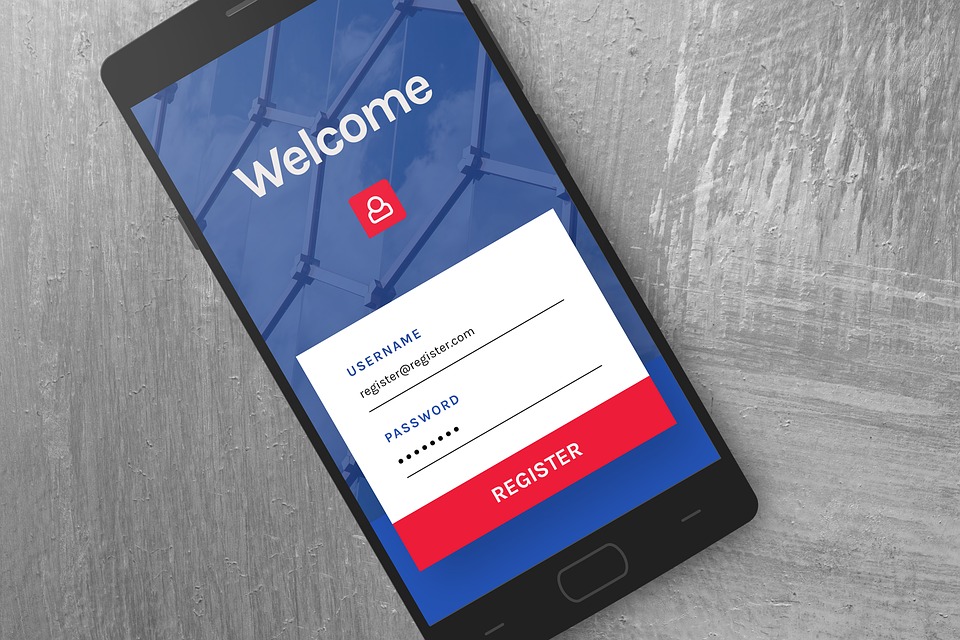
A complex password or PIN can help prevent cybercriminals from accessing mobile devices. Besides using alphanumeric combinations, you can also use facial or fingerprint recognition, depending on what suits your employees.

If you opt for digits and letters, don’t share the combination with people outside your company. On top of that, be sure that your staff doesn’t store them on their phones. Unmarked folders and physical wallets are a much safer option.

PRACTICE #4 – INSTALL BUSINESS PROGRAMS ONLY

Lenient download policies can allow your team members to install non-business apps. Downloading such apps might seem harmless, but they are also infamous for their harmful advertising codes and many other threats. To mitigate this risk, tell your employees they can only download and use apps necessary for their roles.

PRACTICE #5 – AVOID PUBLIC WI-FI CONNECTIONS

Your team may need to use public Wi-Fi networks in emergencies to send crucial emails or schedule a meeting. However, connecting to such networks can expose confidential company information to cybercriminals using the same network.

The easiest way to minimise this risk is to provide a high-quality internet plan that features roaming services for your remote workers. But if there’s no way to avoid public Wi-Fi connections, a reputable virtual private network (VPN) or secure global network (SGN) may do the trick. It can help shield your data by creating direct, secure links from your location to the intended website.

PRACTICE #6 – LEVERAGE PHONE TRACKING

Losing company-issued mobile devices is unfortunate, but it’s not the end of the world.

Enabling Android Phone Tracker, Find My Phone on iOS, or other device-tracking software can help locate your lost smartphones. Some programs also enable you to remove data on your stolen devices remotely.

Installing these apps takes a couple of minutes and gives you much-needed peace of mind. With it, even if your staff loses their mobile device, cybercriminals are less likely to get their hands on the content.

PRACTICE #7 – INCORPORATE MDM (MOBILE DEVICE MANAGEMENT SOFTWARE

For even more security, you may want to integrate with reliable MDM. It’s an excellent way to separate personal and business information while allowing your team members to set up robust security measures on their devices.

In most cases, cloud-based software is the most affordable, flexible, and manageable type of MDM. Many platforms let you check out device information, update and manage apps, configure your devices, create usage restrictions, and remove content remotely.

If possible, implement MDM software that enforces security measures across all devices. As previously mentioned, this can include data encryption, strong passwords, and setting up containers to separate personal information from enterprise data.

PRACTICE #8 – SCREEN MESSAGES CAREFULLY

Cybercriminals frequently employ SMS phishing to trick your team into clicking dangerous links. They pose as someone credible, asking your staff to share confidential information.

If your employees encounter such messages, they should delete them or alert the IT department. Another great idea is to avoid opening the SMS and block the sender.

PRACTICE #9 – BLOCKING AND WHITELISTING

Many threats can compromise your company due to employee errors. For example, a team member may not realize they’re downloading a malicious app that allows thieves to steal data from their mobile devices.

Blocking and whitelisting can enable you to protect your employees from these risks by determining which sites and apps are safe.

On one hand, blocking certain applications can give your IT department peace of mind and alert them when someone tries to access those applications.

On the other hand, whitelists can work great for highlighting the tools your team should prioritize over social media and games.

DON’T DROP YOUR GUARD

Securing your desktop computers and laptops only is a disaster waiting to happen.

Your employees may still use their mobile devices to send emails and share sensitive information. That’s why shielding them from cyber criminals should be your top priority.

So, develop a strict usage policy and follow other recommended practices to make your team’s smartphones and tablets virtually impervious to data theft.

Get in touch with us at Inspired IT for even more cybersecurity tips. We can schedule a non-salesy chat to help you identify and address any potential security risks.

Article used with permission from The Technology Press
Inspired IT inducted into CRN Fast 50

At Inspired IT we have been celebrating an incredibly successful year and have just been placed in the CRN Fast50, which recognises the fastest growing IT providers in Australia. We’ve enjoyed an impressive revenue growth of more than 50 per cent in 2021, which is especially significant when considering the impact Covid-19 has had on many businesses throughout the country.

Our success has been thanks to an expansion in the wide range of quality IT Managed and Recurring services we offer our clients. At the same time, we’ve also increased our hardware and software sales at Inspired IT, primarily in the banking, finance, private health, and construction sectors. Our growth, which prompted our move into new premises earlier this year, is also due to expanding our client base and the internal growth within the companies of existing clients. Offering Microsoft’s Team Calling to businesses has also helped give us the advantage over some of our competitors. Customer feedback from this cloud-based service is that it’s enhanced internal and external collaboration on projects, and allowed consistently effective communication. 

The CRN Fast50 competition is purely merit-based, and entries are judged for their growth alone, which must be verified by supporting documents to prove the case is genuine. It’s open only to Australian systems integrators, managed service providers, value-added resellers and businesses selling software.  To qualify for entry the businesses must have been in operation for a minimum of three years.  

For our team at Inspired IT, being placed 21st in a nationwide competition shows just how far we have come since 2016 when we founded our company as a team of just one, expanding to 14 five years later. Our passion for delivering quality IT services to businesses in Perth, Western Australia, commitment to personal and professional growth and progressive attitude and working environment, have supported us during our period of rapid expansion.  

“To have come this far in just half a decade, and have our growth acknowledged and celebrated at a national competition level is a big win for us,” Matt Seeds, the company founder and Managing Director says. “Being placed 21st in the country for our sector is a real step up the ladder for us and we’re already enjoying the benefits of the brand recognition this positioning gives us.”

Matt says it’s the ethos of continually learning and adapting to the industry’s latest developments that has helped boost Inspired IT’s revenue so much in such a short space of time. The company’s responsive to adopting new software and technology and offering it to new and existing clients, ensuring the businesses we support are ahead of the game. This way, we help our customers to operate at maximum efficiency and potential. 

Being placed 21st nationwide in such a prestigious competition for our line of work is also thanks to the personal approach we take with each client. We value responsive and focussed communication styles, using language that’s accessible, clear, and concise.

“This year we came 21st, but our mission is to continually evolve who we are as a team and a company and our focus for 2022 is to not only maintain our 50% growth but to reinvest into Inspired IT to improve our expansion rate further and give our customers an even better service,” Matt Seeds.

The Value of a MSP

THE YEAR THE WORLD CHANGED

In 2020 the world of business IT changed dramatically and permanently.

Business technology today is far more complex than it was only a couple of years ago and it’s becoming more and more so every day. It is changing at an alarming rate and that is set to continue well into the future.

Modern businesses have never been more reliant on IT than they are today, not only to survive in an ever more competitive marketplace, but to thrive, to evolve, and to grow.

The future for business IT systems is already seeing increasing adoption of hybrid cloud, in addition to the many public and private cloud services available.

Software as a Service products are growing at a truly alarming rate and businesses all over the world are increasingly aware of the business productivity benefits, they can bring.

And therein lies the potential pitfall.

With huge advancements in technology comes the need for advanced technical skills, to identify, research, purchase, configure, manage and support these new systems.

If your business already has those advanced skills in-house, you’re very fortunate. But the vast majority of small and medium businesses don’t have that luxury, and that’s where the value of a professional Managed IT Services Provider (MSP) becomes a necessity.

THE VALUE OF YOUR MSP

MSPs are experts in all aspects of business IT. They have invested huge amounts of cash in training and certification and typically have larger teams of expert technologists.

They are there to advise you on what technologies are best suited for your business. And they will ensure that it is professionally configured and managed, backed up and supported.

They provide you with all the advanced technical expertise, that only enterprise businesses can afford to have in-house.

Outsourcing your business IT requirements to an MSP will actually save cost in the long run, helping you to utilise your internal resources more effectively.

And in a world where IT is changing and developing so rapidly, MSPs have more resources to devote to your business, keeping you appraised of valuable emerging technologies.

A good MSP will guide you and your business through technology challenges and changes that would be daunting without them.

FULLY MANAGED SERVICE

MSPs as the name suggests, provide a one-stop-shop for all your technology needs.

  • Hardware supply and configuration to desk
  • Network infrastructure services
  • Cybersecurity and data protection
  • Compliance
  • Data backup
  • Disaster recovery & business continuity
  • Cloud services adoption
  • 24/7/365 Network monitoring and management
  • Expert technical support with full remote access for speed of resolution.
  • Professional technical account management
  • IT Consulting
  • Technical Project Management
  • Internet connectivity (broadband, leased lines, MPLS and more)
  • VoIP telephony (often saving considerable costs over traditional PBX systems)

And don’t forget, the MSPs team, are first and foremost, business people. They understand the importance of technology to you and your business. They get business.

AND FINALLY

Outsourcing your IT management to an MSP does not mean relinquishing operational control. You are still in charge, only now, you have the support and backup of a team of technology experts.

They take on the responsibility for the time consuming and often repetitive tasks involved.

The benefits of outsourcing many of your IT operations to an expert MSP are numerous and can usually drive cost savings.

And if it makes budgeting simpler, doesn’t it make sense to add them to your list of professional advisers, alongside your accountant and lawyer, and not just as an item on your Profit & Loss statement. Recognise the expertise and the value they deliver and build that relationship.

Finally, and reassuringly, MSPs typically have best in class software monitoring and remote management tools that provide greater visibility and security. This in turn helps drive better decision making, based on real-time analysis and reporting.

Your MSP is, quite literally, your other emergency service.

3 Key Benefits of Windows 365 for Businesses


In business, efficiency is one of the most important parts of running a business. In order to communicate, create and collaborate in a way that is seamless, you need the right tools. In terms of productivity tools, Windows 365 is the best on the market for businesses of all sizes. It will help your staff to do their jobs more efficiently from wherever they work.

Windows 365 also makes businesses much more versatile which in turn allows them to be more competitive overall. With a range of tools such as Teams, Exchange, Word, and SharePoint, the Windows 365 productivity suite is built with modern businesses in mind. Today we will cover three of the main benefits of Windows 365 that businesses will experience.

1. Unlimited Versatility

Businesses have always struggled with several key challenges that have been highlighted in recent years. With Windows 365, businesses of all sizes can offer secure access from various locations for seasonal workers, at-will hires, and backup staff members as the need arises. The flexibility that most CEOs have only dreamed of has not become a reality. With Microsoft Cloud housing the full operating system, there is no longer a need to maintain costly new company-funded hardware or upgrade security to account for staff members using their personal PCs. Managing times of high traffic will be as simple as informing your staff and providing a passcode for company access.

2. Hybrid Working Capabilities

The global pandemic changed the way people work forever. Although some parts of the world are returning to the in-office, many are still offering their employees the option of working remotely. Along with businesses, even schools and governments are embracing the virtual trend. Windows 365 allows businesses the luxury of expanding their remote access operations while making online access to corporate resources more secure. Cloud PC takes personal computers and converts them into a digital workspace that is secure, highly productive, and most of all personalised for the way you do business.

3. Increased Computational Power For The Workforce

Keeping machines and software up to date is one of the most costly problems a business will face. When your staff is saddled with out-of-date technology, not only are they less productive they may not even be able to do their jobs. Windows 365 is hosted in the cloud and offers a full complement of the most up-to-date data, apps, settings, and upgrades available. This will allow your employees to have more access to critical analytics, computing power, and applications they need to get the job done. Upgrades to business systems no longer have to be drawn out for weeks, instead, upgrades are applied over the cloud and effective instantly for all staff members regardless of where they happen to be.


Addressing Common Concerns About Windows 365

While the benefits of Windows 365 are clear, it’s natural to have some concerns when considering a new technology solution for your business. Here, we address some of the most common concerns that businesses have about transitioning to Windows 365:

Cost

One of the primary concerns businesses have is the cost associated with transitioning to a new system. While there is an upfront cost involved in moving to Windows 365, it’s important to consider the long-term savings. With Windows 365, you’re moving to a subscription model, which includes regular updates and support. This means you won’t have to worry about additional costs for upgrades or new versions, making it a cost-effective solution in the long run.

Security

In today’s digital age, security is a top concern for all businesses. Windows 365 is built with robust security measures in place, including multi-factor authentication, encryption, and advanced threat protection. Additionally, because data is stored in the cloud, you’re protected against data loss from local hardware failures.

Transitioning from Traditional Windows

Transitioning to a new system can seem daunting, but Microsoft has made the process as smooth as possible. Windows 365 has a familiar interface that existing Windows users will easily recognise. Plus, Microsoft and its partners offer extensive support and resources to help businesses transition smoothly.

Dependency on Internet Connection

As Windows 365 is a cloud-based solution, a reliable internet connection is crucial. However, Microsoft has optimised Windows 365 to work well even with lower bandwidth connections. Moreover, the rise of remote work has made high-speed internet connections more common and accessible than ever.

Compatibility

Windows 365 is designed to be compatible with a wide range of devices and other software applications. This means you can continue to use your existing hardware and software, reducing the potential disruption to your business.

Transforming The Way You Do Business With Windows 365

Embracing Windows 365 can be a game-changer for businesses of all sizes. Its powerful features and flexibility can significantly enhance productivity, streamline workflows, and offer robust security measures. However, like any significant change, it requires careful consideration and planning.

At Inspired IT, we understand that every business is unique, and so are its IT needs. We’re here to help you navigate the digital landscape and make informed decisions that align with your business goals. Whether you’re considering a transition to Windows 365 or exploring other IT solutions, our team of experts is ready to provide personalised advice and support.

Don’t let technology challenges hold your business back. Reach out to us today to learn more about how Windows 365 can transform your digital workspace and drive your business forward. Let’s explore the best solutions tailored to your needs and unlock the full potential of your business together.

Is Poor Patch Management What Is Causing A Gap In Your Business IT Security?

In business one of the most important things, to consider is the strength of your IT security. Unlike personal security, business IT security keeps critical systems, staff, and consumer information safe from attacks and leaks. There are always upgrades rolling out to combat the constant barrage of attacks, but if your IT Department has poor patch management, your whole company may be at risk.

Why Is Patch Management Important?

Patch Management is the main method by which companies of all sizes mitigate security vulnerabilities. The IT department is tasked with securing software, servers, technology, and other hardware to both install and test patches to maintain a high level of cybersecurity. This seemingly simple task is one that most companies struggle to keep up with, and your business is most likely no different.

Effective patch management will allow you to protect yourself from the thousands of vulnerabilities that are a part of doing business. In fact, in 2018 alone there were 16,500 security vulnerabilities reported and that number has grown exponentially as hackers learn and ramp up their efforts to steal your business information.

Does Your Business Have Security Gaps?

Security gaps in your business can result in a loss of critical data, violate privacy laws, and even lead to security breaches. If you think you have poor patch management or overall your IT protocols are ineffective, the best way to find out is by performing an Information Security Risk Assessment. This will allow you to uncover the risk to your business and data security so that you can upgrade your safeguards.

Think for a moment about how often you or your staff snooze the update notifications on their PCs or other work-related devices. These notifications are critical updates that allow your business’s information to remain safe and out of the hands of nefarious parties. By neglecting these critical updates, your business is being left vulnerable to data breaches and more.

Does Your Business Have The Patches You Need To Stay Safe?

Security patches are used to repair or prevent an IT vulnerability once a problem has been identified. If you don’t have an IT team constantly looking for updates, chances are your patch management protocol is creating a gap in your business security. There are many different types of patches; Hotfix patches are often released on the fly while a program is live, and Point release patches don’t change features but rather update to fix minor flaws.

Security patches are critical and are released when there is a weakness that needs to be fixed to correct any identified vulnerabilities. There are also service pack patches that are considered major and update or change large sections of a program. There are also unofficial patches that are made by private users to fix a problem on their local systems or the more popular monkey patch that fixes a plug-in.

As a business owner or IT professional, maintaining a proper patch management protocol is essential if you want to ensure a business and its consumers are protected.

At Inspired IT under our Managed Services, this is done in a controlled environment and is reported on if the devices do not get updated. If you want to find out more please contact [email protected]


What Is A DDOS Attack And How Can It Hinder Your Business?

Unsafe Global Network

A lot of things have changed in the business world since the onset of the pandemic. While many companies learned how to be more flexible, these changes also brought with them added security risks. ISPs have seen more traffic than ever over the past two years which has given rise to even more criminals and hackers than ever before. They have taken to attacking service providers, businesses, and even governments with impunity. With DDoS attacks on the rise, it is important to know what they are and how you can protect your business from them going forward.

What Is A DDoS Attack?

A DDoS attack is a “Distributed Denial of Service” attack that is aimed at disrupting the regular flow of internet traffic in a specific location. These targeted cyber attacks prevent regular users from accessing a site or company while also opening that target to data breaches and more. Most hackers use this form of attack to infiltrate the target to steal information. In some cases, this is sensitive consumer information and passwords while in others it is critical information about the target itself.

How Is This Year Different?

In the last year, DDoS attacks have increased by more than 500% when compared to previous years. The increase in malicious attacks coincides directly with the rise in consumer dependence on online services and companies’ reliance on telecommuting by their staff. An increase in ISP usage was so much that it had the effect of being overwhelming for most providers to the point where their security measures were no longer as effective. Both short attacks and other abnormal patterns were noted which allowed for widespread disruption and even data breaches.

How Can DDoS Attacks Hurt Your Company?

Companies have always been the target of cyber attacks but with more people working from home DDoS attacks and brute force attacks have skyrocketed. Most businesses make sure things are secure at their end but forget to provide the same type of security to employees who have remote access. If your business is vulnerable to attack, not only is sensitive or proprietary information at risk, but the information of your site visitors and customers is also at risk. Even if a DDoS attack is unable to break through and steal important data, these attacks do prevent real site visitors, employees, and consumers from accessing your site for a time. This can result in a loss of reputation, contracts, and more.

How To Mitigate DDoS Attacks?

Proper patch management and secure RDP protocols are critical if you want to protect your business while also allowing your staff to work remotely. There should always be a limited number of users allowed to connect to the corporate servers online at any one time. Strong password policies with three or four-step authentication are also critical. There is no perfect solution but exercising diligence, disabling external connections through TCP & UDP ports, and maintaining strict patch management is an effective ways to prevent most DDoS attacks from being successful.

Secure Your Business Today with Inspired IT

Experience peace of mind by choosing Inspired IT for your managed services. Ensure your business runs smoothly and stays protected from cyber threats. Contact us now for tailored solutions that meet your unique needs!

Windows 365 the Cloud PC

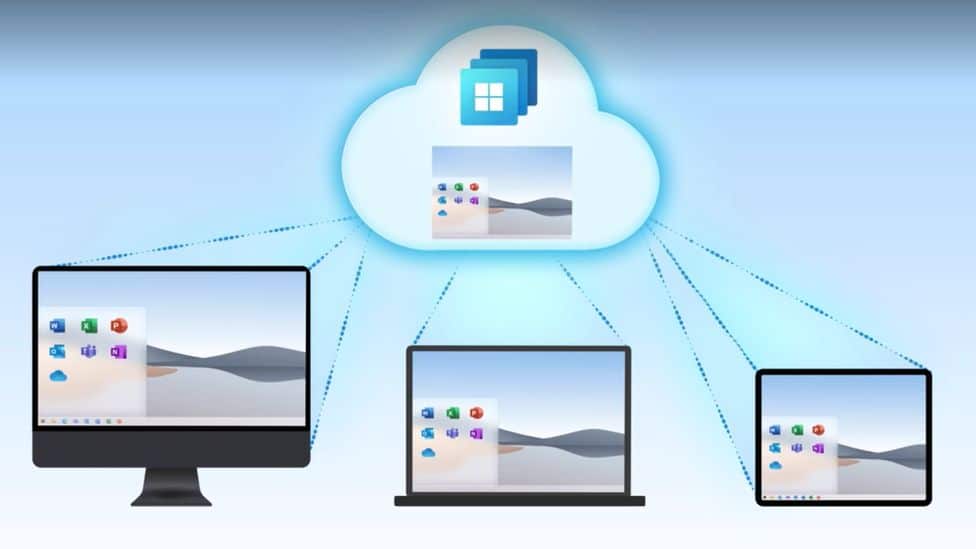
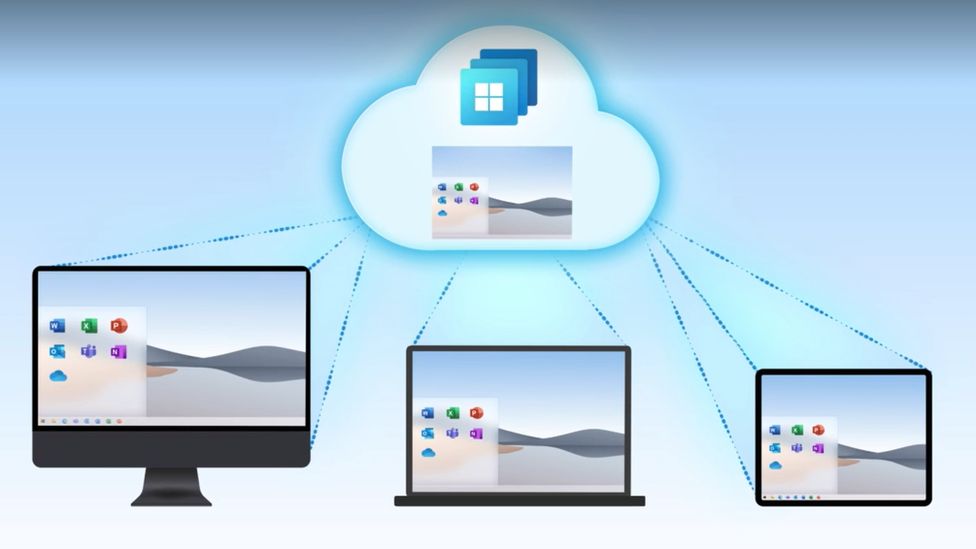
Following Microsoft announcement of the new Windows 365 Service on 2nd August. Inspired IT is pleased to announce it will be offering Windows 365 to our customers, which is essentially a streamed version of Windows-10, or when it is available, Windows-11, via a virtual PC. Employees can control it via the keyboard, mouse, or microphone of whichever device they are currently using. The device becomes a virtual desktop through which Windows 365 is operated, and the primary point of difference is that all the information is passed through the internet as opposed to your business’s network.

This innovation is a work in progress and Microsoft plans to evolve Windows 365 to elaborate, expand and improve the service to ensure customers experiences are continually enhanced. Each Cloud PC will have access to a fast internet connection, with download speeds of 10Gbps and upload speeds of 4Gbps.  For staff to be able to experience the full benefits of Windows 365, establishing a connection through an existing Windows PC will provide the best experience.

Inspired IT is committed to providing its clients with the ultimate computing experience and with an ever-increasing reliance on the Cloud for storing and transmitting data, we like Windows 365 because it is the perfect complement. When we look back at the early days of computers, with their huge, highly expensive and now comparatively ultra-slow terminals, we can appreciate just how efficient and minimalist Windows 365 and its virtual technology really is.  

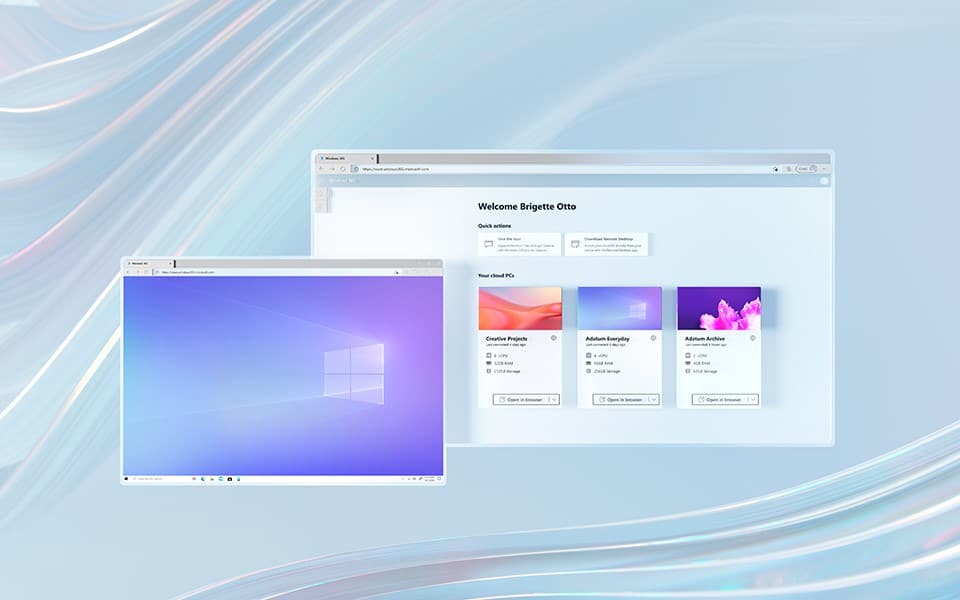
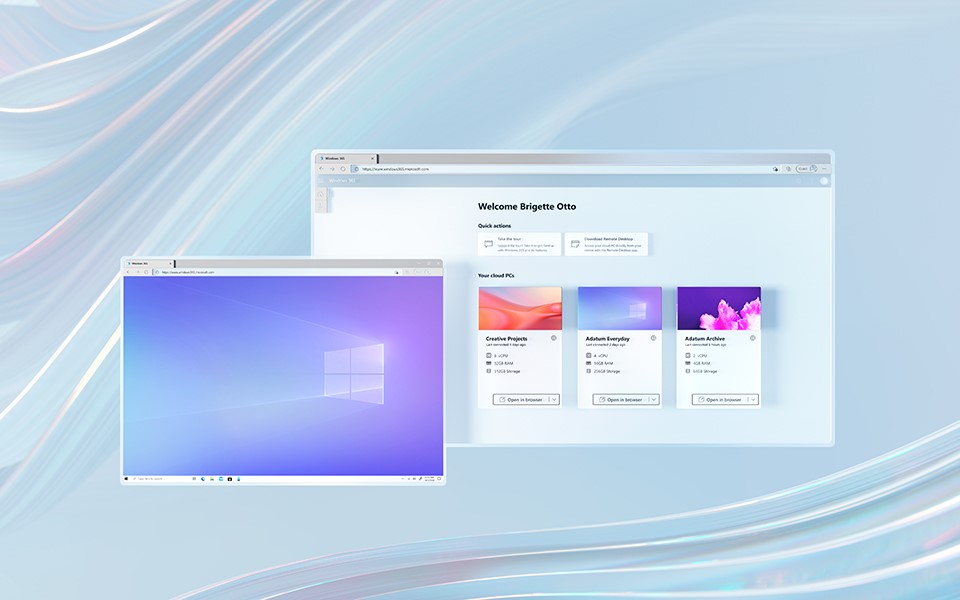
Pricewise there are many options for Microsoft’s new service, which was released on 2 August, with a whole range of options to suit any budget, per user, in addition to eleven other pricing options offering an increased RAM and storage. Customers can select from Business and Enterprise packages, with the former being able to manage everything online via windows365.microsoft.com, with no need for a licence and the capacity for up to 300 users. Alternatively, business owners can select the Enterprise tier, which does not pose a limit on the number of users. Instead, companies can build on pre-existing licences and utilise Microsoft Endpoint Manager data security software.

Inspired IT likes the “instant boot” aspect Windows 365 offers its users. It is an especially good service because it allows users to pick up exactly where they left off. The state of your Cloud PC remains unchanged, even when you are switching between various devices which helps increase efficiency and productivity.

The global pandemic Covid-19 created has left employees wanting even more flexible options when working remotely according to Work Trend Index research. At the same time, the need for a higher level of collaboration is required as more and more data is being exchanged online. With staff working from home, on the move or from the office, confusion could easily reign without a smooth exchange of data, which Windows 355 makes easy through its permanently online status.

The concept of a committed team of staff working busily together in the office, where they can liaise and operate cohesively is an image of the past for many businesses today. Bring in a series of different devices and additional static and mobile staff, and we can see why Windows 365, with its “live” Cloud-based position, permits far greater ease of working collaboratively.

Whether your company requires seasonal workers for bigger projects or specialised staff that are brought in temporarily for a specialised “one-off” venture, this new Microsoft service will help ensure everything runs smoothly and that all staff are on the same page, thanks to Windows 365.

Teams Calling

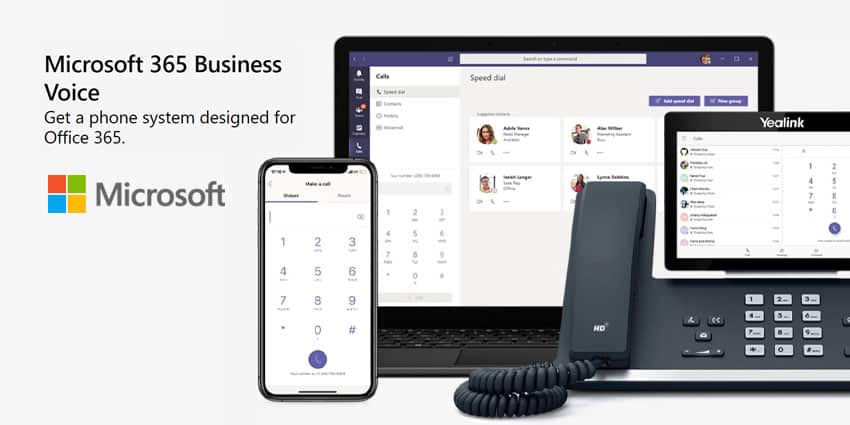
Inspired IT has created a partnership with Perth-based ICT solutions company, R-Group International which allows us to offer Microsoft Teams Calling to our customers. Teams Calling is an ingenious design by Microsoft that enables staff members to make and receive calls from anywhere within the Teams app.  Now we’re excited about being able to offer this service to all our clients with an Enterprise License or Business 365 Licence with a Business Voice without call plan addon.

There is a multitude of benefits to using our new Teams Calling service. These include all the functions you would enjoy from a standard calling service, such as hold, transfer, forwarding and voicemail, but instead through the cloud. It can help increase efficiency because staff can see exactly who is available and select the best communication method, be it calling them by video, voice or through an online chat. Your business will be allocated a telephone number that is capable of handling local, long-distance, mobile audio and video calls.

It unites all your technology into one place, avoiding confusion. Team Calling also helps increase productivity by allowing instant screen sharing while linked via video between two or more people to allow files to be exchanged live without any interruptions. This also helps achieve a higher level of collaboration. Efficiency can be increased through clearer audio and video connections. There is also an automated answering system available, and this permits staff to answer inbound calls and direct them to the correct queues via a cloud-based phone system.

In addition, Microsoft Teams Calling allows businesses to create custom greetings and play a chosen piece of music for customers waiting on hold and the set up of shared voicemail. It is also a 100 per cent cloud-based system that results in employees being able to transition smoothly between Microsoft Teams while on the move to their office phone at their desk. Calls can be made from a laptop, headset or traditional phone using the delegated Microsoft Teams Calling number thus creating a more cohesive means of telecommunication.

At Inspired IT we knew we had to enter into a partnership to be able to give our clients the best possible Teams Calling experience and chose R-Group International because it had a pre-existing system in place with its telecommunications services operating from multiple data centres across Australia through its licensed carrier division. We have now invested in training by R-Group’s UC team and our staff are fully supported by a 24/7 Microsoft Office 365 helpdesk, so we are able to quickly troubleshoot any issues that may arise.

“We’ve had our sights set on offering Teams Calling for some months and by partnering with R-Group we are finally ready to offer it to our customers, in a form that meets our company’s very high standards,” Inspired IT’s Managing Director Matt Seeds says.

Our Teams Calling packages range from $12 to $20 per month per user, depending on whether the cost of calls and which calls are included in the deal. There is a one-off set-up fee and OnDemand support is charged at our standard hourly rate.

“R-Group were our ideal choice to work with because they’re on the same wavelength and offer a fantastic service,” Matt Seeds says. “Our customer satisfaction is of paramount importance to us and we only wanted to move into this new sphere if we could offer our clients a cast-iron guarantee that Teams Calling would assist in the smooth running of their business.”

Covid-19 has highlighted the importance of having a cloud-based business, not only for exchanging files and storing data. With Teams Calling and an audio/visual cloud-based calling system of offer, Inspired IT can offer businesses the ultimate in communication technology which is especially beneficial for staff on the move or working remotely.

Call us today to see how we can help your business operate more smoothly with Microsoft Teams Calling and we’ll help you choose the best package for your company’s needs.

Windows 11 Timeline for Your Business

Are you wondering when Microsoft will launch its highly-anticipated Windows 11 OS? While the official release date has yet to reach the media, there’s plenty of speculation about the operating system coming to market sooner than expected.

When Will Windows 11 Release? – A Timeline

So, when will Microsoft release Windows 11? There was loads of speculation on the official release date of Windows 11 early on. At the beginning of June, Microsoft fans got what they were waiting for when the project’s name leaked online.

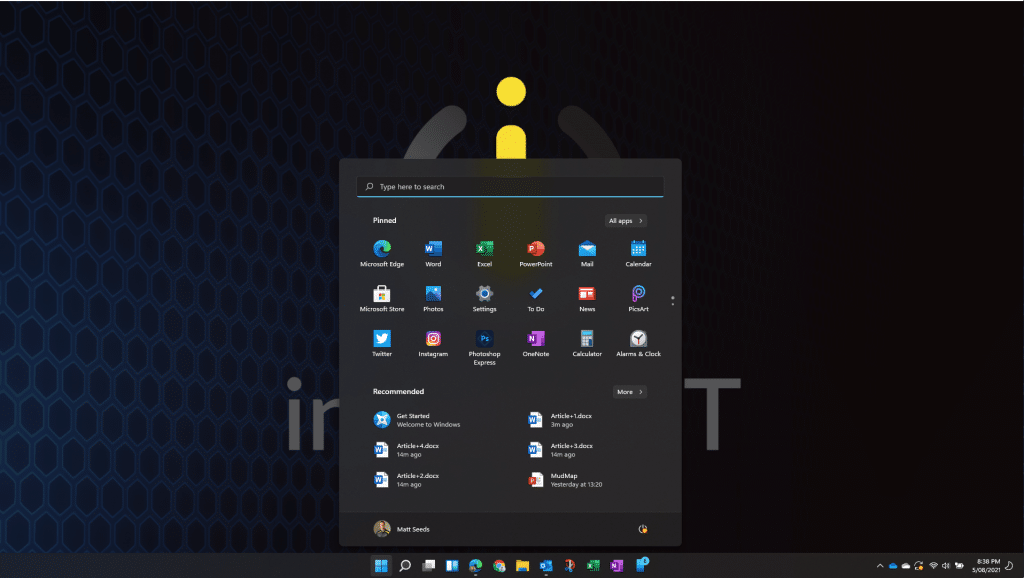
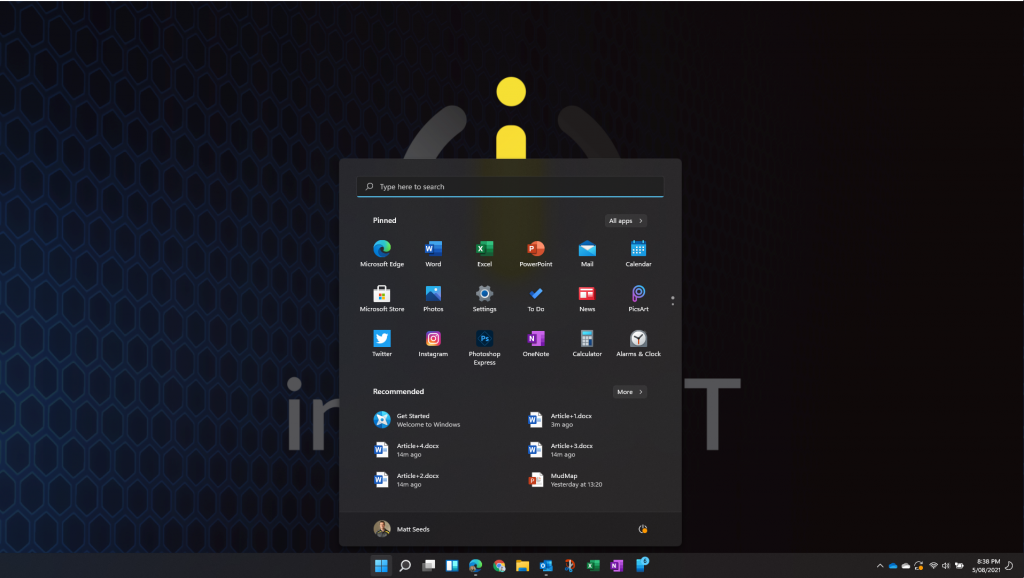
Microsoft Windows 11 beta release - Inspired IT

Images showing a supposed build of the operating system surfaced in mid-June, and the market response seemed positive in the apprehension of the company’s formal announcement on the OS.

Leaked screenshots of the build and its interface showed something similar to the hyped but cancelled Windows 10X project. However, the new OS had a redesign of its out-of-box experience, leaning on the Windows 11 branding.

In a surprise move by Microsoft, the company’s CPO stated the leaked images were of an early “weird build” by the dev team.

During the Microsoft Build 2021 developer conference, the company’s Chairman and CEO, Satya Nadella, dropped a teaser about the project’s development.

https://youtu.be/bPB8YsKy9k4

According to his keynote, Microsoft was already self-hosting the OS for months. Nadella also mentioned an official company announcement would arrive shortly. Only a week after the event, Microsoft started sending out sending invites to a Windows 11 media event on June 24, 2021.

In a display of ingenuity, Microsoft posted its 11-minute video featuring Windows 11 startup sounds to its YouTube channel on June 10, 2021. While the company was yet to announce the official name of its new operating system project, the clues left by the development team suggested Microsoft was going with the “Windows 11” name.

Microsoft Chief Product Officer Panos Panay officially announced the naming of Windows 11 at a virtual launch event on June 24, 2021. During the event, CEO Nadella labelled Windows 11 as the “re-imagining of the operating system.”

Microsoft also launched a developer-focused event discussing issues like updates to its Microsoft Store, the launch of the Windows App SDK also known as “Project Reunion”), Fluent Design standards and guidelines, and many more items.

The June 24 media event also saw Microsoft tease a future release date for the OS. According to Panay, the public could see a release date in “Holiday 2021,” with no specifics given around what he inferred with his statement.

However, Panay did mention that the release of Windows 11 will coincide with free upgrades for Windows 10 users with compatible devices.

Finally, during an event on June 28, Microsoft released the first-ever previews of its SDK and build of Windows 11 to media and tech insiders.

As of the Winter of 2021, there’s still no official word o the definite release date for Windows 11.

If you want your business to be Windows 11 ready then speak to our team at Inspired IT today.

12 Best Practices for Securing your Microsoft 365 Tenancy

Working remotely is more popular than ever before, especially with Covid-19 at play, but with this comes the need for a water-tight security system to keep your data safe from unwanted intruders. Thankfully, Microsoft 365 users can implement a stringent set of security measures which operate like a CCTV set up with an integrated alarm system, to ensure no outsiders can infiltrate your business.

Inspired IT recommends the following measures to protect your IT set up within Microsoft 365.

Multi-factor Authentication (MFA) creates an alert each time a user tries to login and without a code no one can infiltrate the platform. Employees might use a password that’s easy to guess and, in this instance, MFA adds an important security layer that’s hard to penetrate.

File Encryption provides security because if a device is stolen the data available will not be able to be read by a hacker. Within Microsoft 365 E3 and Microsoft Business Premium license holders and those above that level, there are encryption features available that will scramble your data effectively.

Azure ADF Content users can create an on-prem password which will be applied by Microsoft 365 once synchronised. 

Deactivate Email Forwarding to outsiders by disabling email forwarding options to all outside domains. This removes the opportunity for hackers to use the data within a private email and steal its secure content. This simple implementation of a mail flow rule ensures your company’s data is only accessed by those it was intended for.

Secure Forwarding Settings by enabling notification alerts each time there is a change in your email forwarding settings. This will notify you of any potential breaches of security as the alerts log a record of all activity and or alterations to the current settings you have created.

Apply a Sender Policy Framework to stop outsiders from infiltrating your business domain and sending emails. This framework prevents anyone else from sending emails from your business while disguised as an authorised user. Equally DomainKeys Identified Mail is another email authentication tool to ensure your business emails remain secure.

Effective Threat Protection forms part of the Microsoft 365 Business Premium package and it helps identify and block suspicious files in Microsoft Team sites, document libraries, and chats. We highly recommend this security measure when large volumes of information are being shared as malicious content is often difficult to spot, especially when working under pressure.

Mailbox Auditing is a useful application that allows businesses to track all activity within employees’ mailboxes and identify any suspicious activity.

Data Loss Protection is vital for any business to prevent private and personal identifying information being shared. Exchange creates an immediate alert pinpointing the security threat to prevent it from being sent outside of the organisation.

SharePoint Safety Restrictions allows business owners to limit access to only those users within the company, even when an outsider has the link. This security measure gives business owners and or managers complete control over your shared documents and who can view them. 

Mailbox Permission Change Notifications is highly effective because even the slightest change to email box permissions will be flagged and logged, thus all content remains secure.

Company Branded Sign Ins. Adding your company branding to your sign in page can be effective as a visual alert because when you and your team sign into Microsoft 365 it appears with your company branding and not the generic 365 branding. Train your team to enter passwords only when they see this company branding in place to avoid logging into a fake account.  

At Inspired IT we are passionate about keeping our clients’ data safe and ensuring it remains firmly in the hands of its owners. Data leaks and security breaches can be hazardous and highly damaging to a business.

Microsoft 365 is designed to create a secure and impenetrable vault for your data, so it is simply a case of identifying the locks available to ensure it is always secure.

Contact us today if you’d like to discuss your existing security measures and to talk about the options available to keep your data safe 24/7.

2020 Rise Business Finalist

Inspired IT are excited to have become a finalist in the Rise Awards Micro Business of the Year category in recognition of the growth and development we have experienced in 2020. It was a particularly challenging year for businesses with government lockdowns and travel bans, so this latest round of awards acknowledges the unprecedented efforts made.

Integrated Energy Company UON took the top prize as Western Australian Business of the Year providing power, air and water solutions, whilst Site Sentry was awarded Micro Business of the Year for their work in designing, manufacturing and leasing security systems for mining and construction sites.

The RISE Micro Business of the Year category is for businesses with 10 or fewer staff which have been trading for at least the last three financial years. The award celebrates small teams who are exceeding expectations and punching above their weight for a business of that size.

While we did not take the grand prize, we were delighted to have all our hard work recognised by becoming a finalist. Inspired IT has had steady growth over the last two years, doubling the size of our team in the last year alone. We have also invested a great deal of time in creating better processes using our existing systems as a foundation and then merging in new systems to improve the service we offer to our team and clients.

Another big development for Inspired IT this year was the introduction of the new Entrepreneurial Operating System which is an excellent way to create a more cohesive business, where every staff member is on the same page. EOS is a complete set of simple concepts and practical tools that has helped thousands of entrepreneurs get what they want from their business. Microsoft recognised the benefits that this platform could have to MSP’s, selected a small amount of businesses that have had good growth and paid a contribution to assist with the implementation.

Inspired IT’s EOS is effective at establishing a vision for a business where everyone has a clear sense of direction, as well as a more focused and self-disciplined way of working where each employee is accountable. It also helps leaders create a more cohesive, functional and healthy leadership team.

Inspired IT is focusing on continuing to expand whilst maintaining our exceptional quality of service in 2021. We have plans to move into a bigger office in Osborne Park to take us through the next stage of growth, which we are really looking forward to. COVID-19 has completely changed the working landscape with many more employees working remotely, which brings its own challenges to a business. This sea change has created a good opportunity for Inspired IT to grow its service from a technical, infrastructural and security support perspective.

We are looking forward to stepping up our game even further and are always seeking opportunities to partner with like-minded businesses.  If you are a business owner that’s highly motivated to expand and feel Inspired IT could facilitate you in that growth, contact us to see how we can help you.

Purple takes over the Optus Stadium

Inspired IT has sponsored a prestigious Perth Awards event which recognises the outstanding contribution made by women to the traditionally male dominated technical industry. 

The Women in Technology WA Tech [+] Awards held at Optus Stadium on 30 October featured 167 brilliant, tech savvy nominees whose incredible talent was celebrated at the function. Twenty gifted women who have excelled in this area were presented with awards at the stadium, which was lit up in purple to shine a light on their incredible success.

There were additional trophies presented to Carla Boehl as People’s Choice, Suzannah Moss-Wright for the Outstanding Regional Role Model award, Ashlee Culmsee as the Outstanding Youth Role Model and Paola Magni won the award for the First Among Equals.

We sponsored this event because we are determined to help break down gender bias and support local women and young girls so they’re not be held back by the backward thinking notion that to be a IT expert you must be male. When it comes to the ability to excel in the field of technology, we recognise gender is completely irrelevant and men are not genetically equipped to outshine their female counterparts. It takes hard word and determination regardless of the sex of the individual and we know women are just as able to perform well in the world of technology as men. 

Our very own Client Relations Manager, Marith Roelofs, has proved to us just how technically capable women are and our gender equality policy meant she was chosen for the role simply because she was the very best person for the job.

Backing the Tech [+] Awards was important to us at Inspired IT because our current and future success as a forward moving IT Services business, is entirely dependent on having highly capable team members. Marith proved to us very early on she is an expert in her specialist area and her ability to translate high tech issues into simple language that’s easy for our clients to understand, is testimony to her knowledge of complex IT solutions. 

Putting our money where our mouth is by sponsoring the awards event was a small step for us to show how Inspired IT’s committed to supporting women in their career in technology. High gender diversity businesses tend to have higher profit margins, so by getting more females on board, a company can gain the advantage over their competitors.

Men and women often think differently but both contribute something unique to a company. Having the two sexes working side by side encourages team members to work more cooperatively to reach an agreement and women have been proven to help create a more balanced work environment with a higher level of empathy and support.

This awards event was a celebration of female tech leaders in WA and it was designed to encourage both women and aspiring teenagers to have the confidence to pursue their career dreams in this traditionally male dominated field. It’s good to have a diverse workforce where either gender can use their talent in the field of technology, as well as setting a good example to the industry and we’re proud to be able to be a part of the process that helps evens out the imbalance.

For more info and pictures go to Purple Glow over Perth – WiTWA Tech [+] Award Night Winners & Highlights | WiTWA Tech [+]